It's hard to explain the premise to the AI all over again
Unless you explain the model you're working on and the design rules every time, it's difficult to get answers that are relevant to the situation on-site.
Next Design integrates with the AI agent platform “DC Agentiqs.” By using design models currently being edited and on-site insights as context, it supports the entire design process.
Trial Version for Businesses and Organizations / Can Be Evaluated by a Team
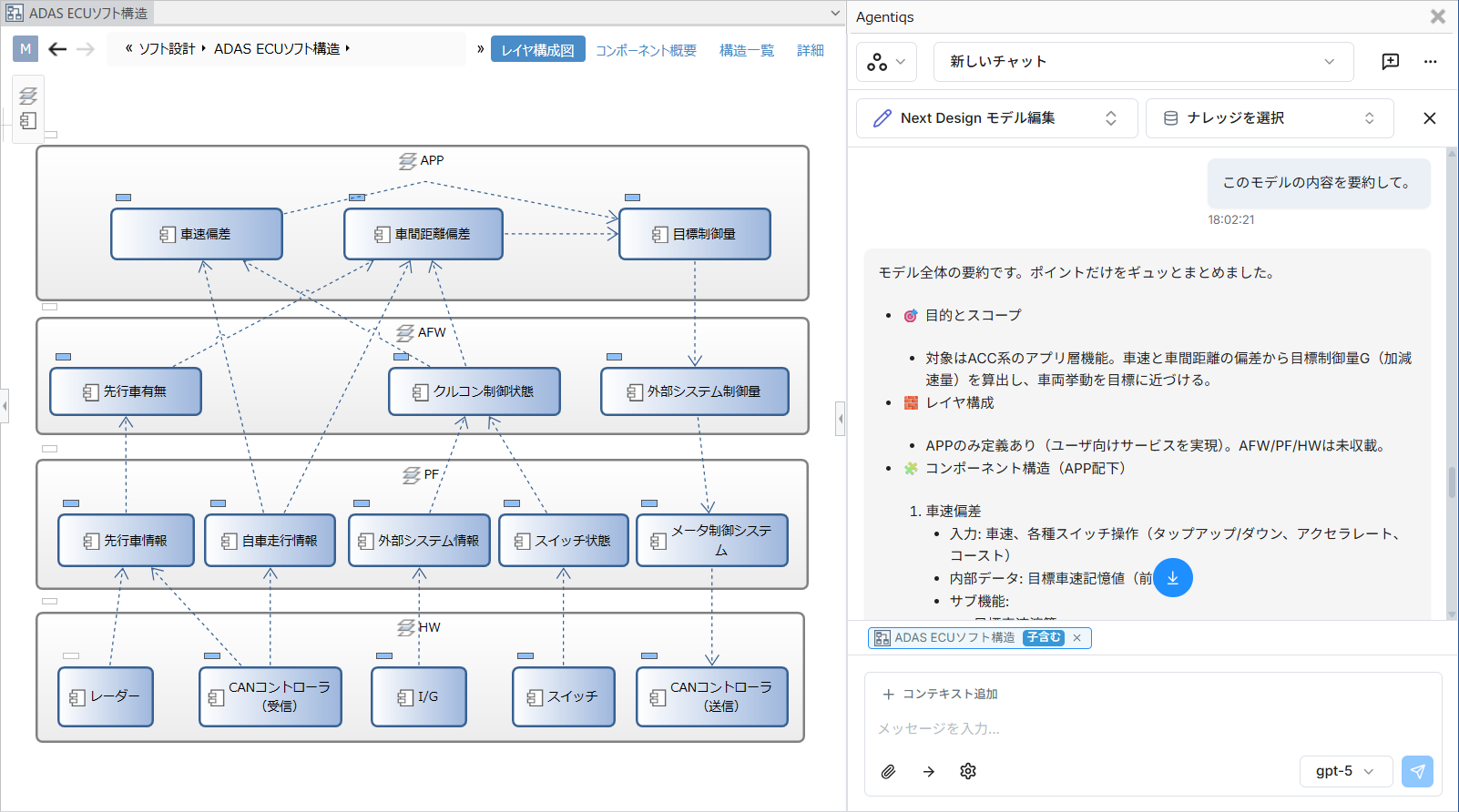
Unless you explain the model you're working on and the design rules every time, it's difficult to get answers that are relevant to the situation on-site.
Even when design information is organized using a metamodel, the application of verification criteria and the checking for omissions and inconsistencies tend to rely on the experience and judgment of the reviewers.
It takes time to organize design elements and views in accordance with the metamodel.
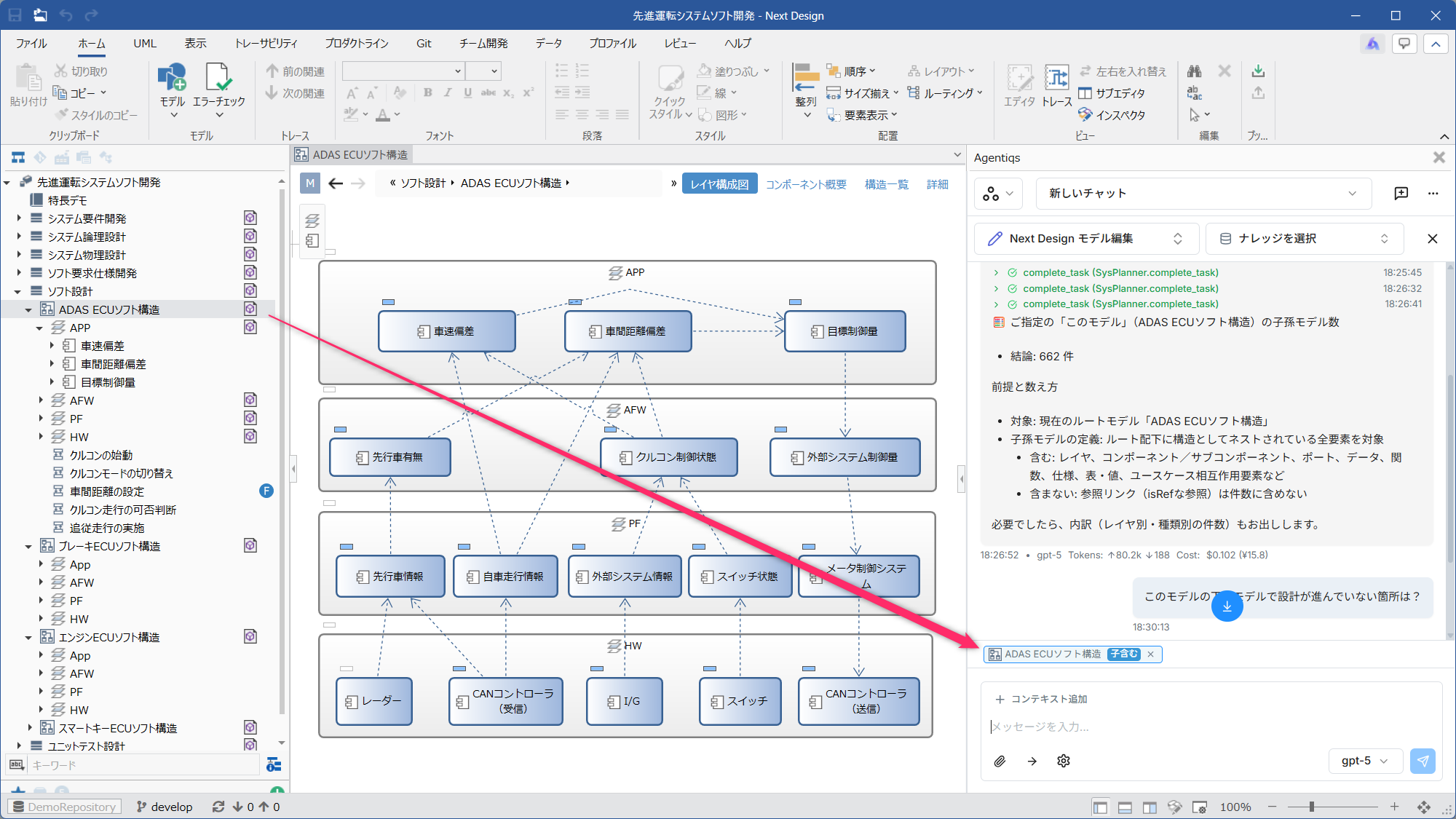
DC Agentiqs' chat feature is integrated into Next Design's UI. It automatically recognizes the model you're editing, and you can add models you want to reference via drag-and-drop.
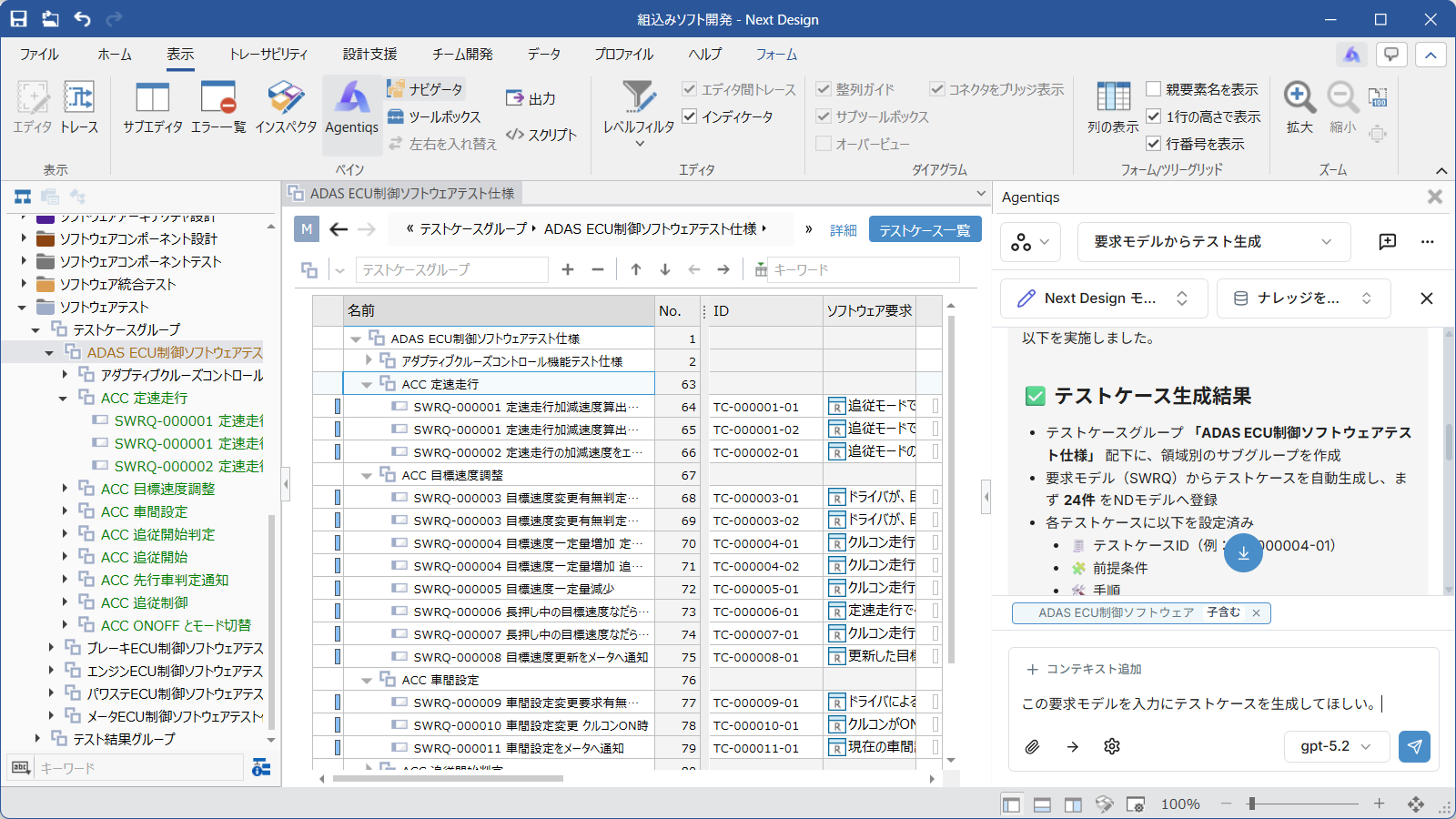
Based on existing design documents and requirements specifications, AI assists with verification in accordance with Next Design’s metamodel and review criteria. It helps identify omissions and inconsistencies, thereby reducing variations in review quality.
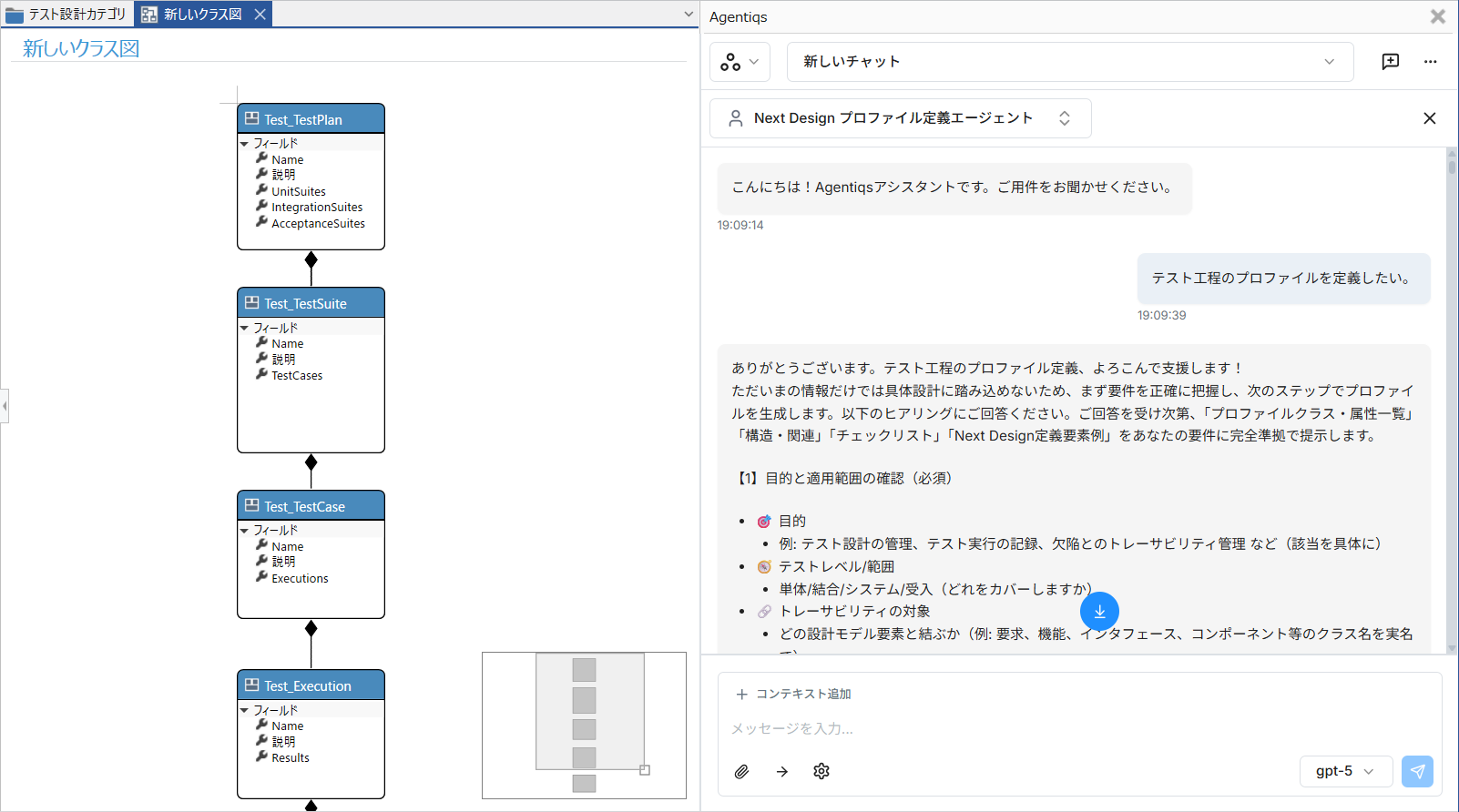
Based on existing design documents and requirements specifications, AI automatically generates necessary design information such as use cases, scenarios, and test cases. This also makes it easier to review profile definitions.

By connecting AI agents—which leverage site-specific knowledge and past deliverables—with design tools, you can access AI-assisted design directly from your regular design interface.
View Case Studies in Detail →Start with a small-scale test case and validate it with the team using the actual design data.
Select one design document or small-scale design project that you are currently having trouble with.
Verify the three points introduced on this page using your company's data.
We evaluate suitability for operation from the perspectives of designers, reviewers, and those responsible for improvements.
It is available for 90 days. On the product website, it is described as a free trial version that includes all features.
You can evaluate it as a team. Please specify the number of users you plan to evaluate on the registration form.
You can check this on the System Requirements page. Please verify your operating system, memory, and required software before installation.
You can check this on the edition comparison page. Please verify whether the features you'd like to evaluate are included in the edition you're considering.
You can sign up by clicking the "Try it free for 90 days" button on this page. Please enter your work email address and the number of users you plan to evaluate the service with.
You can use all features for 90 days. Start by evaluating a small project to experience digital transformation's design capabilities.
Sign up for a free trial