
Notice of Next Design V4 Extension Features Release
We have released additional extension features for Next Design V4. These new features expand design presentation options and significantly advance work efficiency and automation.
-
Enhanced Expression via Markdown Extensions and Dynamic Content Generation
- Describe design information clearly by blending Markdown and extended syntax for diagram representation.
- By dynamically generating content using scripts, you can freely and flexibly express model information aggregation results and more.
-
Improved usability for partial model file loading
- In addition to manual loading in model file units based on Enterprise Edition standards, you can now load unloaded models within the editor in bulk, or select and load target models from a list.
-
CI/CD integration using the CLI version of Next Design and the Linux version of NDMerge
- We have added the newly developed command-line version of Next Design, "NDCLI," which also runs on Linux. By combining it with user-defined extensions, you can accelerate process automation through CI/CD.
- With the addition of the Linux version of NDMerge, model merging processes can now be integrated into a wide range of CI/CD environments.
Next Design V4 users can download these extension features for free and start using them right away. Be sure to give them a try!
1. Enhanced expressiveness through markdown extension notation and dynamic content generation
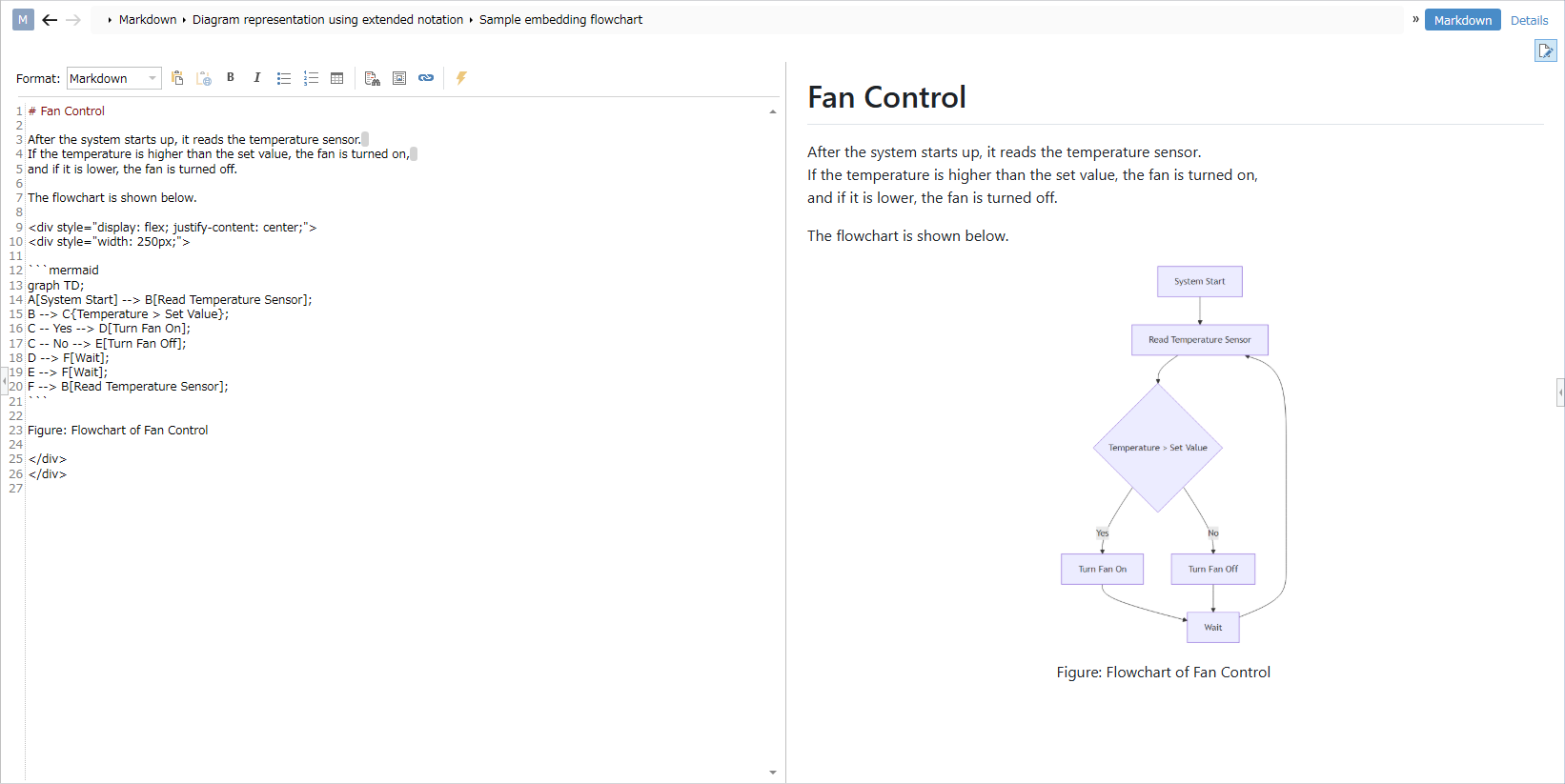
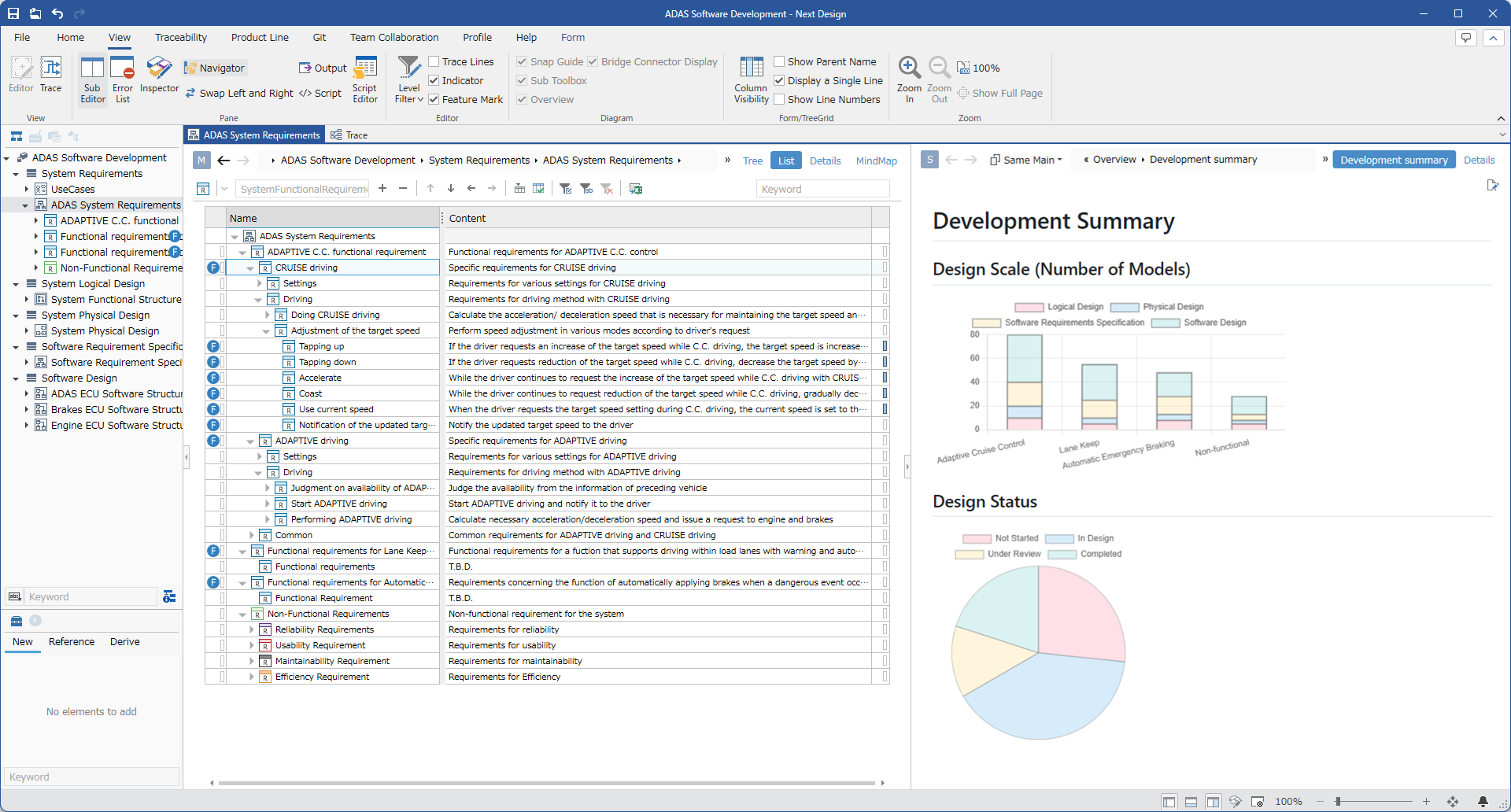
In addition to standard markdown notation, you can incorporate diagram expressions using extended notation to make design information easier to understand. Furthermore, by embedding scripts to dynamically generate content, you can freely customize how model information, aggregation results, and other data are displayed.
- Example of design information using markdown extension notation
- Example of model information aggregation via dynamic content generation using scripts
The above can be achieved by installing the extension feature: MarkdownEditor Package.
For installation and usage instructions, please refer to here.
2. Improved usability for partial model file loading
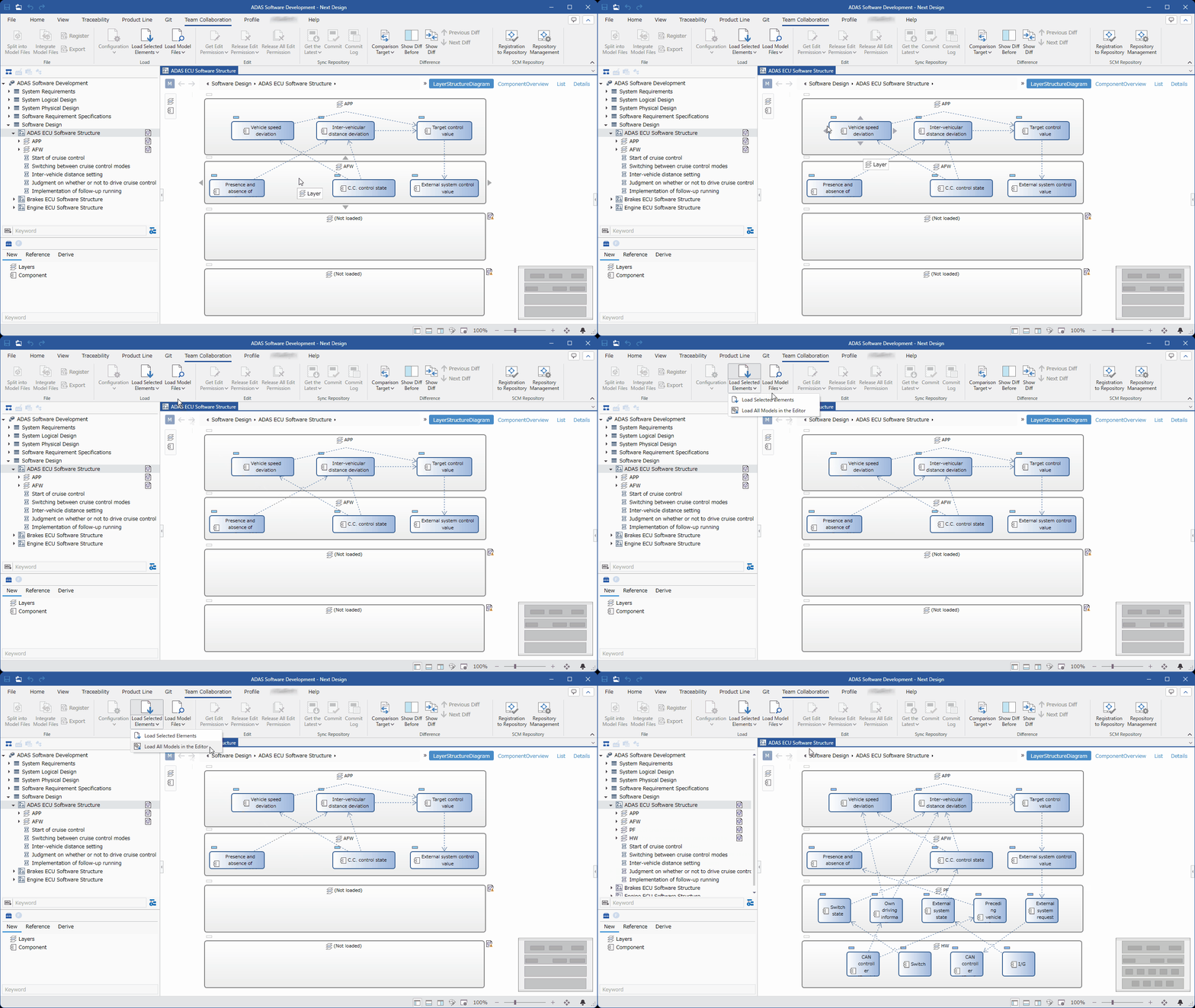
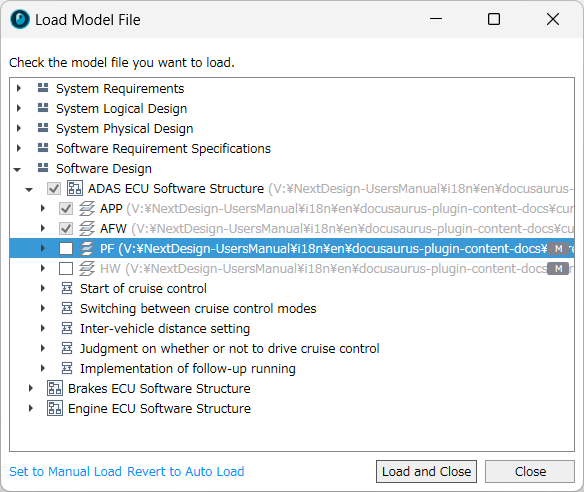
The partial model file loading feature included as standard in the Enterprise Edition has been made even more convenient to use. You can now load unloaded models within the editor in bulk with a single click, or select and load specific models from a list.
- Example of loading unloaded models in bulk within the editor
- Example of selecting unloaded models while navigating the same tree structure as the Model Navigator
The above can be achieved by installing the extension feature: PartialLoad.Enhanced Package.
For installation and usage instructions, please refer to here.
3. CI/CD integration using the CLI version of Next Design and the Linux version of NDMerge
CLI Edition Next Design "NDCLI"
NDCLI is a cross-platform tool compatible with Next Design that enables automation such as model verification and generation via the command line. It operates not only in Windows environments but also in Linux environments, allowing you to build toolchains centered around design information subjected to digital transformation within Next Design by integrating them into CI/CD.
For installation and usage instructions, please refer to here.
NDMerge for Linux
NDMerge is a proprietary Next Design tool that performs logical model merging essential for distributed development using Git. We have now released a Linux version of NDMerge. This allows you to incorporate model merging processes into CI/CD environments built on Linux as well.
For installation and usage instructions, please refer to here.