Next Design allows you to configure various representations for your design information. Highly versatile formats are available, ranging from Word-like document views and Excel-style grids to overview diagrams. Standard representations like UML and SysML are naturally supported as well.

-
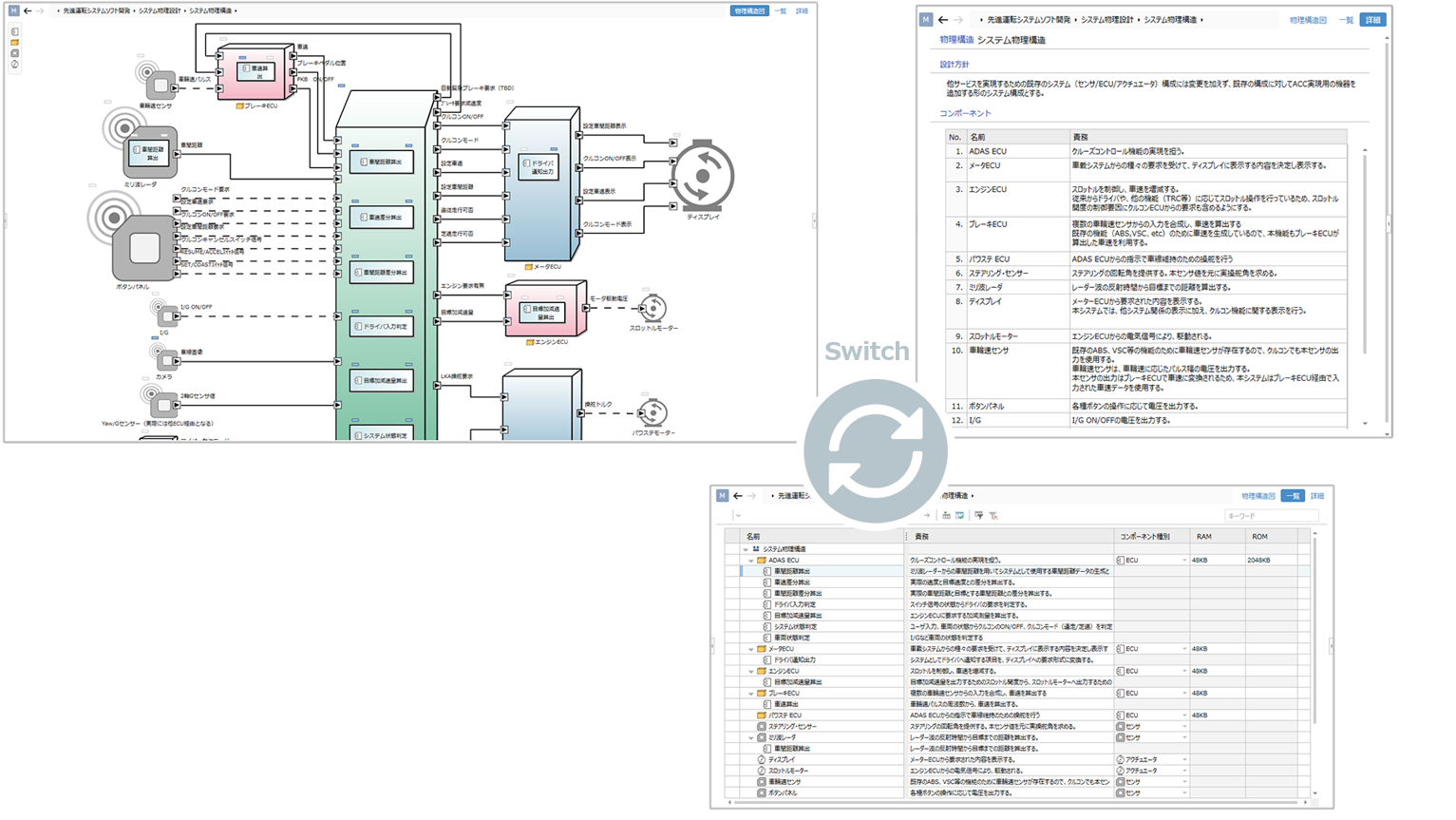
Switch between multiple views to suit your purpose
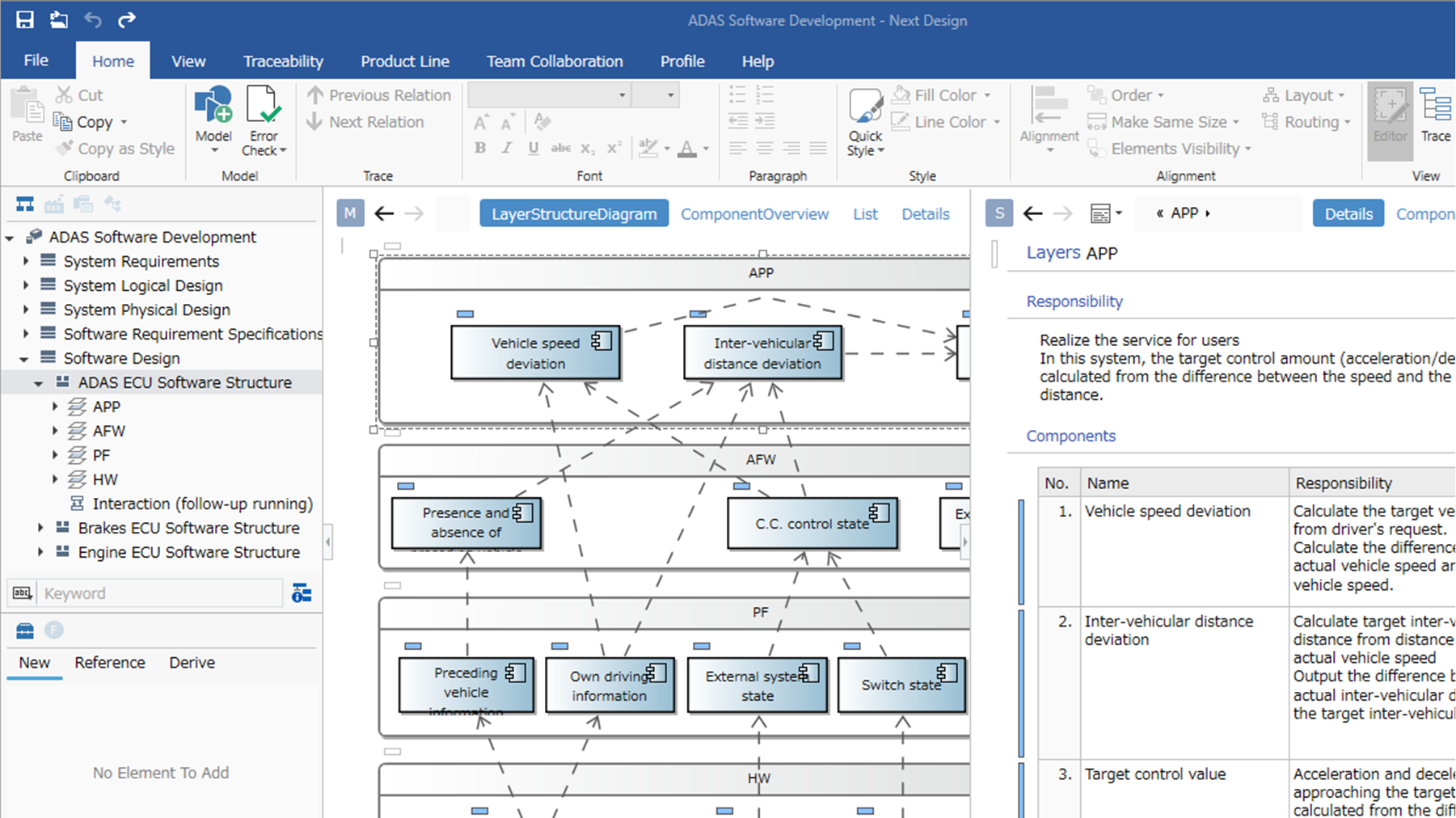
Because you can configure multiple views for a single piece of design information, they can be switched and displayed according to the purpose and objective. For example, you can get an overview of the whole in a diagram and check the details in a document, and even switch to a dedicated view specifically for reviews.
-
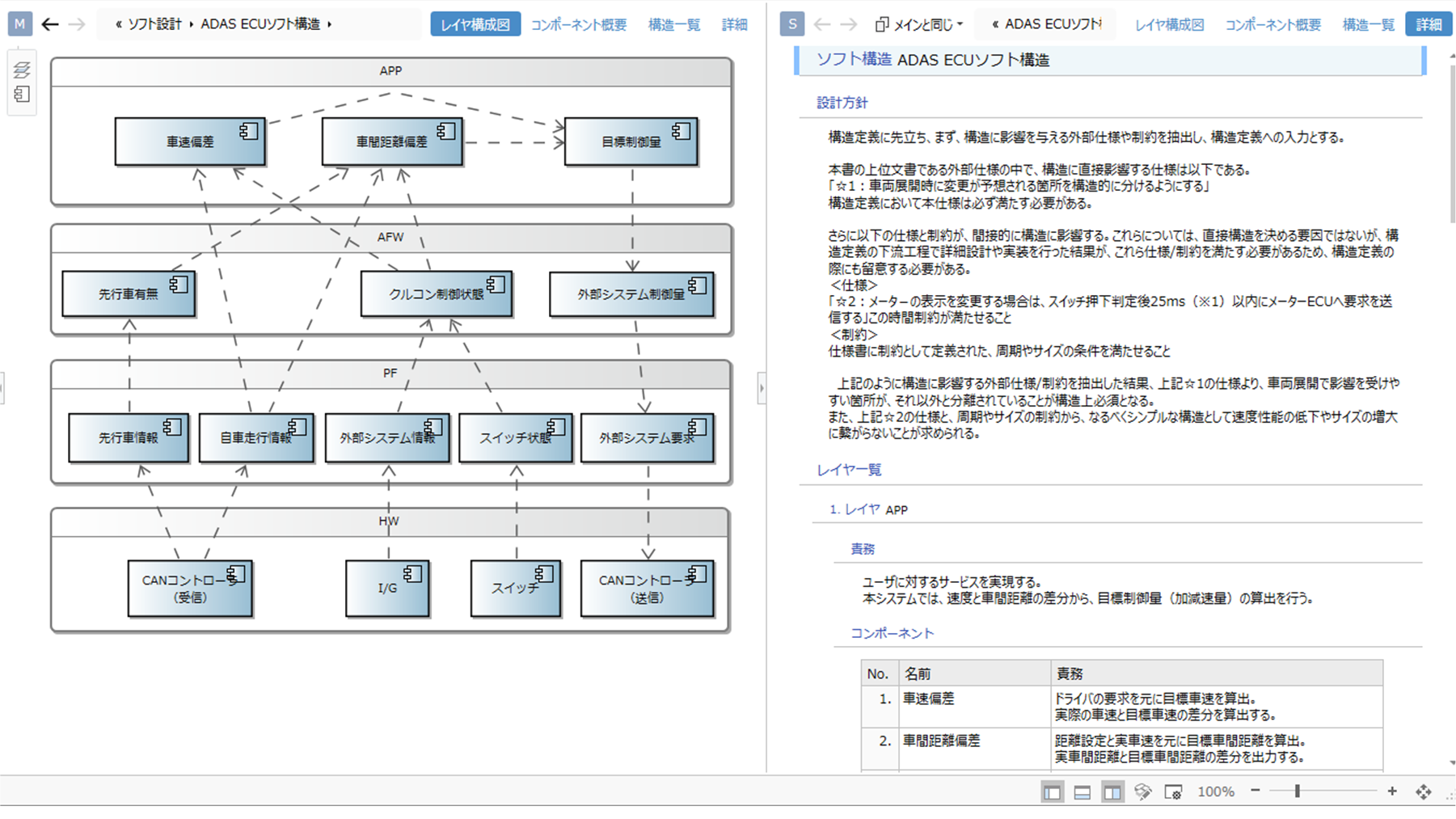
Integrating Models and Documents
Design content is seamlessly integrated: models provide an overview of the design through diagrams, while Word-like documents detail the specifics in text.
-
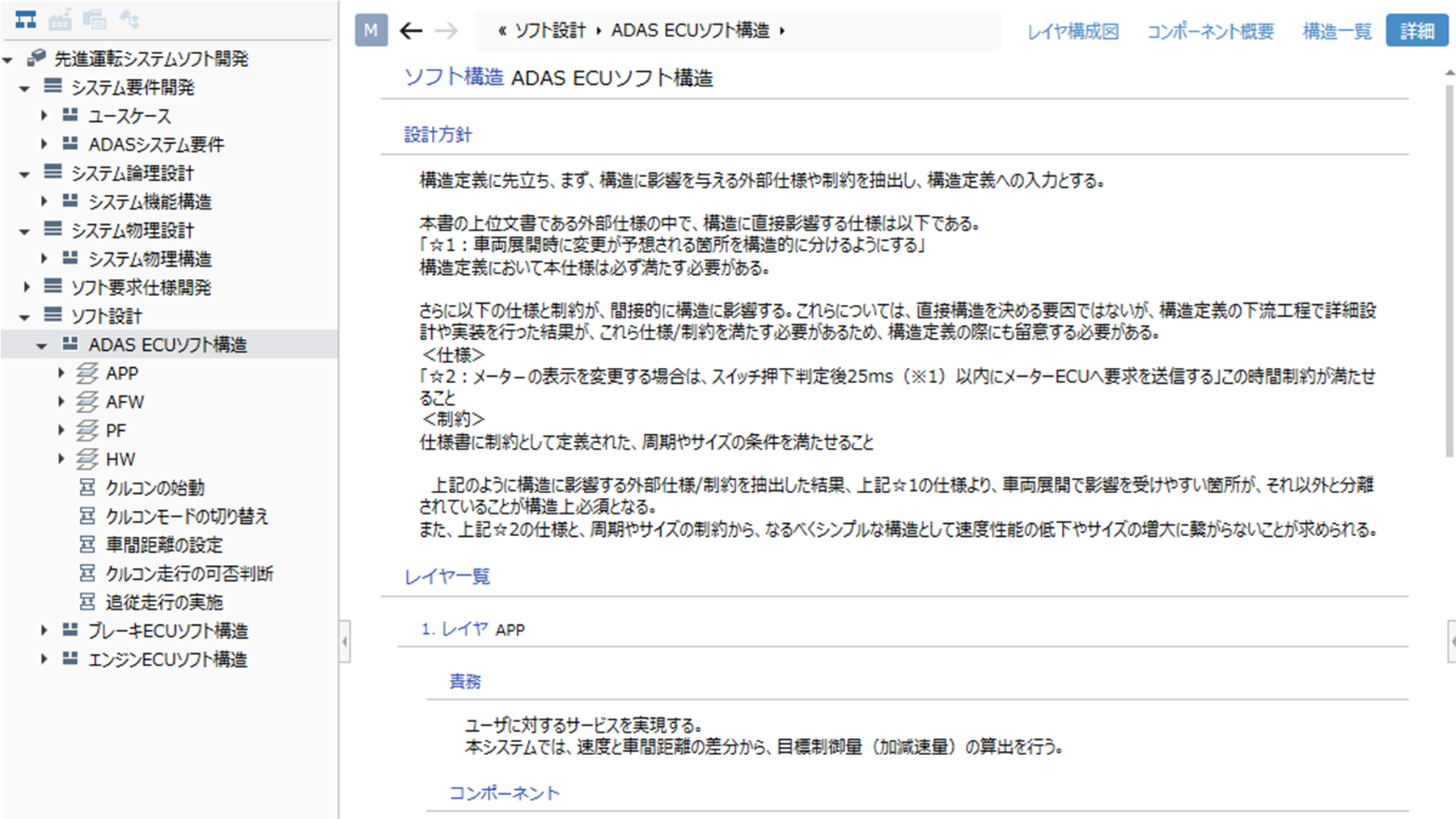
Document
Display and edit design data using metamodels while maintaining a Word-like document representation. Represent text and tables hierarchically to view models in a document-like style.
-
Tree Grid
With an Excel-like appearance, you can view design information hierarchically in a list format.
You can edit models with the feel of editing a spreadsheet, utilizing features such as auto-fill for bulk entry and cell-level copy and paste.
You can set colors on models to highlight or color-code them.
Memos can be added to cells, and row numbers can be displayed, facilitating smooth communication during reviews.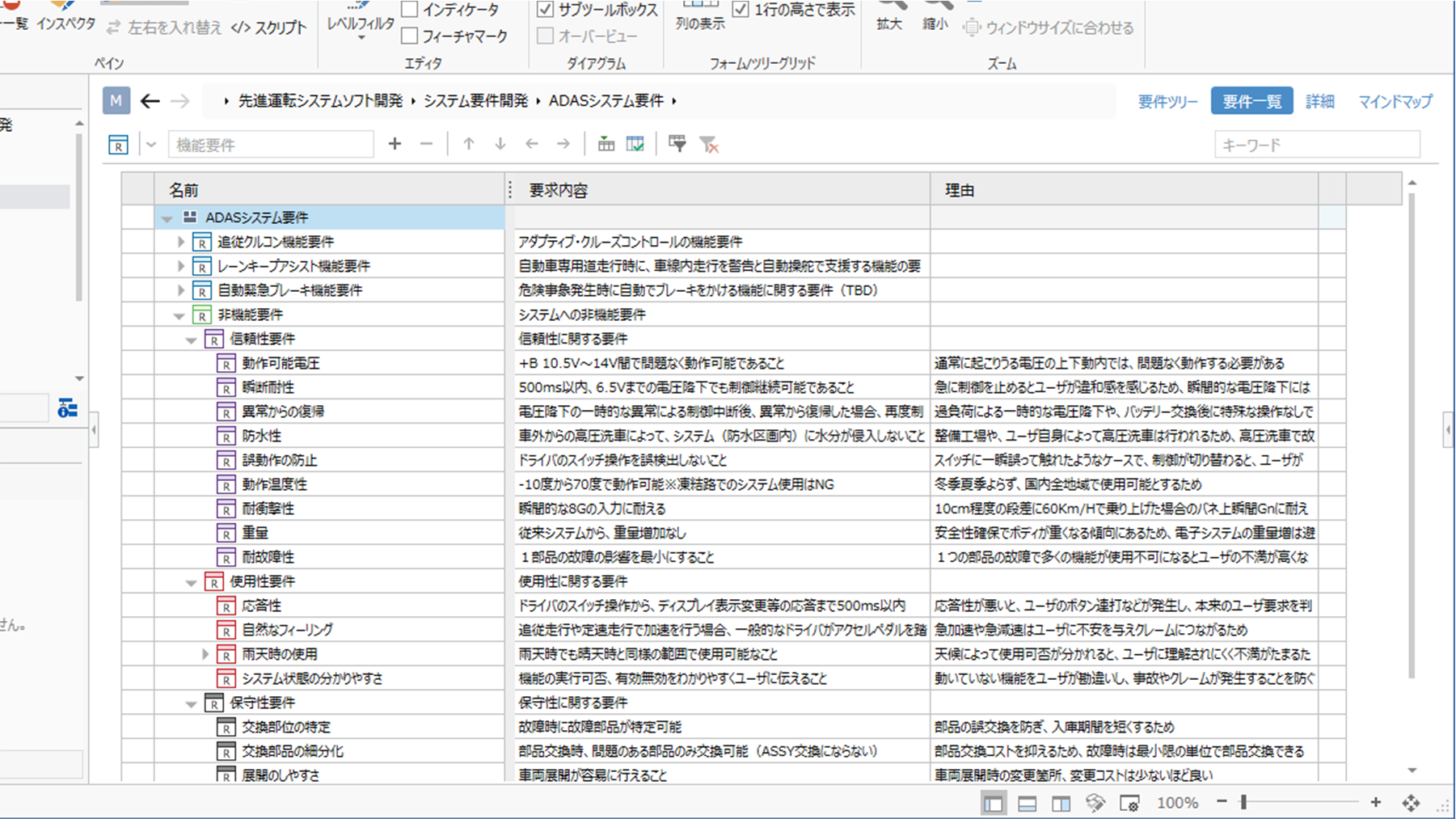
-
ER Diagram
Diagrammatic representation allows you to get an overview of relationships between design information.
Selected connector highlighting and crossover jump displays make connection destinations easy to see at a glance, even when connector routes are complex.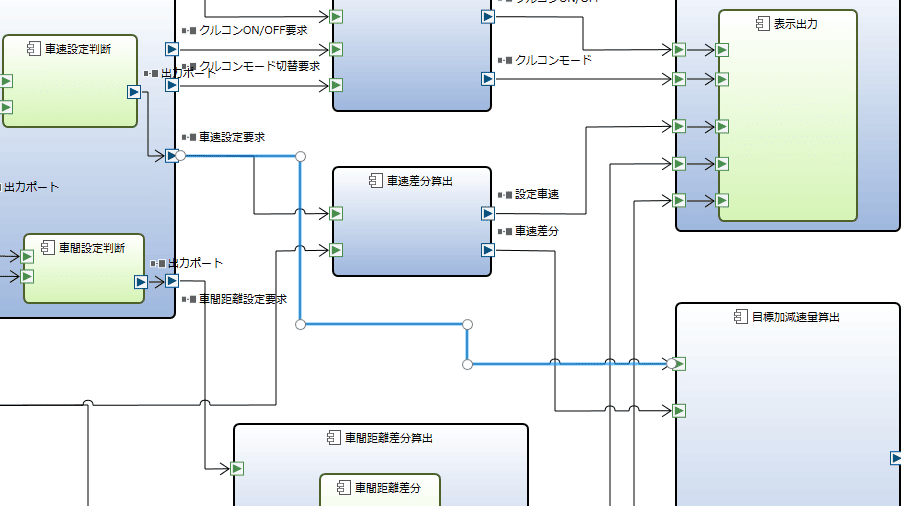
-
Tree Diagram
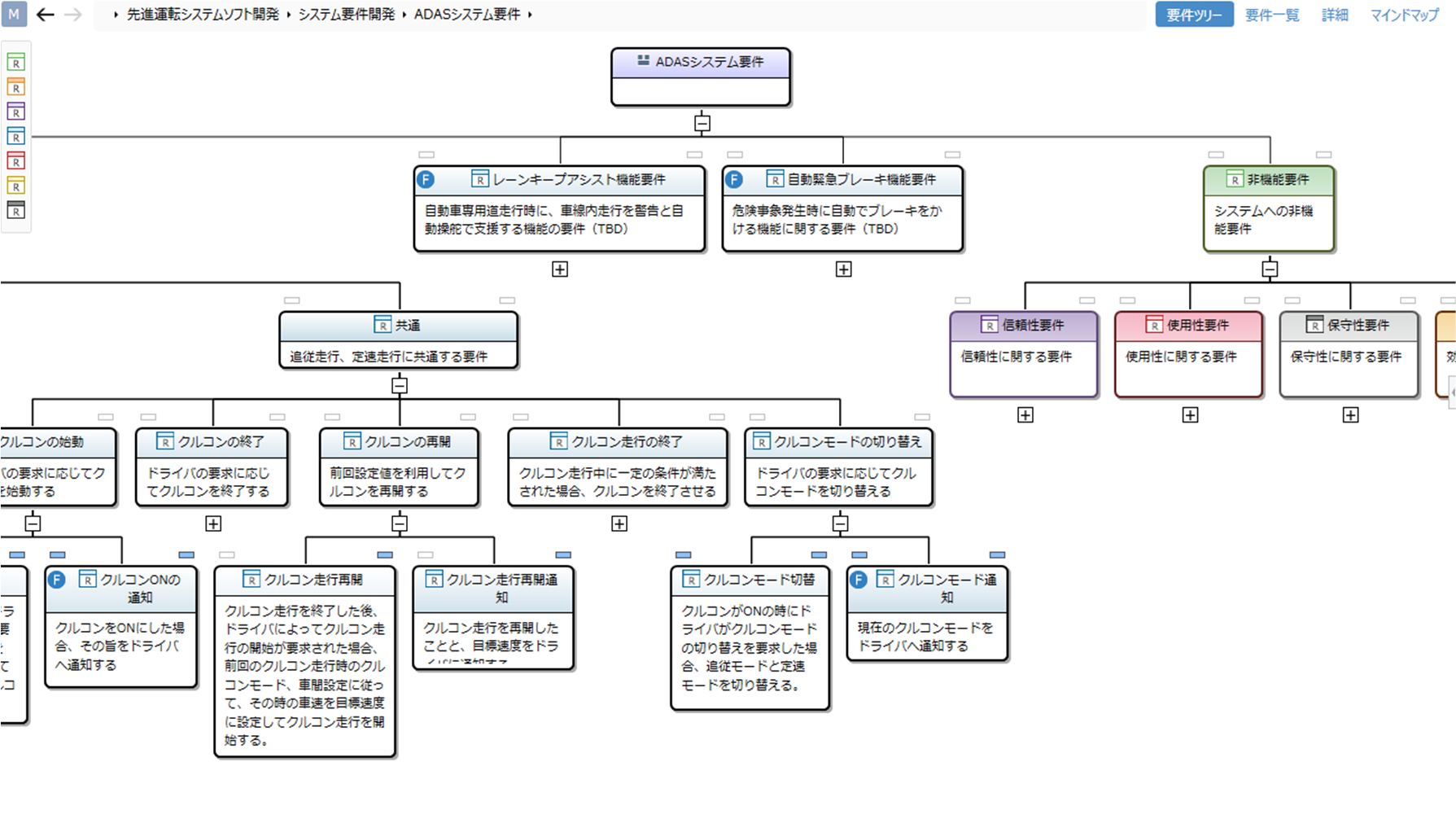
Use tree views to get a bird's-eye view of the hierarchical relationships in design information.
-
Sequence Diagram
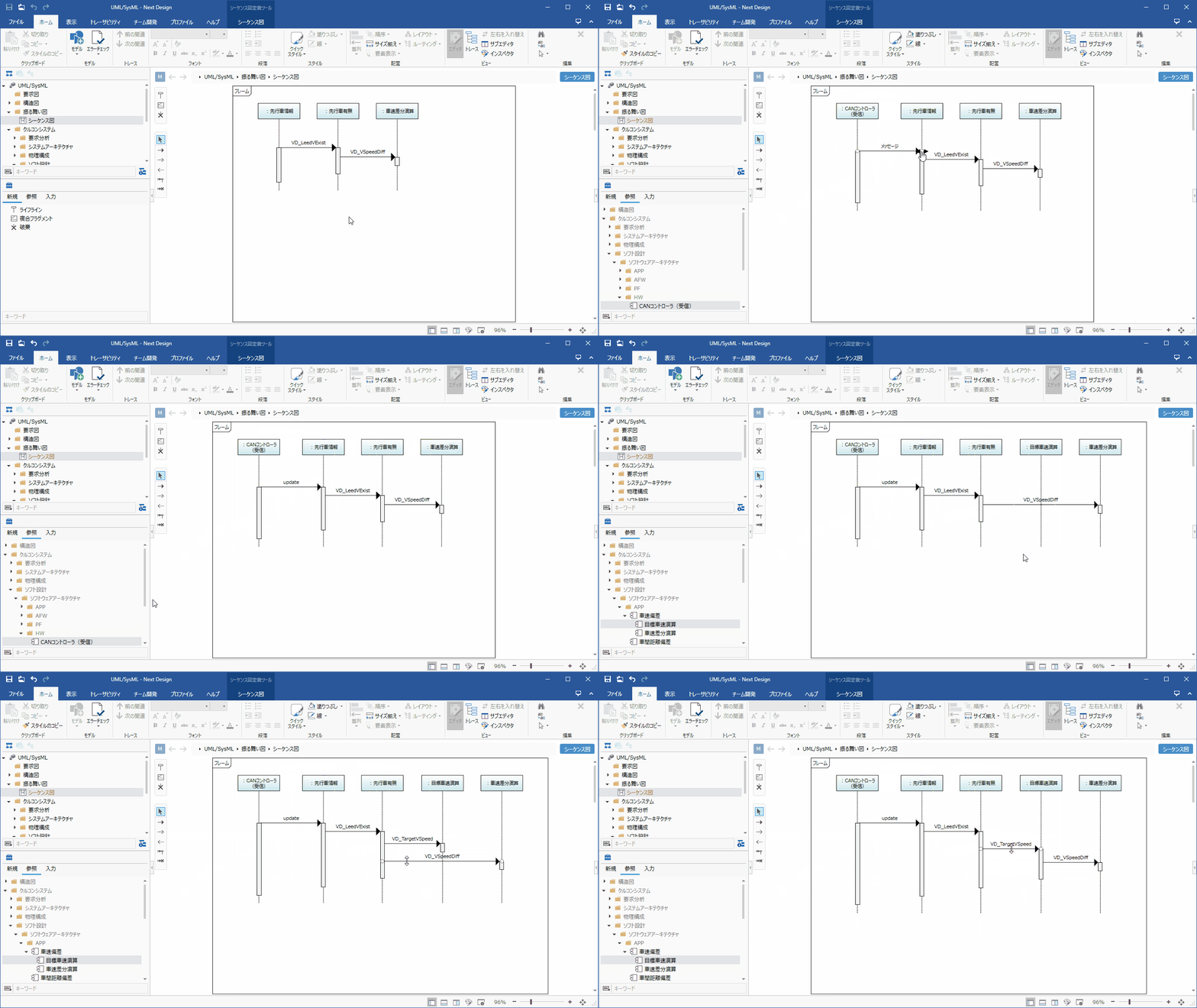
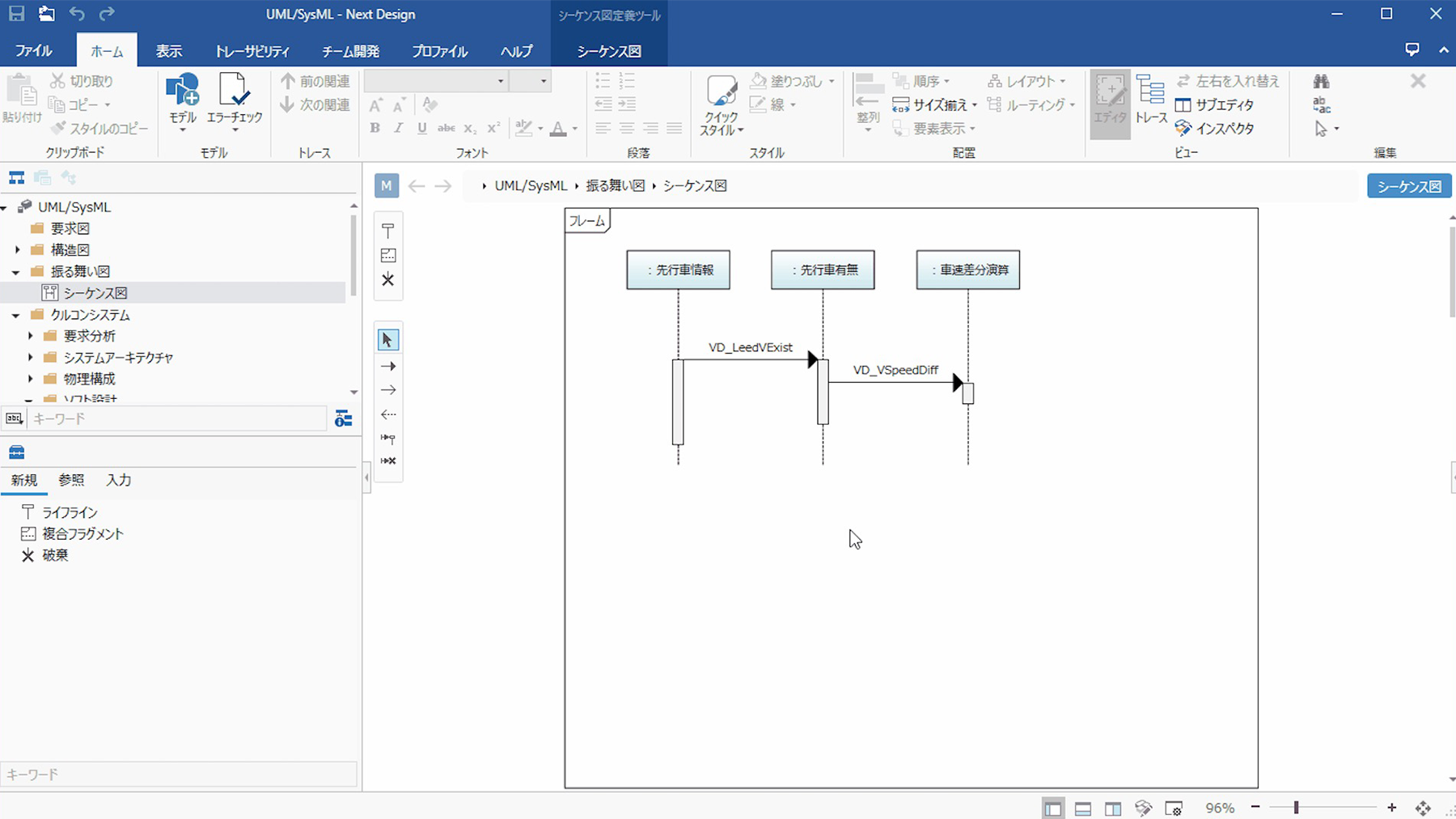
Sequence diagrams representing behavior feature proprietary development for highly intuitive operation. Operations like adding lifelines or reordering sequences automatically adjust lifelines and messages, eliminating tedious manual work.
Lifelines and messages are linked to models, allowing you to design structure and behavior consistently.
-
UML/SysML
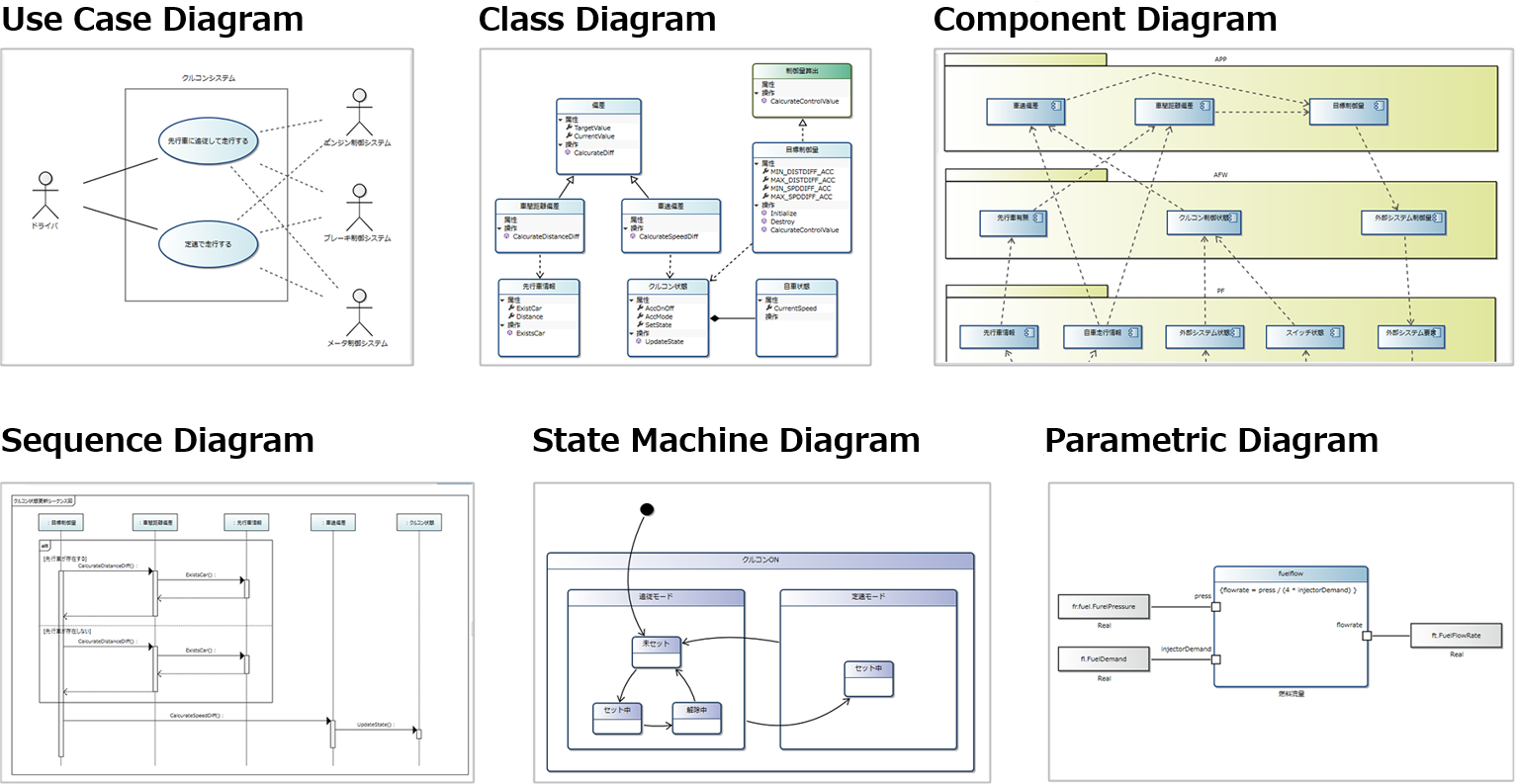
Representations conforming to standards like UML/SysML are also available, including requirements diagrams (requirement diagrams, use case diagrams, use case definitions), structural diagrams (class diagrams, component diagrams, package diagrams, deployment diagrams), and behavioral diagrams (sequence diagrams, state machine diagrams). Diagrams can also be further customized.
-
State Change Table
Supports state transition tables, which frequently appear in embedded software development.
State machine diagrams and state transition tables are linked, allowing changes to be updated in real time and edited by switching between them mutually.
In addition, you can configure cell highlights, ignore settings (Ignore), and impossible states (NotHappen), helping you ensure that no design details are overlooked.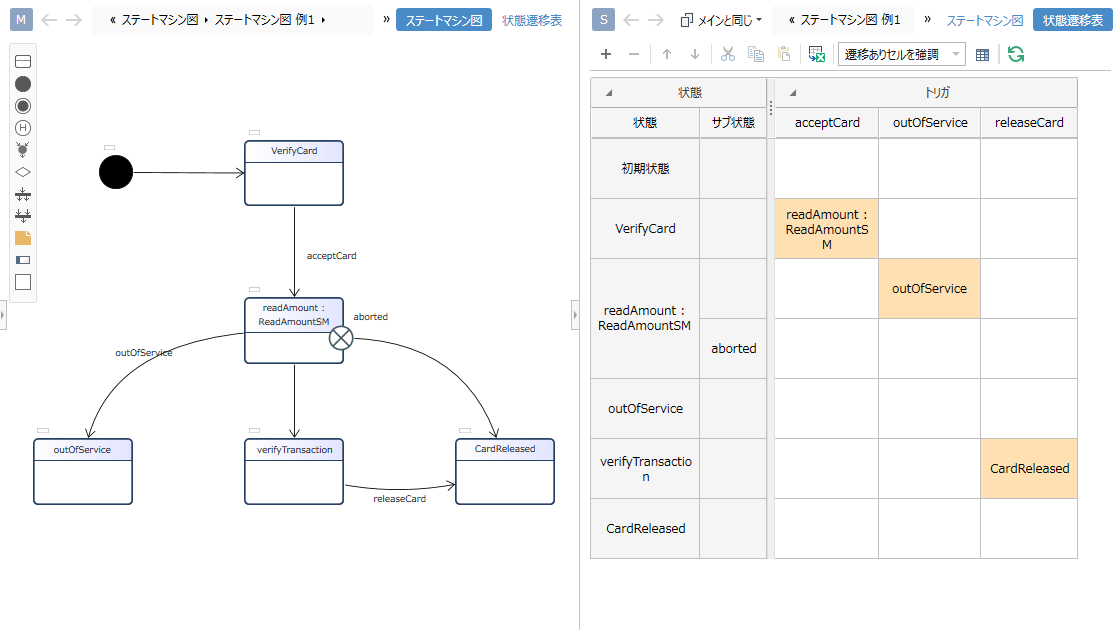
-
Timing Chart
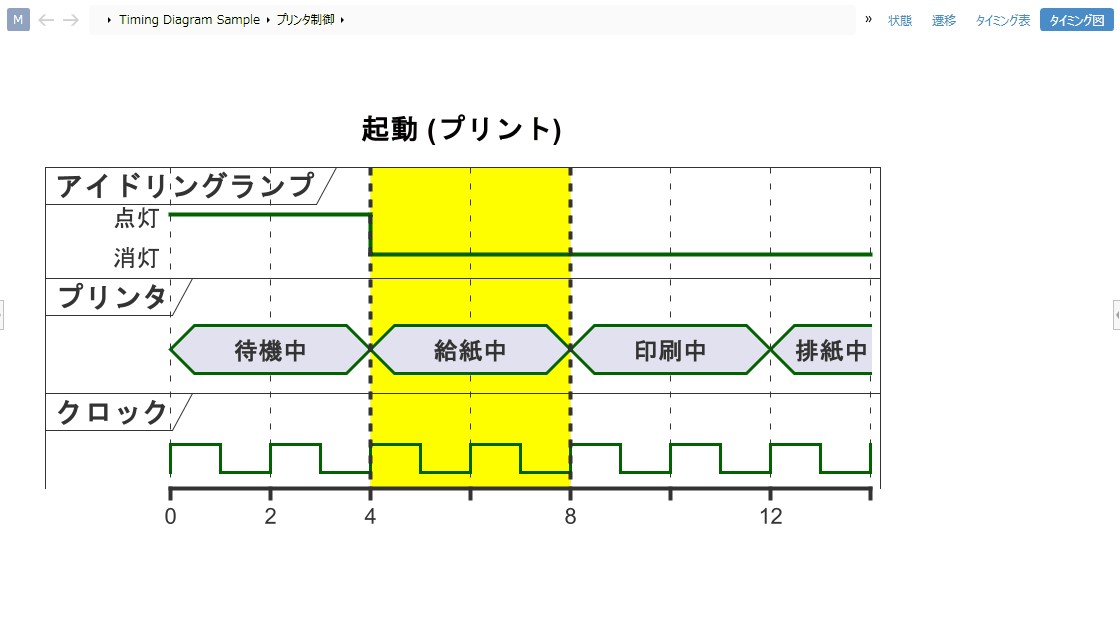
Supports timing charts that can represent signal relationships and behaviors on a time axis.
You can easily create timing charts from digital transformation design information.
Checking traceability against requirements and constraints makes it immediately clear whether there are any design omissions.
Furthermore, because all design information is digitized, it is easy to achieve efficiency through custom verification and automation.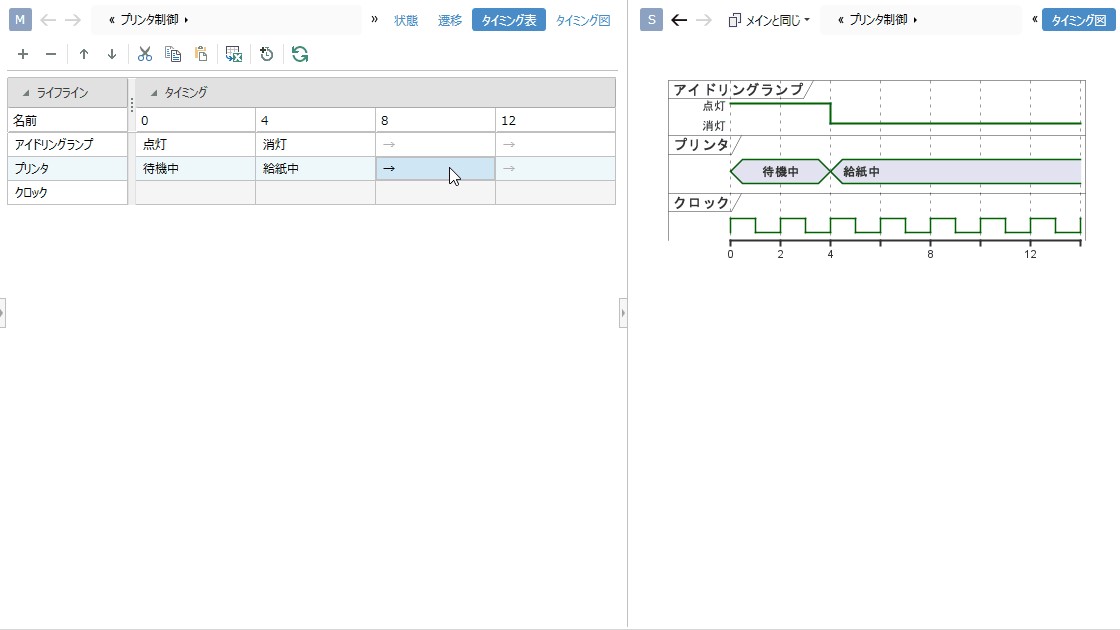
-
Markdown Syntax
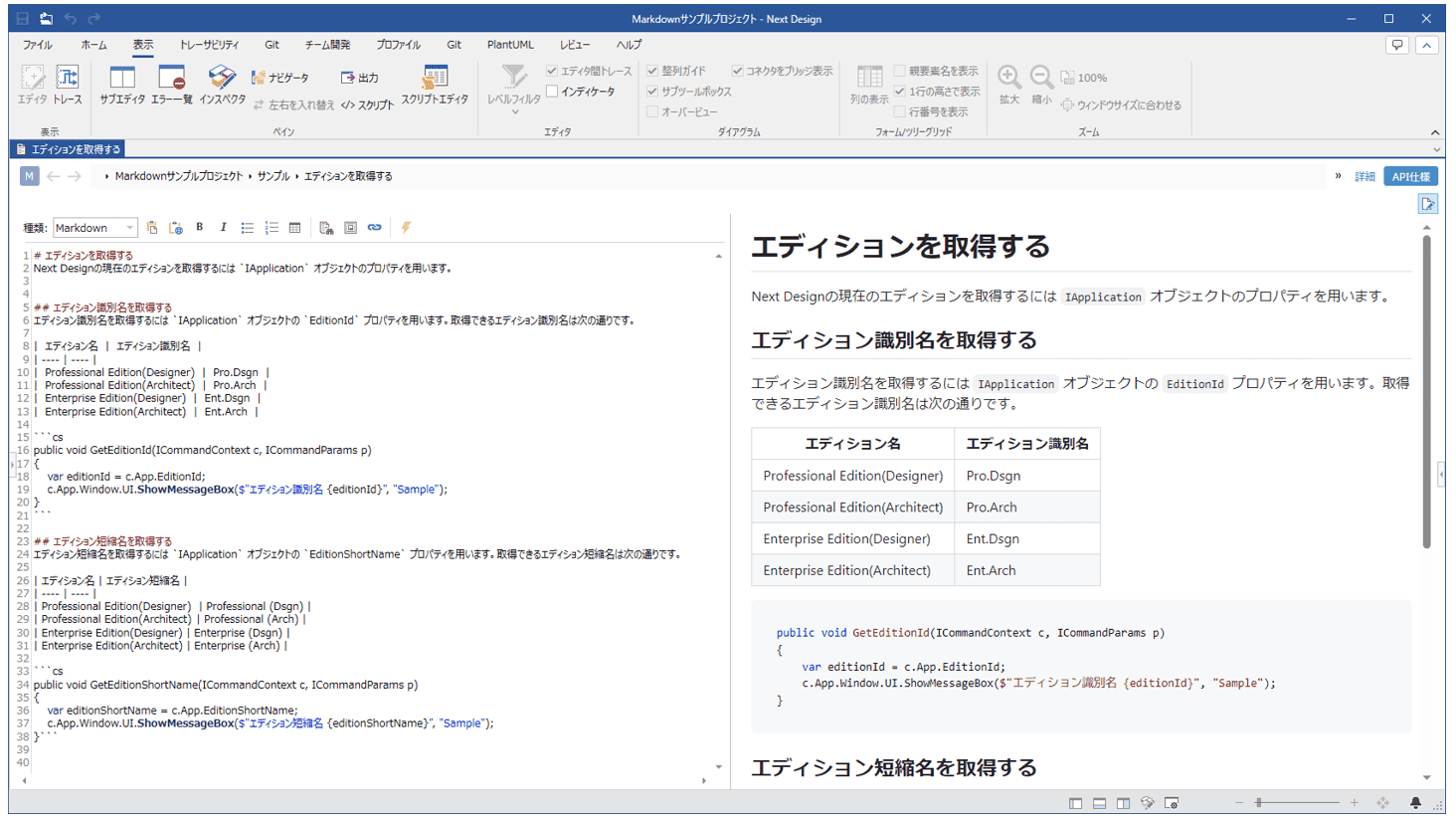
Describe your design information clearly using the expressive power of Markdown syntax. It also supports extended Markdown syntaxes such as PlantUML, Mermaid, Graphviz, and ChartJS, allowing you to embed various diagrams. You can also display web pages by specifying URLs or embed scripts to dynamically generate content.
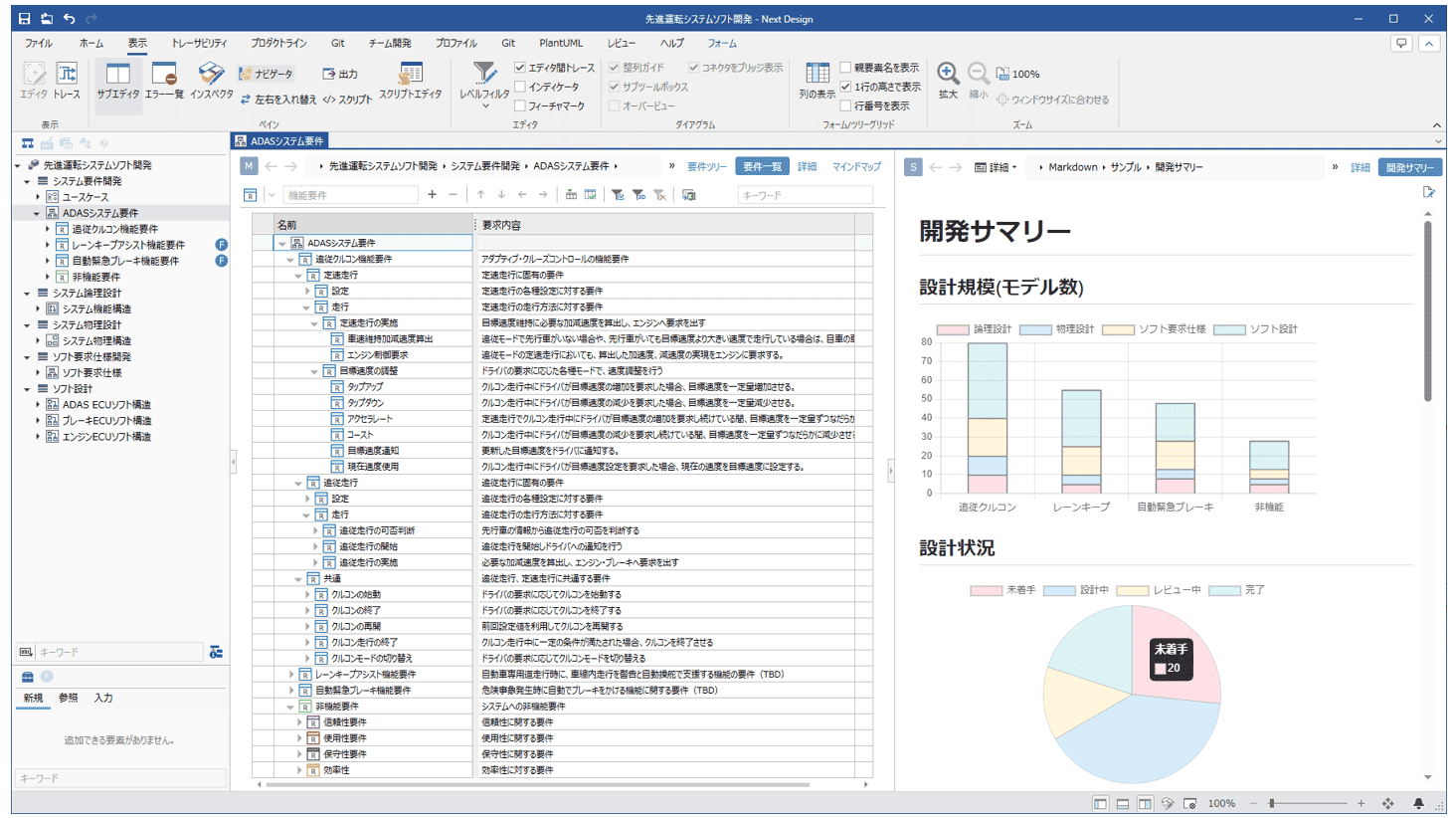
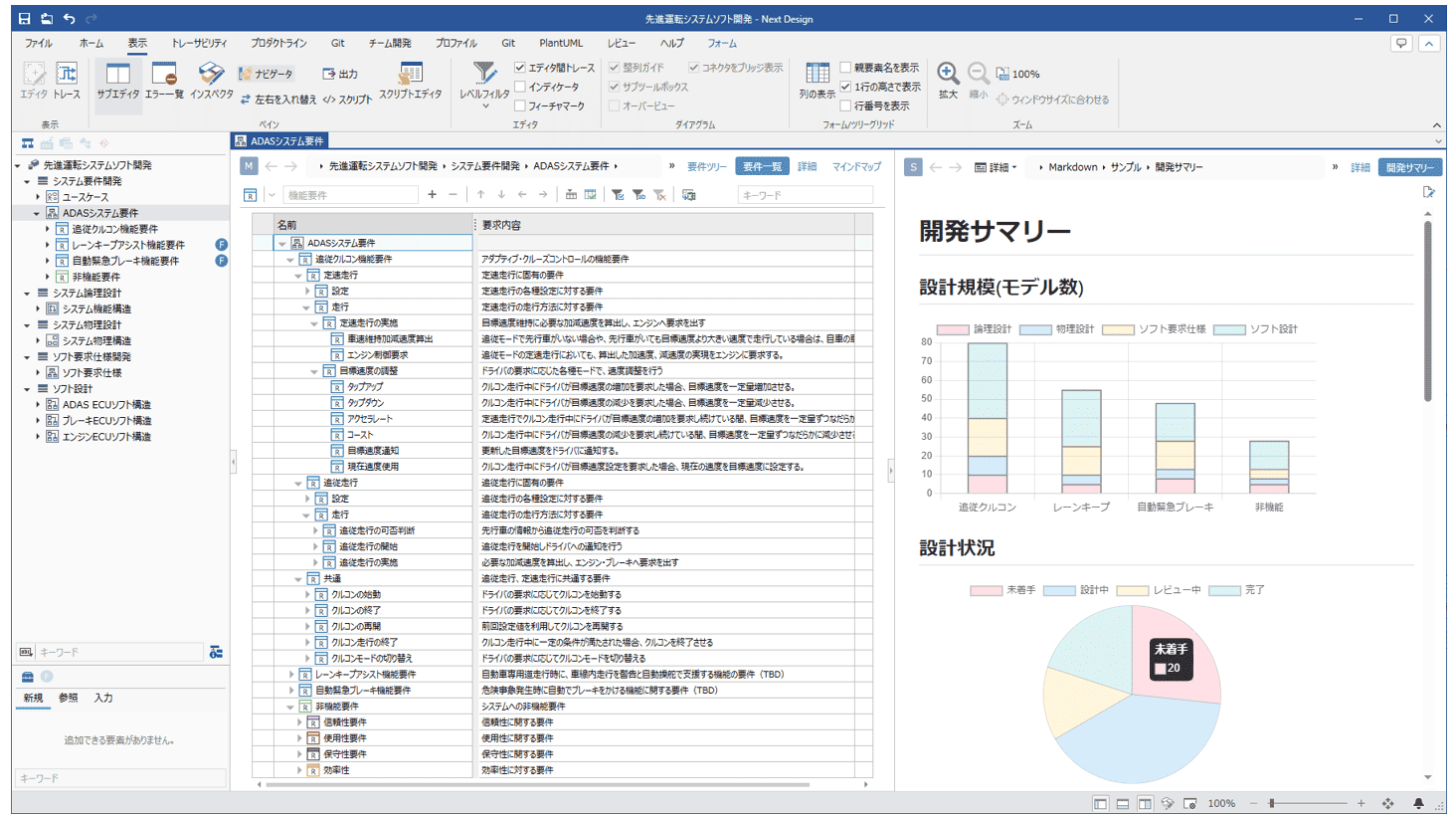
-
Even More Diverse Diagrammatic Representations
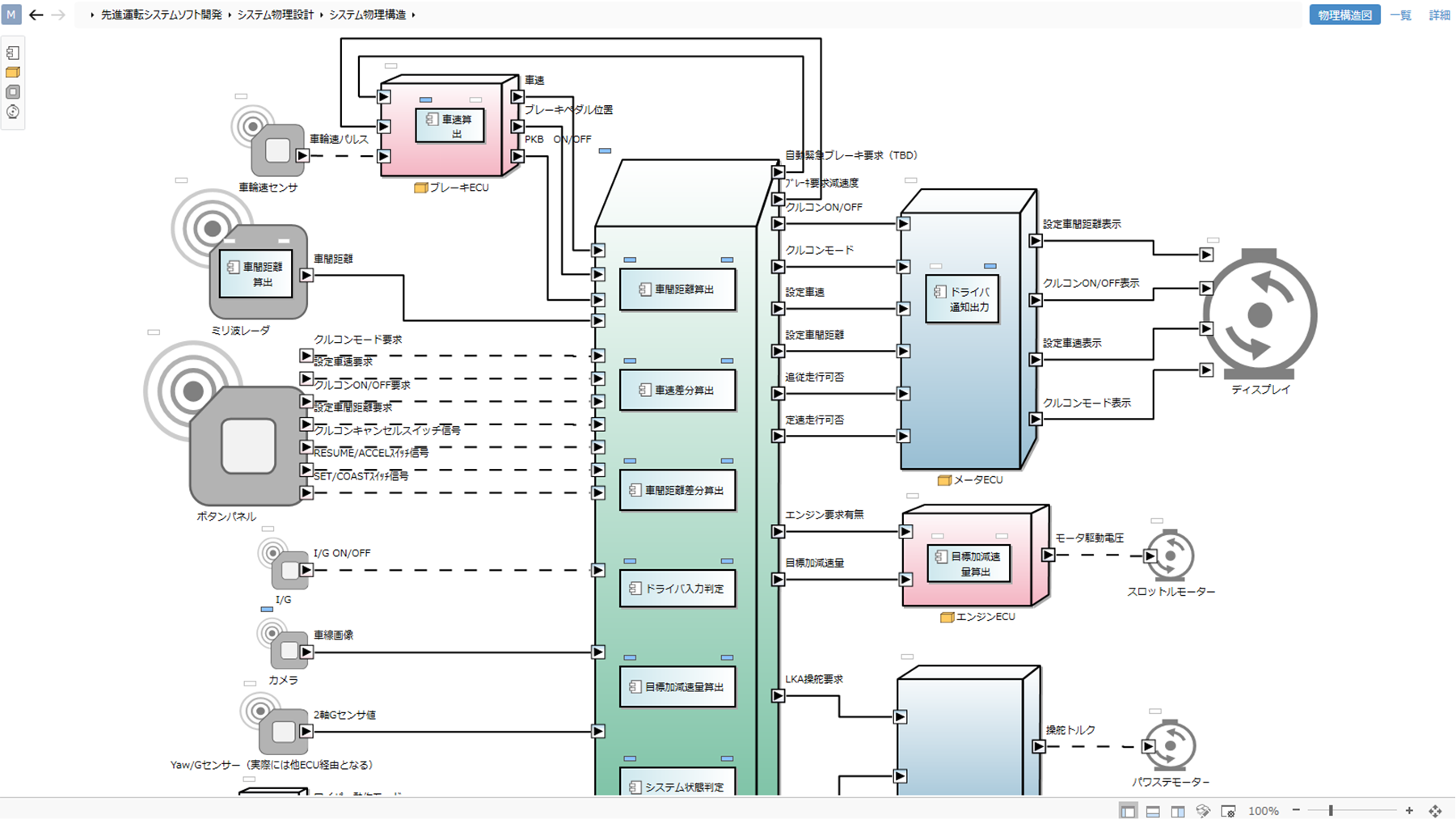
You can also easily customize diagrams such as flowcharts, mind maps, GSN diagrams, and PFDs (Process Flow Diagrams). Major diagrams can be represented in Next Design.

-
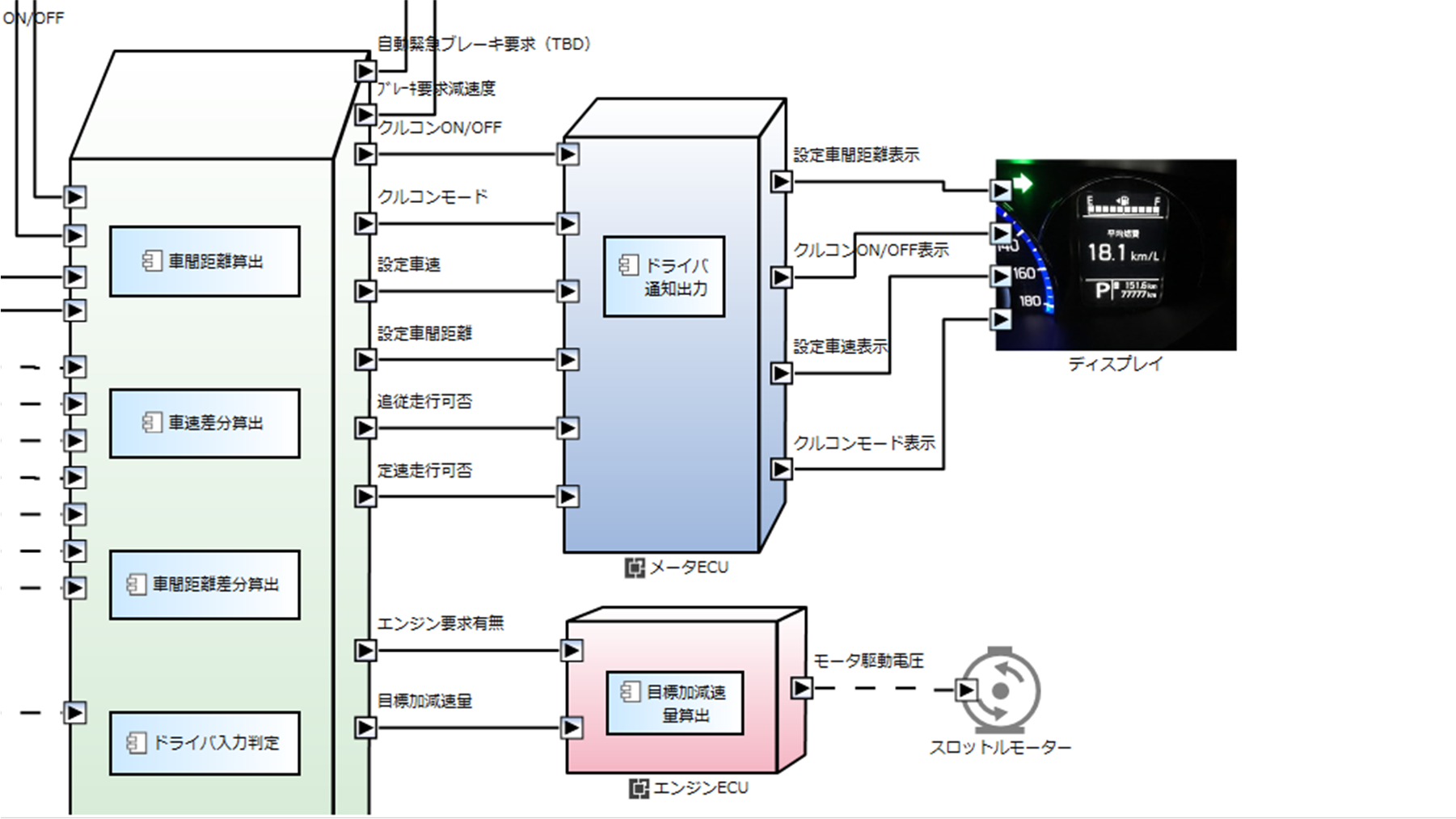
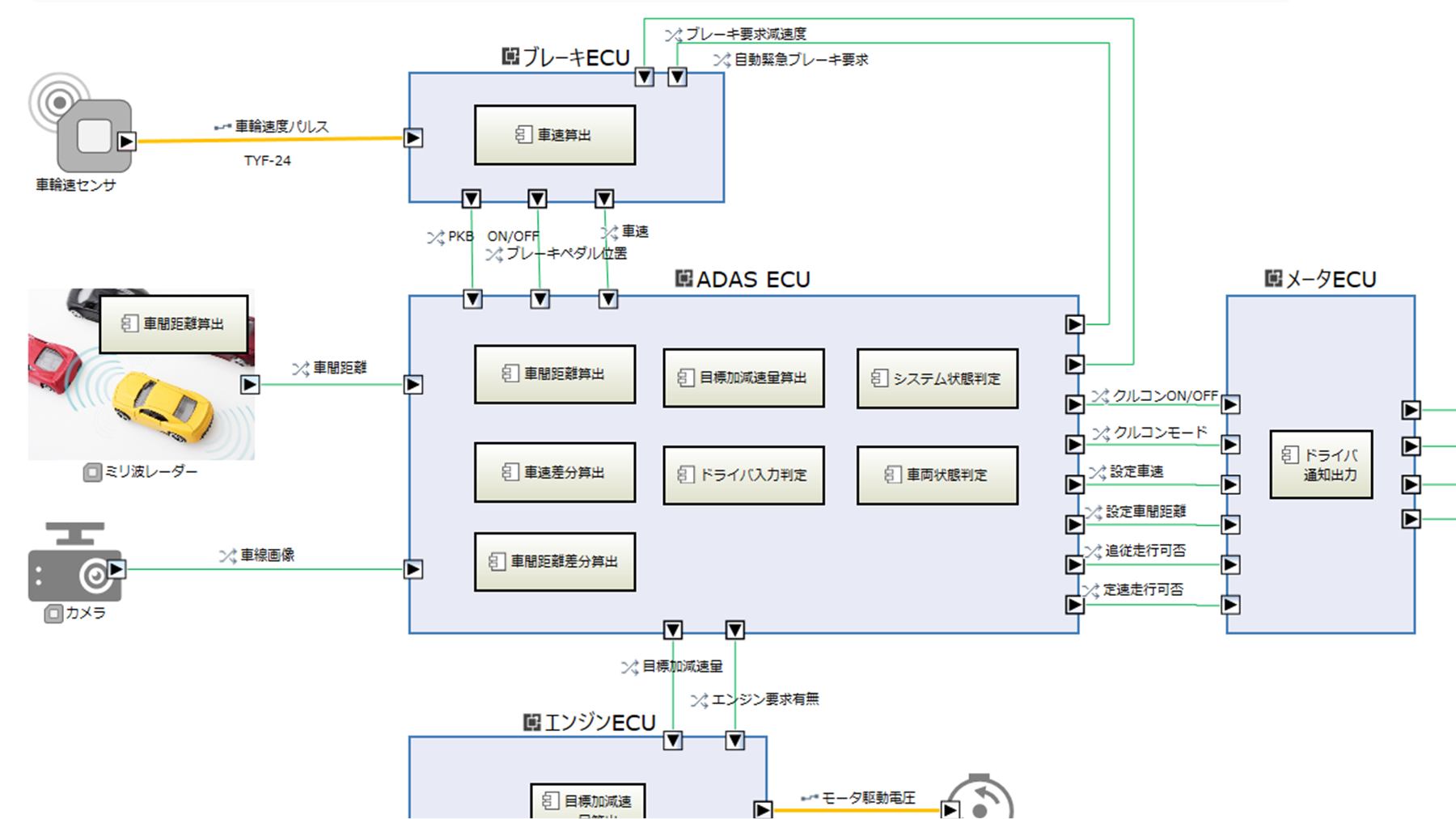
Custom diagrams using proprietary shapes and images
Instead of built-in shapes, you can create custom diagrams using your own icons and images.
-
English interface
Next Design comes with standard English support, ensuring peace of mind for joint development and outsourced projects overseas.