
With Next Design, users can develop custom extensions to further customize and streamline their workflows.
It can be used to improve QCD by importing existing assets from the development site, checking for violations of inherent design rules and inconsistencies between design information, and confirming the scope of influence. Additionally, by exporting design information through the extension, it is possible to generate code and link with simulators.
Extensions can be developed independently or requested as a paid service from us. For details on paid services, please refer to here.
Here are some application examples.
-
Integration with Other Tools
Integrate with other tools using extensions. Build toolchains that leverage the tools you already use.
For Enterprise Architect, we provide ready-to-use extensions.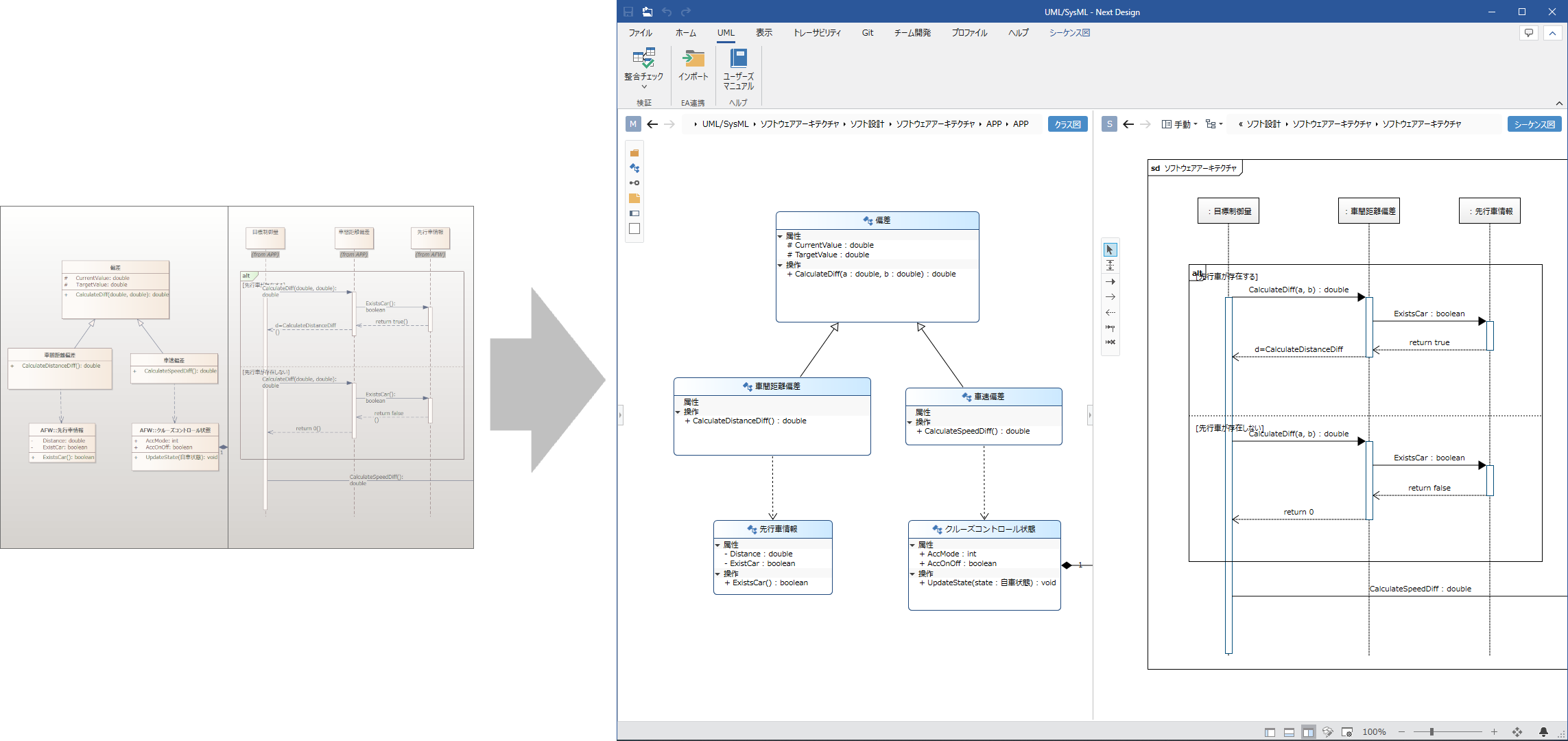
-
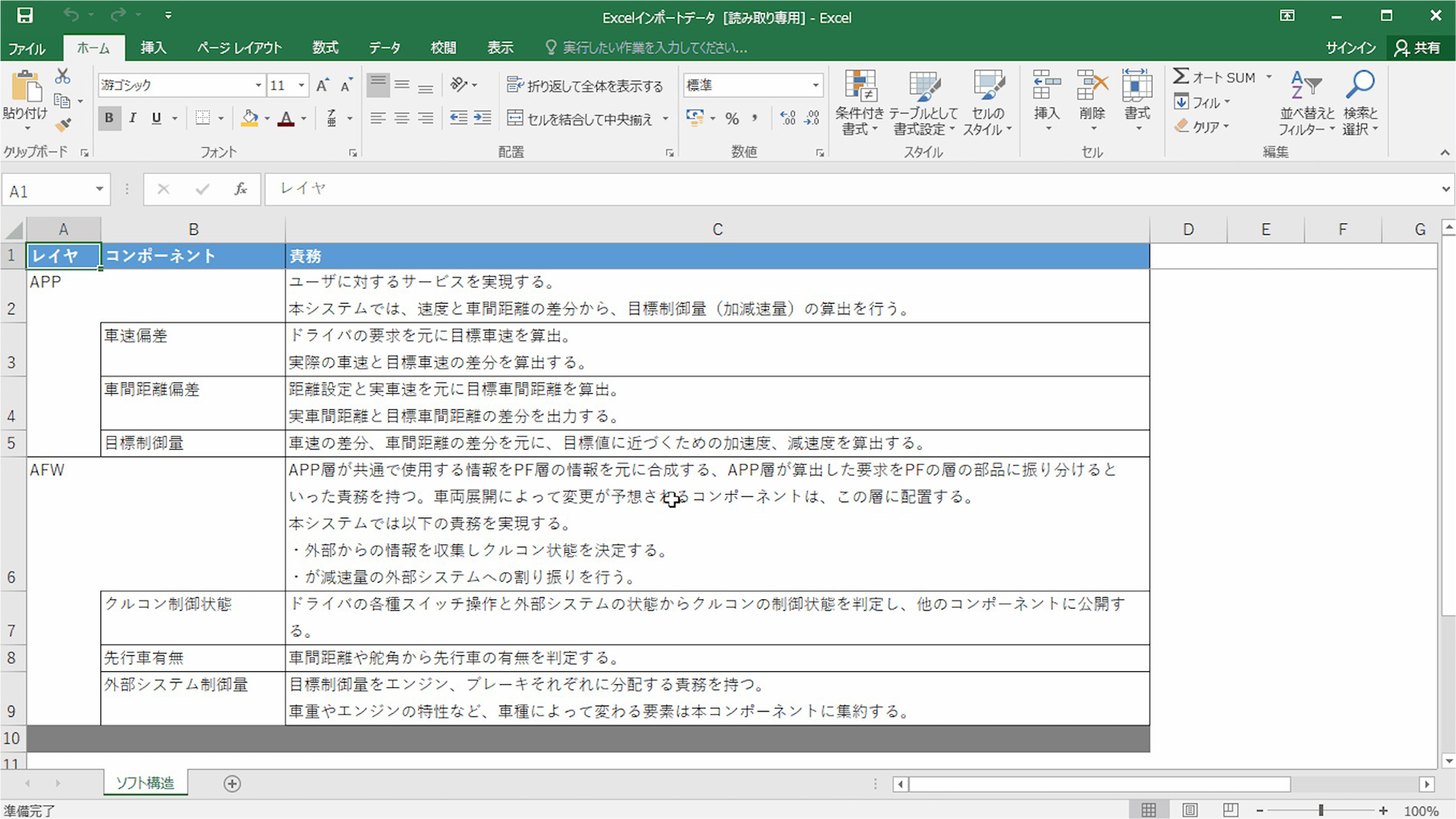
Digital transformation of existing assets through import
Import existing development assets created in Excel, Word, Enterprise Architect, or similar tools into Next Design. By rapidly driving the digital transformation of design deliverables previously confined to drawings and text, we support implementation on the ground.
-
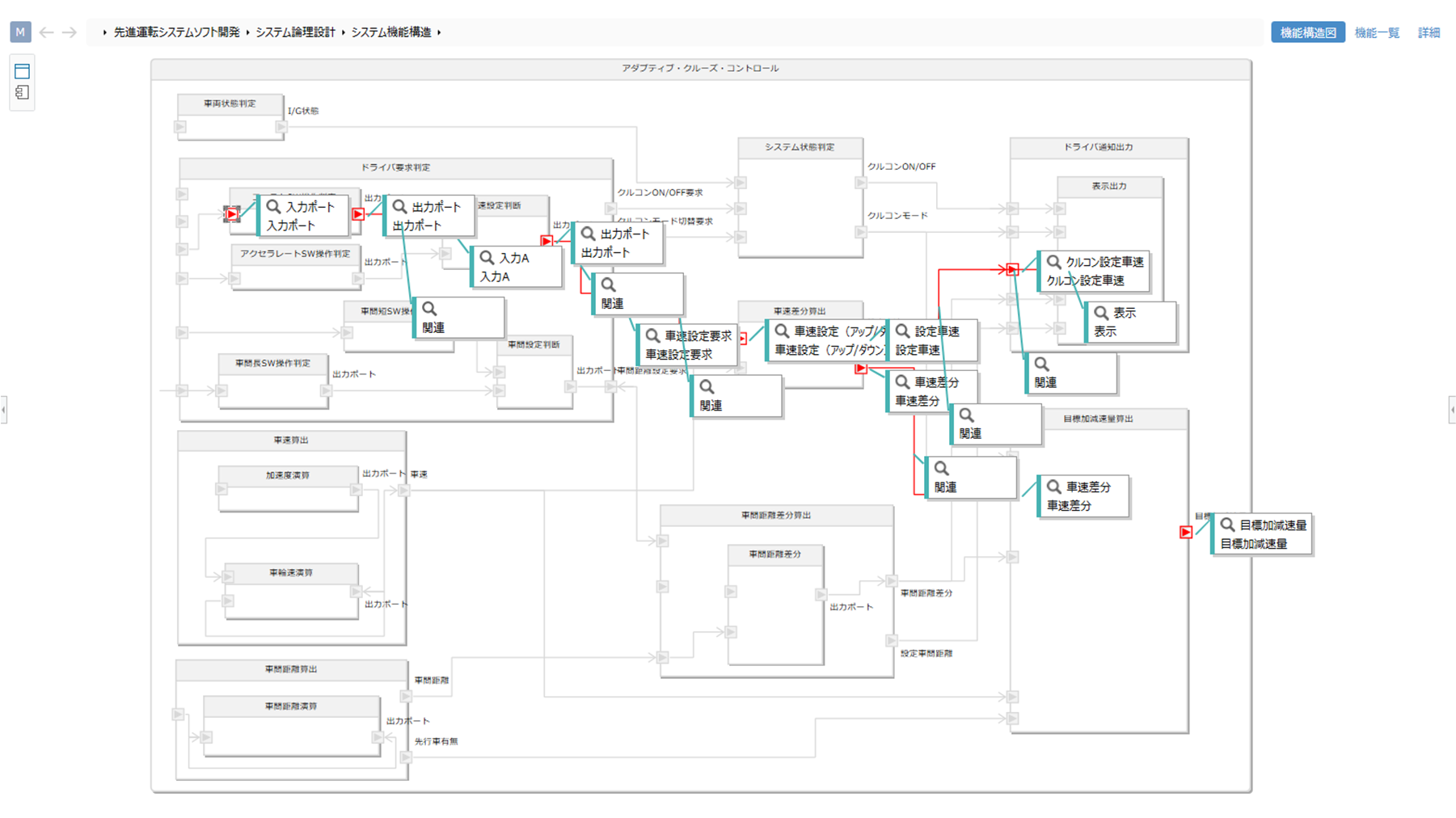
Visualize data connections to check the scope of impact
Without having to search keywords or hunt through design documents to find how far the impact of the data you want to edit extends, you can instantly check it by leveraging the digital transformation design information to display connections.
-
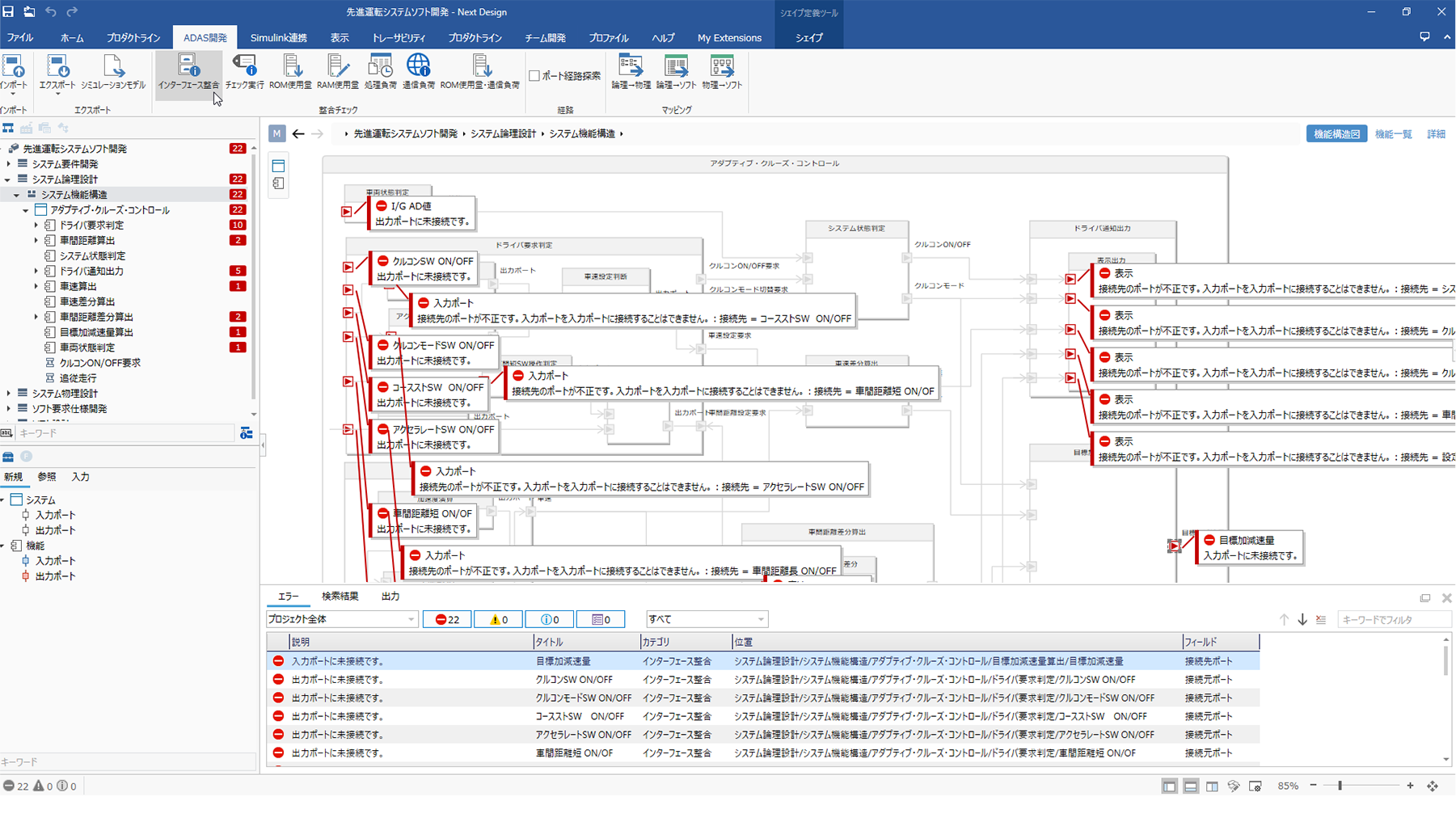
Instantly detect inconsistencies in design information
If there are inconsistencies in the design results, detect them instantly with the click of a single button. By using this for aligning understandings across teams or confirming acceptance of deliverables from outsourced vendors, you can coordinate early and accelerate front-loading of quality.
-
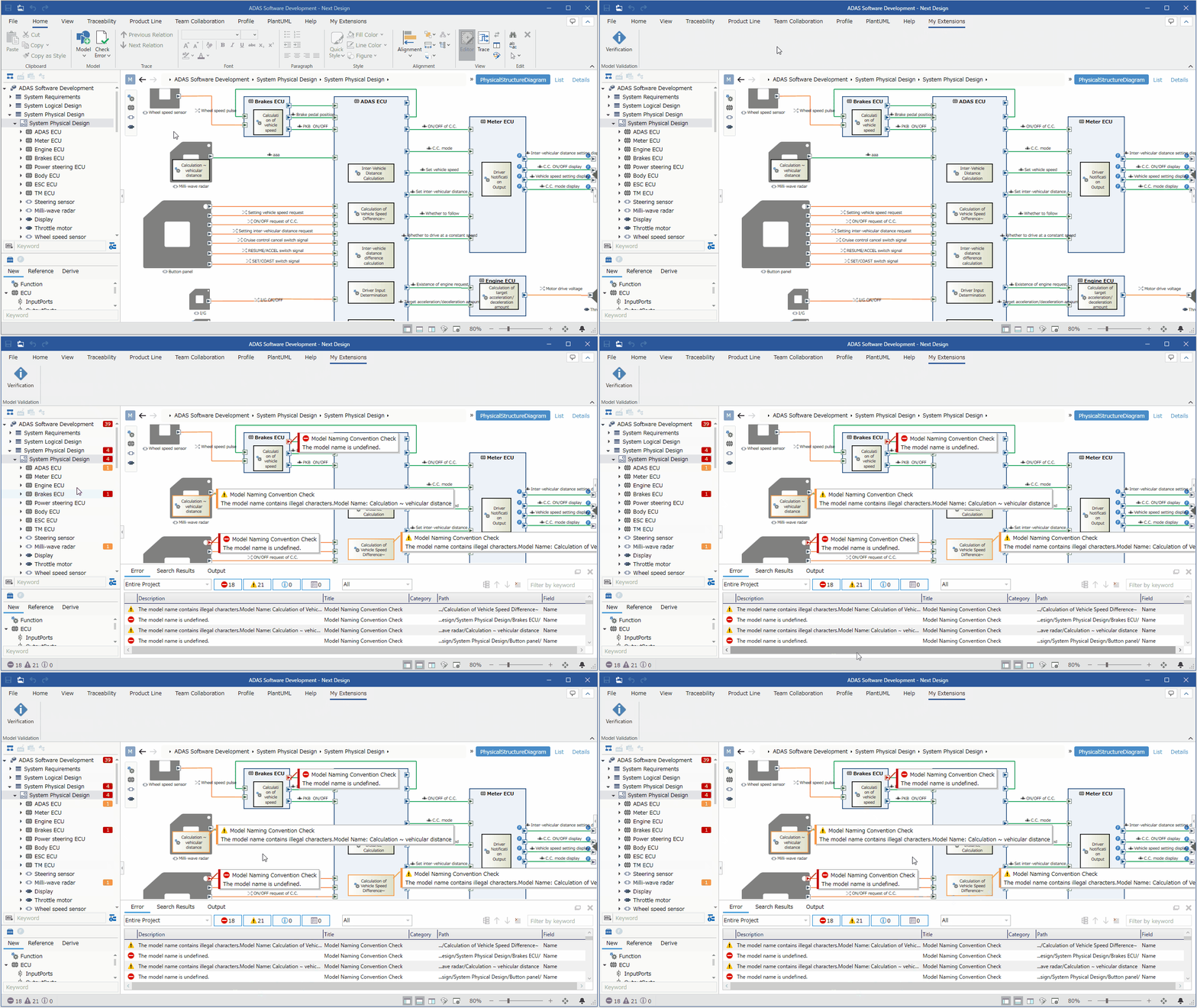
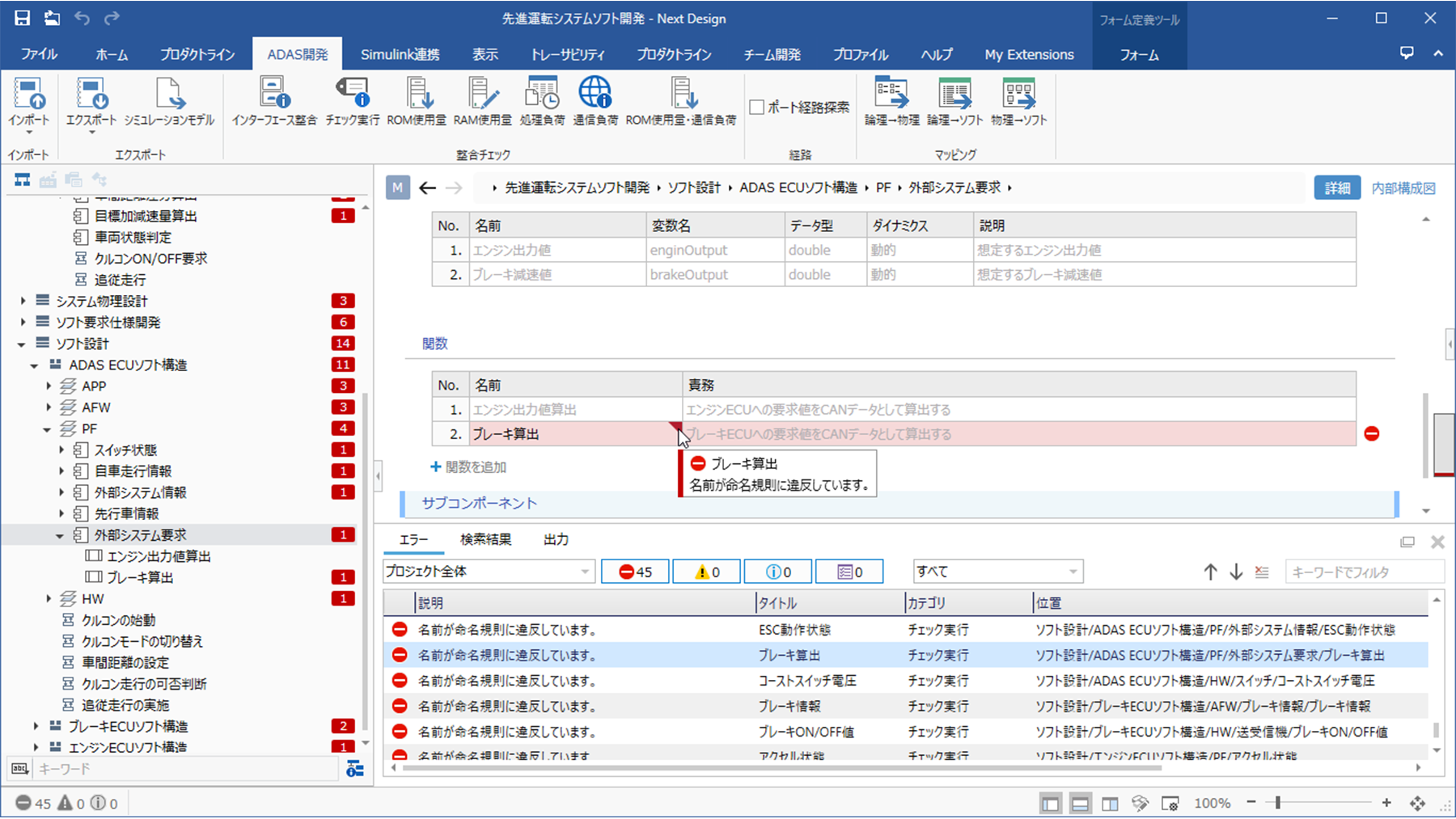
Check rules specific to the development site
You can also automate consistency checks against site-specific rules, such as naming conventions and description rules. It is also possible for designers to run automatic checks while designing and have error locations displayed sequentially.
-
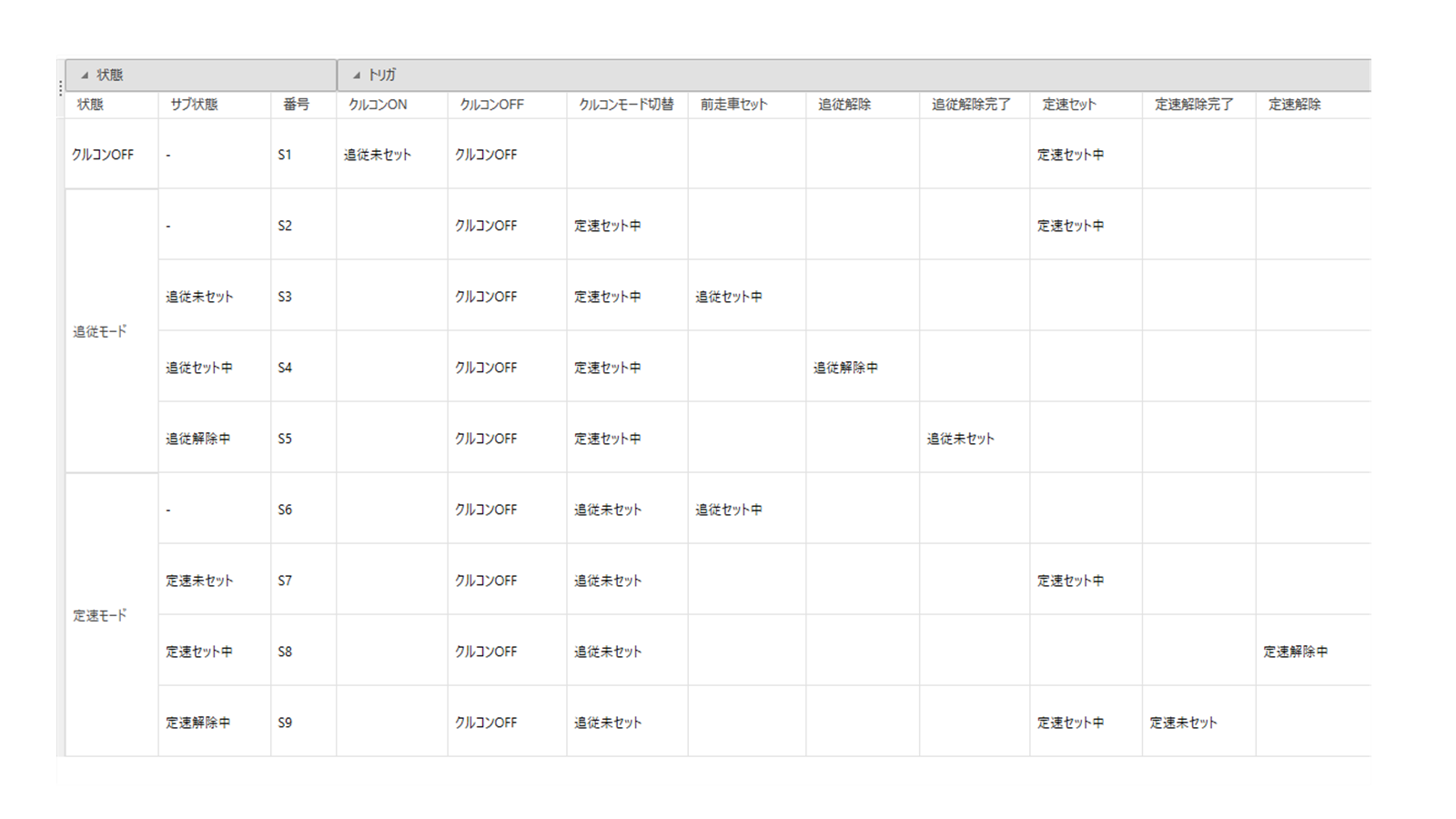
Develop your own UI to create a dedicated view for your use
You can develop custom UIs to add new views to Next Design.
By developing specialized views not included natively in Next Design, such as decision tables or timing charts, you can extend the visual capabilities of Next Design.
This allows you to tailor the design tool even further to your specific development environment.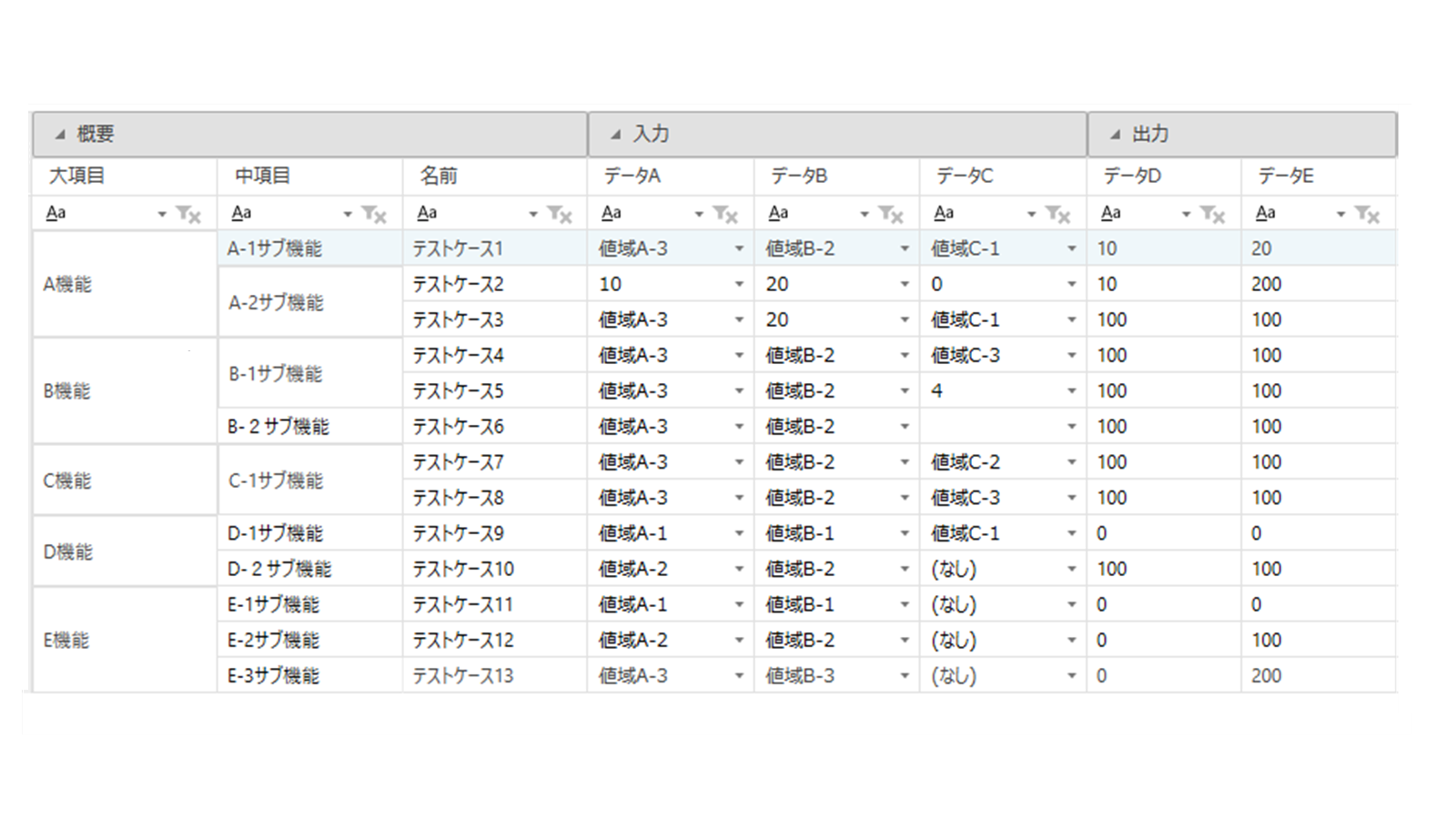
-
CI/CD Integration with CLI Version of Next Design
Accelerate process automation through CI/CD with the new command-line version of Next Design, which also runs on Linux.
Extensions can also be used to automate user-defined consistency checks, automatic transformations, and exports.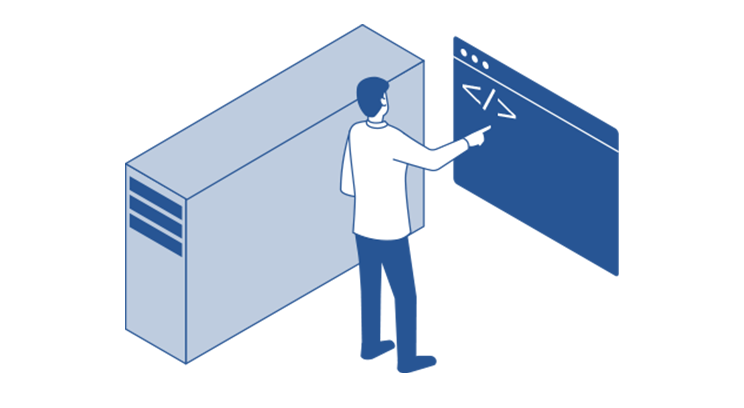
-
Deliver extension features via the cloud
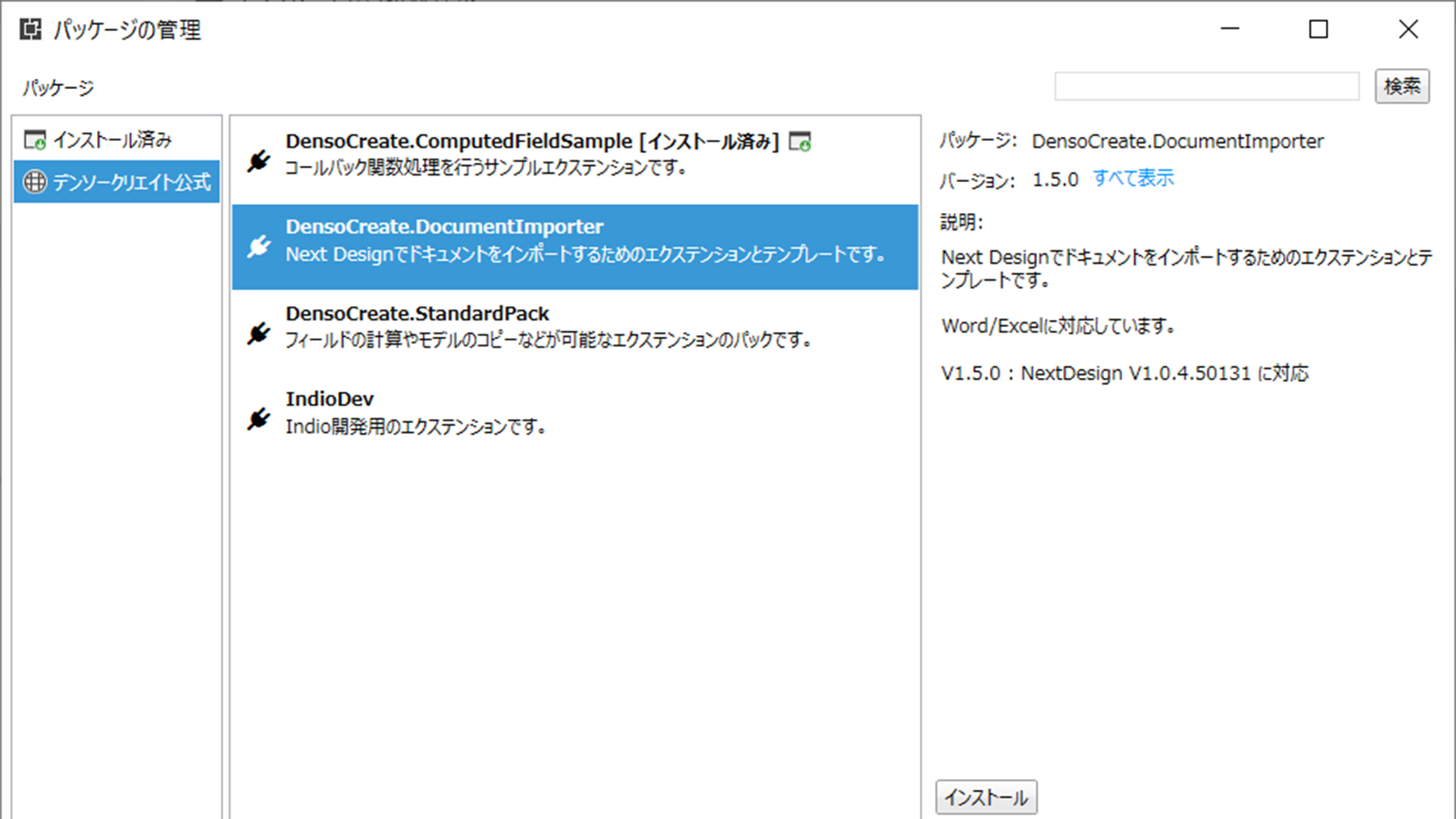
Equipped with a management function for extension features that delivers profiles via the cloud, combining extensions, project templates, samples, meta-models, and view definitions. We release these sequentially via the cloud.
In addition, the delivered features are equipped with a version management function, so updates can be applied with a single click.