
NEW FEATURESWhat's New in
Next Design V4
A major version update that dramatically boosts productivity with features like tabbed model editors and profile reuse support.
Next Design, the next-generation design tool that is revolutionizing system and software development, has released a major version packed with new features to further enhance design productivity. This release accelerates system and software development with numerous new features designed to dramatically boost productivity, including improved usability and expressiveness tailored to the needs of the design floor, as well as enhanced reusability of process assets through profile combinations and customization support.
Usability and Expressiveness Tailored to Field Needs

Accelerating Organizational Profile Deployment

Enhanced Support for Large-Scale and Concurrent Development
What is Next Design?
Next Design is a next-generation design tool for system and software development.
The "meta-model," which defines the structure and relationship of design data for each process, and the "view definition," which is a diagram and document representation for expressing the meta-model, can be made into a dedicated design tool by adapting them to the viewpoints and applications of the development site.
V4 Features
Usability and Expressiveness Tailored to Field Needs
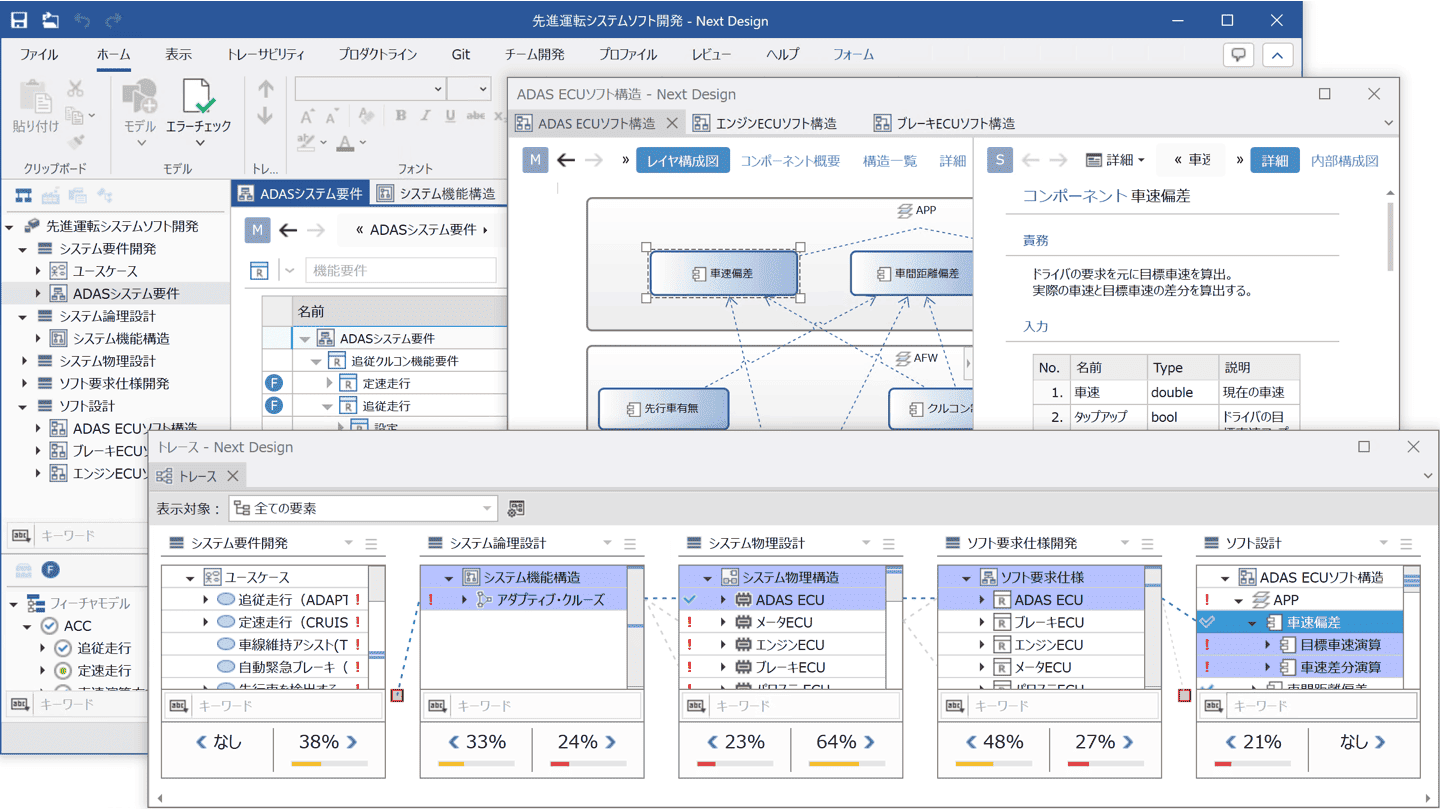
Next Design is now even easier to use, tailored to the needs of the design floor. We have significantly improved usability and expressiveness as a design tool, such as improved work efficiency through simultaneous display of multiple models in multi-tabs, improved visibility through related line highlighting and jump display in diagrams, and smoother communication through coloring and memo-taking in tree grids.
-
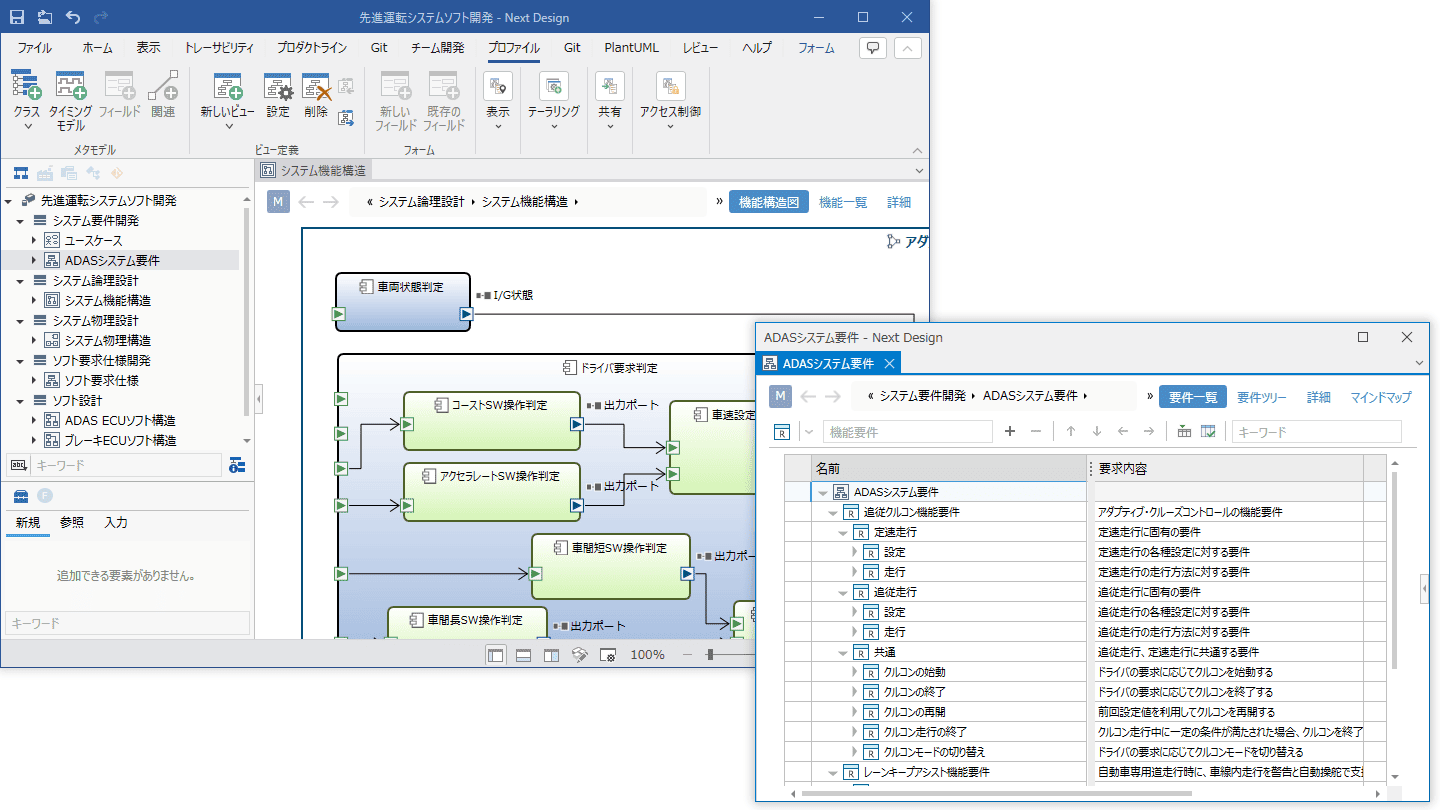
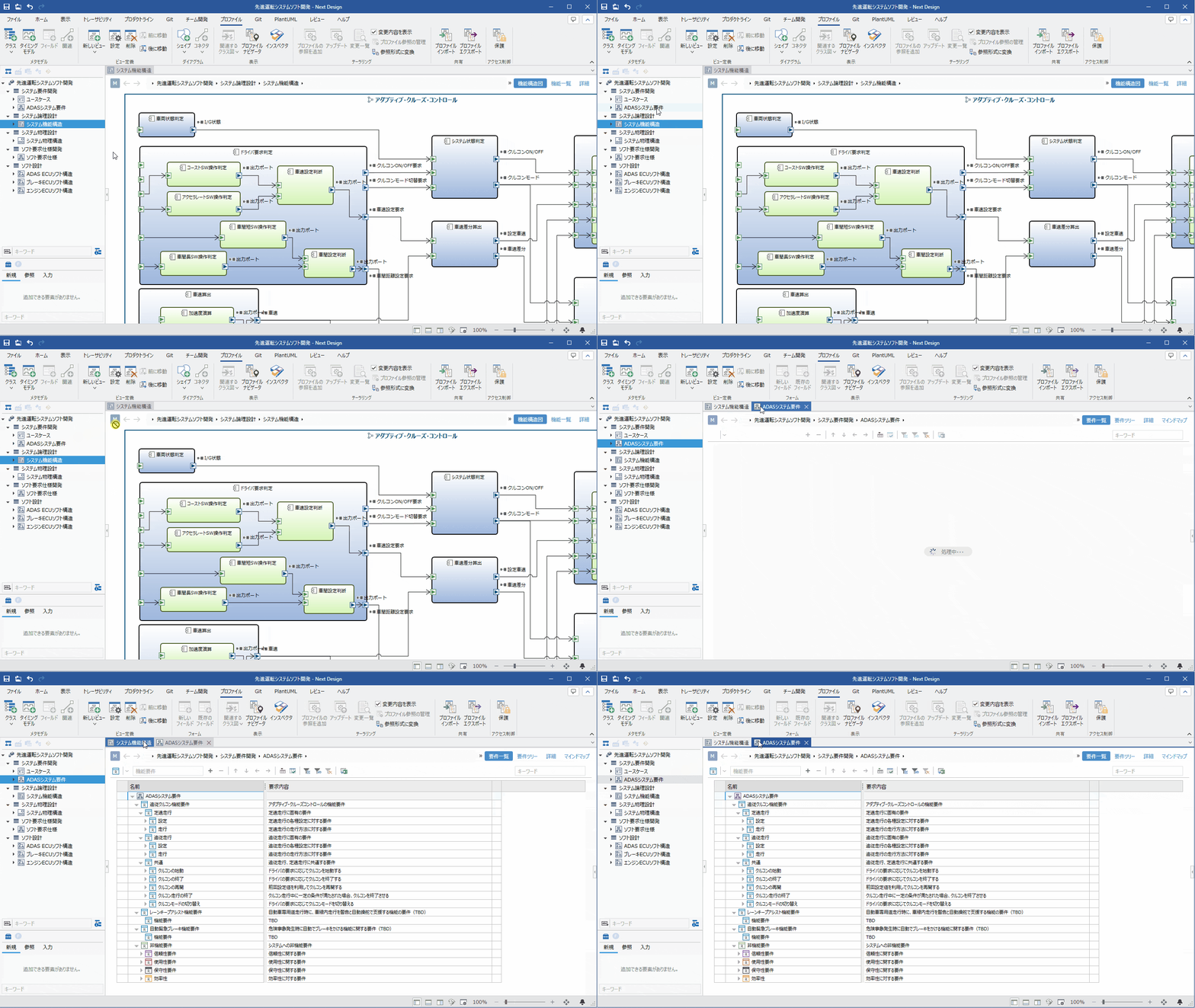
Improved Work Efficiency with Multi-Tabs and Floating Views
- With multi-tab model display, you can quickly switch and view models from different processes.
- Using floating views allows you to make effective use of multi-monitor environments.
- You can simultaneously check not only models but also trace pages and meta-model class diagrams.
-
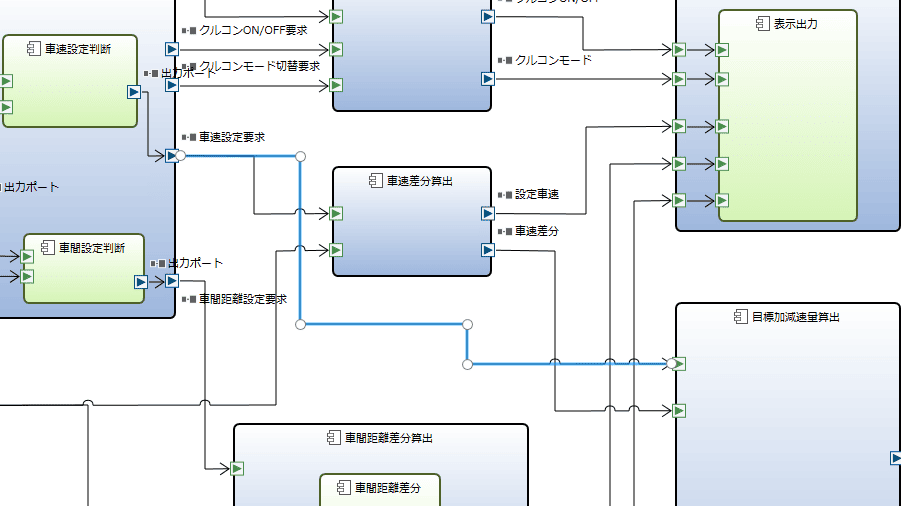
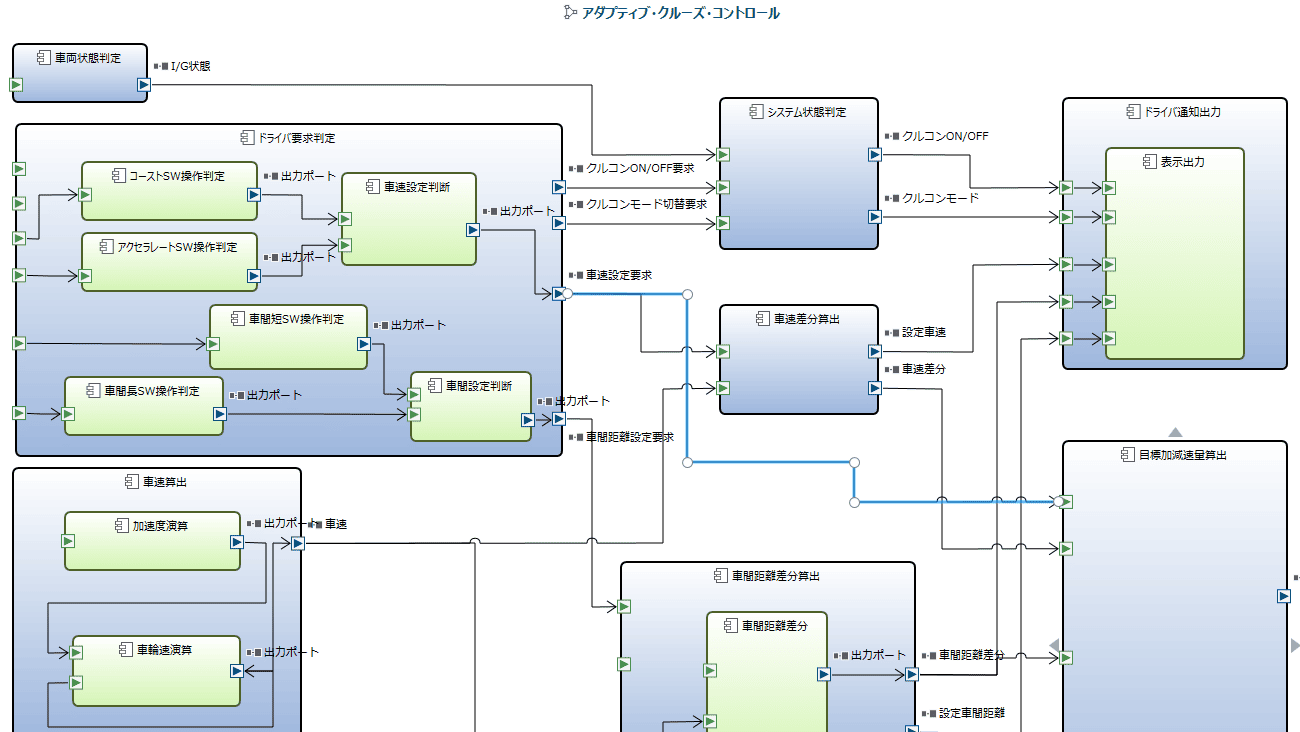
Improved Diagram Visibility and Usability
- Highlighted selected connecting lines and jump displays at intersections make connection destinations clear at a glance, even when connecting line paths are complex.
- Alignment guides in ER diagrams now also support equidistant spacing, and you can make position adjustments using key operations, allowing you to arrange shapes just as you want.
- When pasting images onto shapes, the shapes are now resized to match the aspect ratio of the image, maintaining the image's appearance.
-
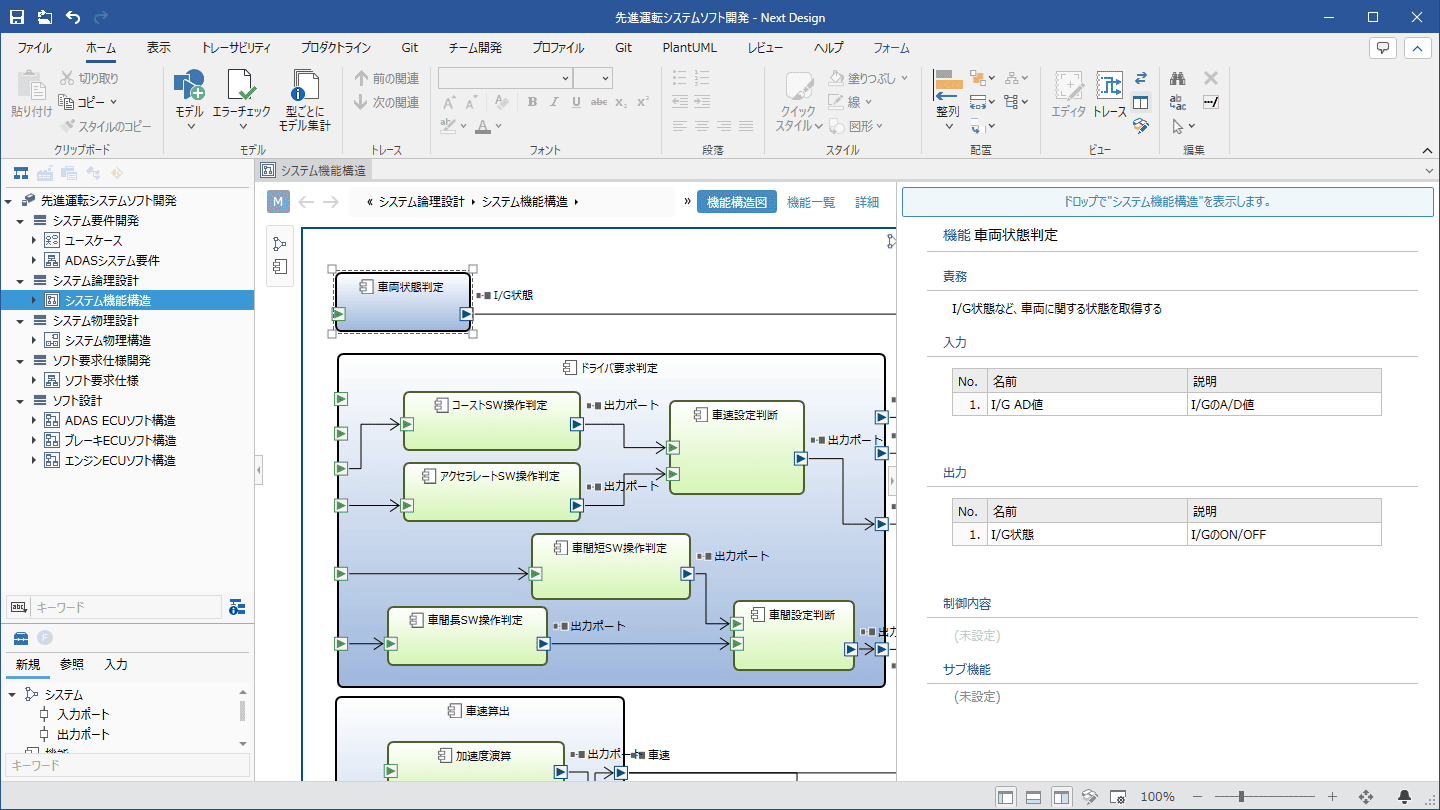
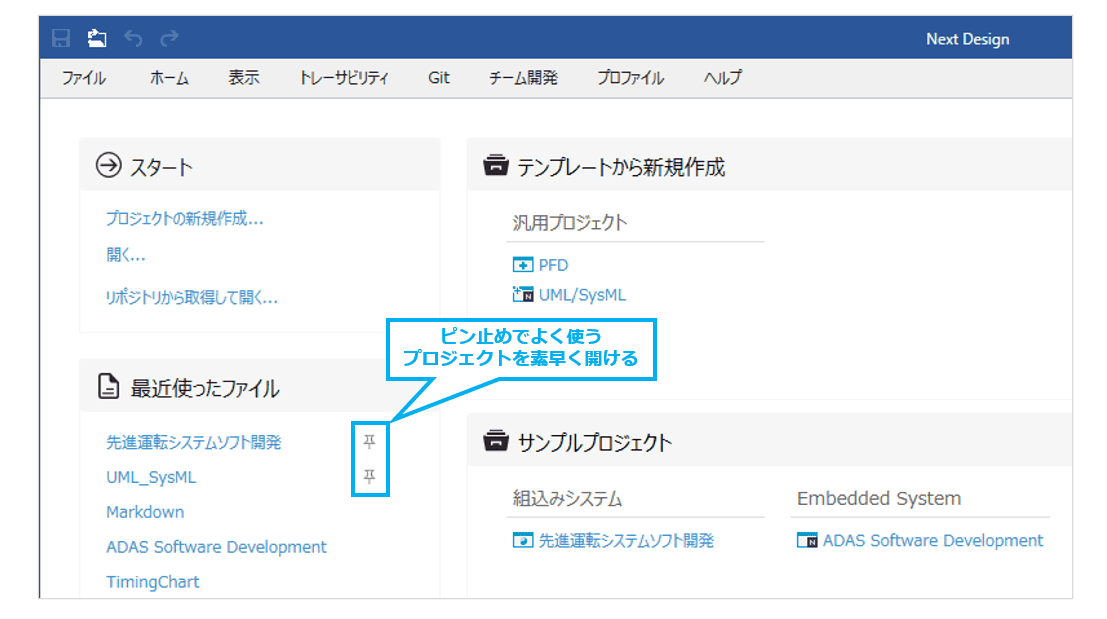
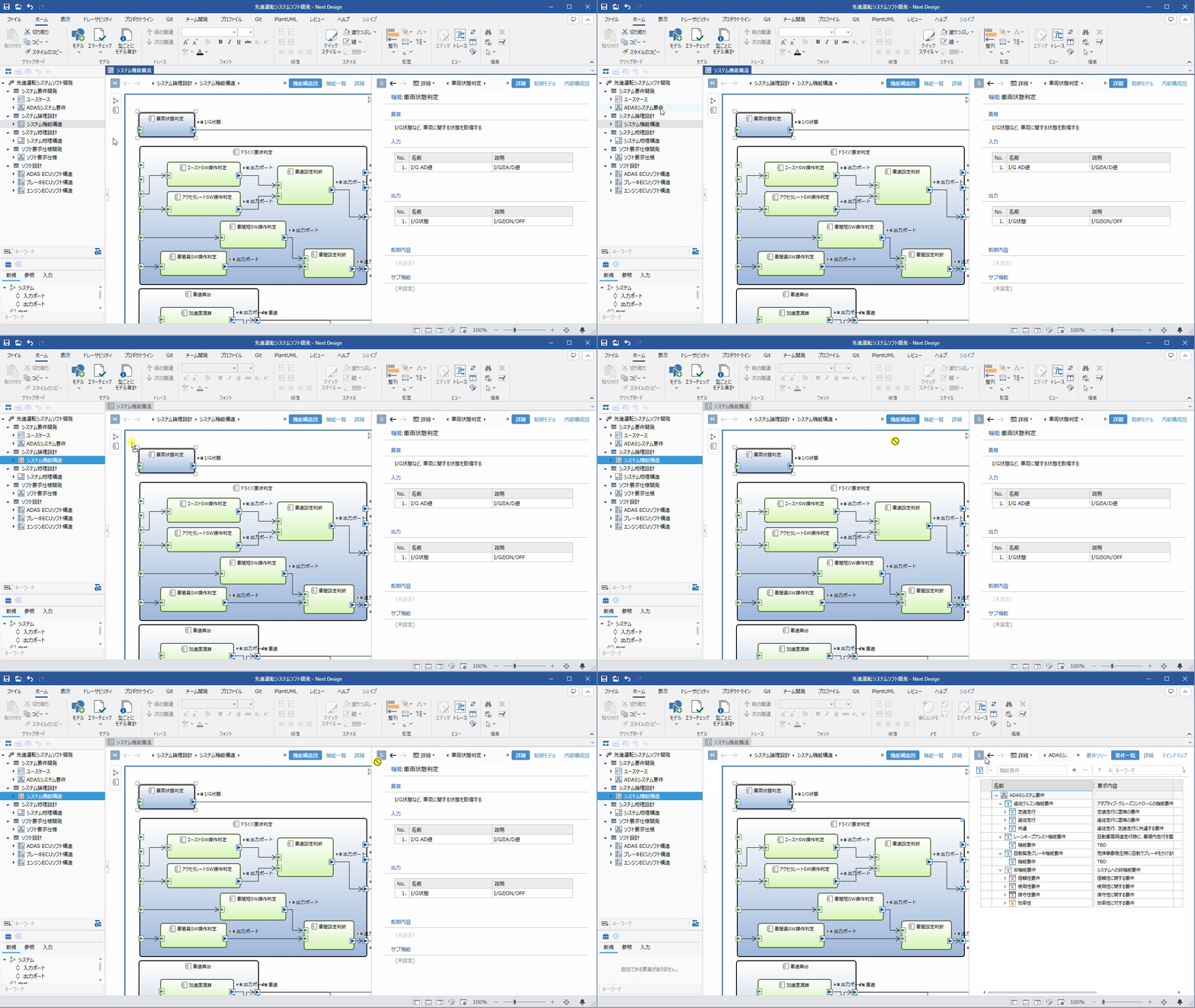
Even Easier Model Editing Operations
- You can intuitively open models by dragging and dropping them to the top of the editor.
- It also supports text replacement within rich text-type fields, allowing you to replace text together with other text.
- You can now pin projects you have used recently, allowing you to quickly open frequently used projects even when using multiple projects.
-
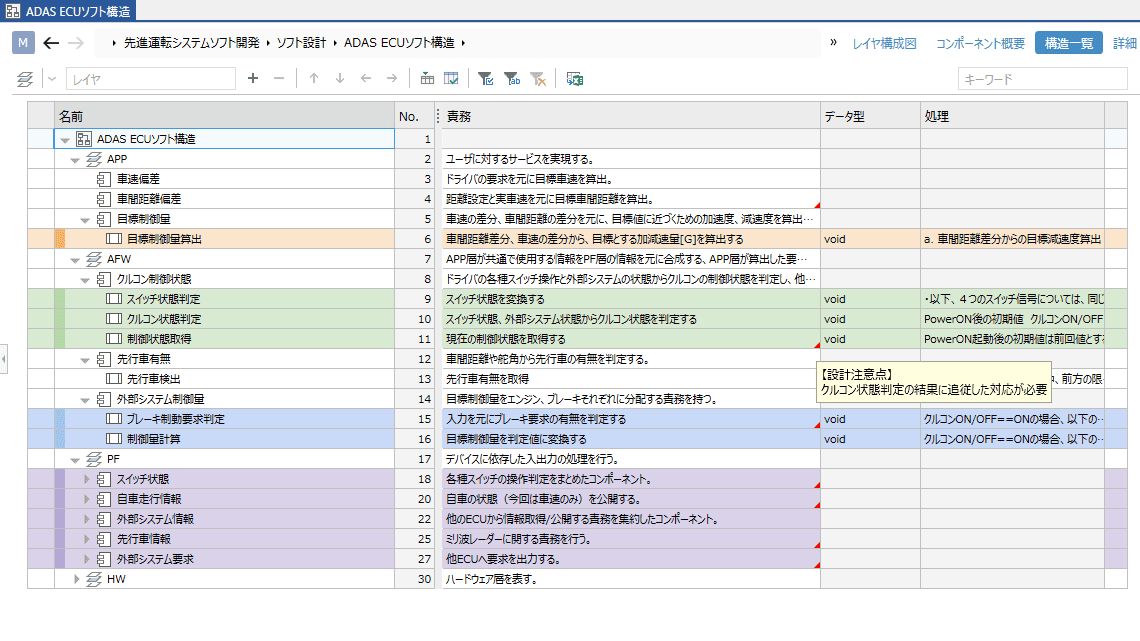
Expanded Expression Means Such as Coloring and Memo-Taking
- You can set colors for models outside of diagrams as well, allowing you to emphasize or color-code models.
- Tree grids allow you to add memos to cells and display row numbers, facilitating smooth communication during reviews.
-
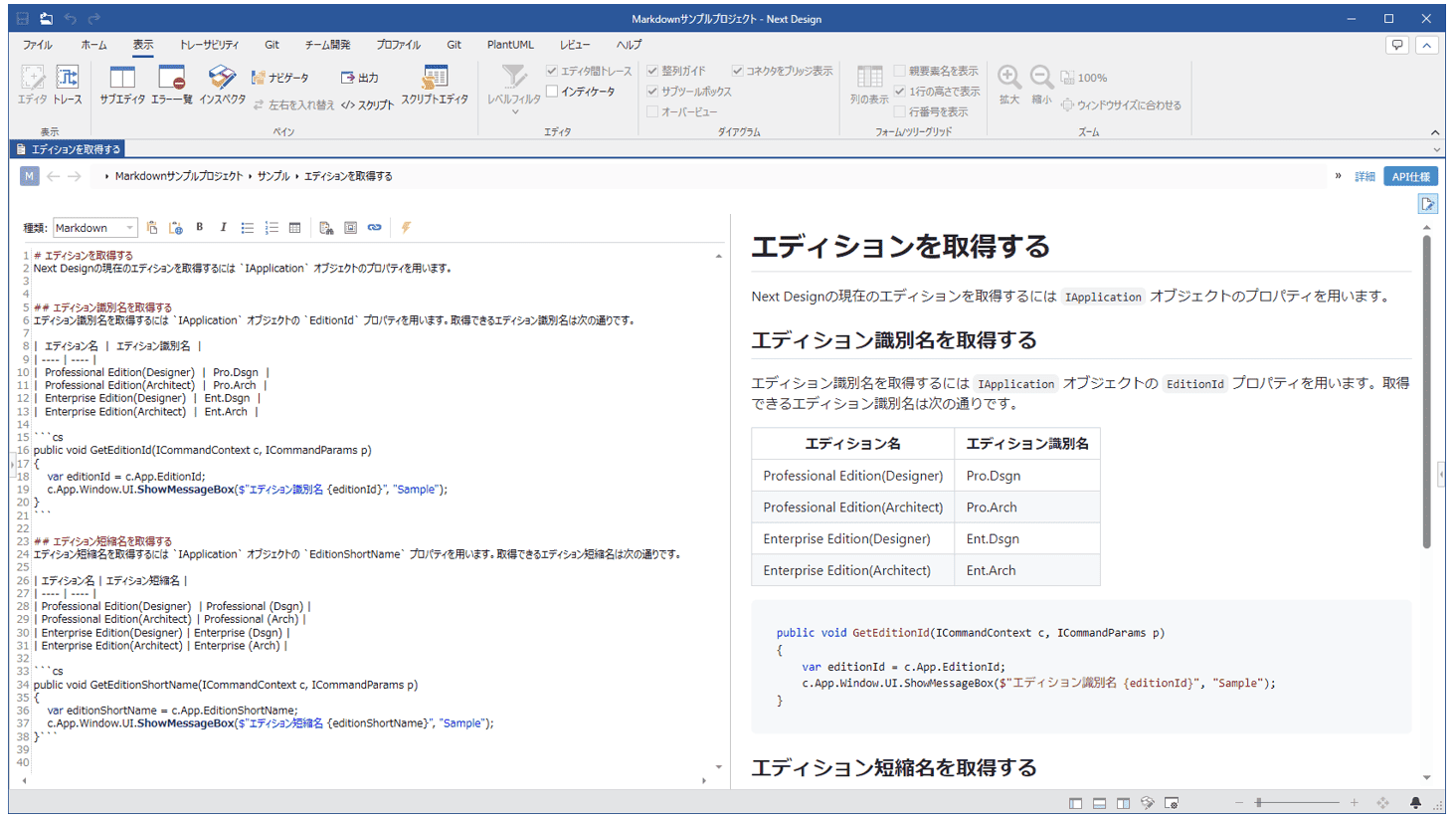
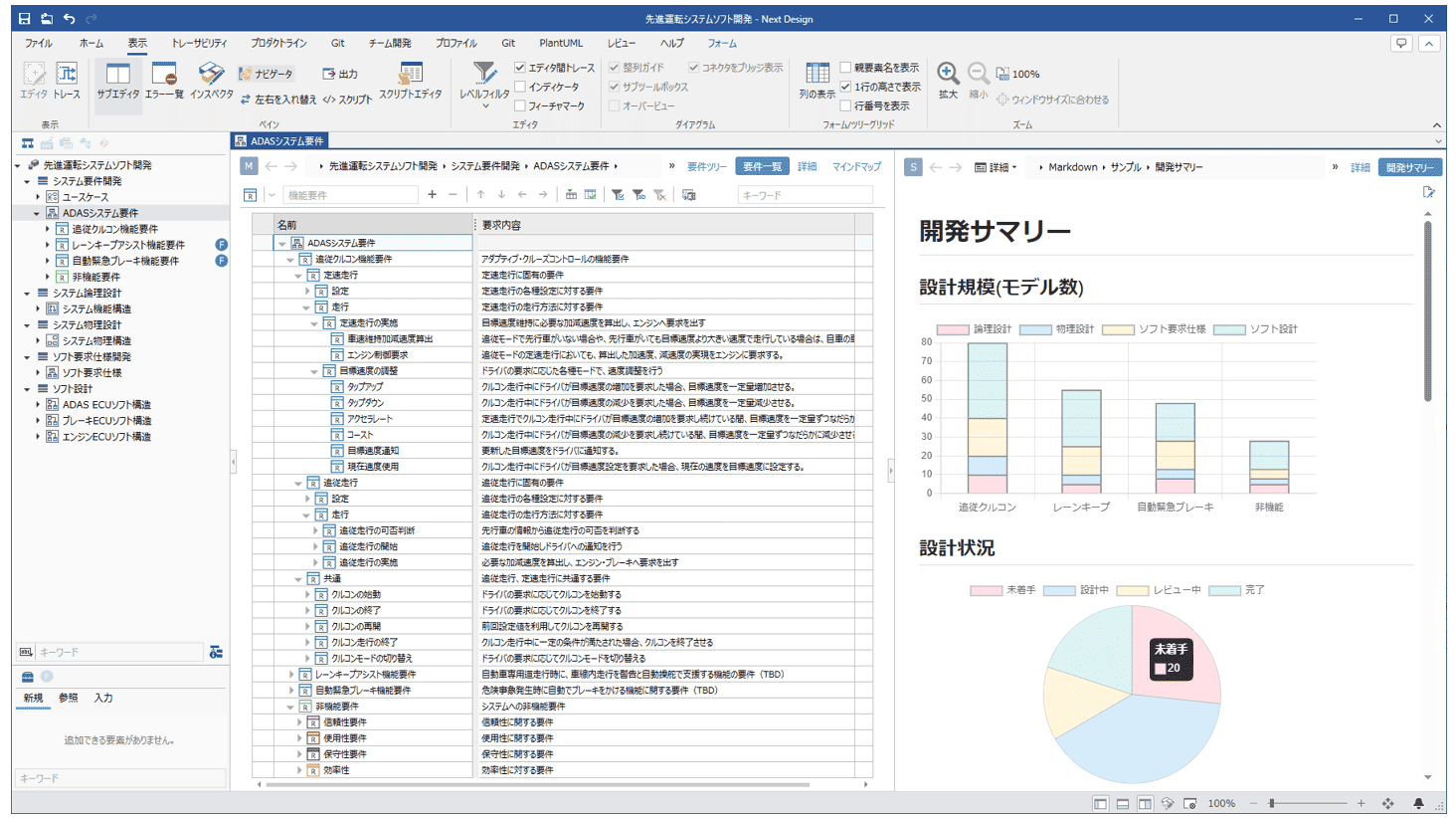
Editor feature enhancements with support for Markdown extension syntax
- Clearly describe design information using the expressive power of Markdown syntax.
- It also supports extended Markdown syntaxes such as PlantUML, Mermaid, Graphviz, and ChartJS, allowing you to embed various diagrams.
- You can display web pages by specifying URLs or dynamically generate content by embedding scripts.

Accelerating Organizational Profile Deployment
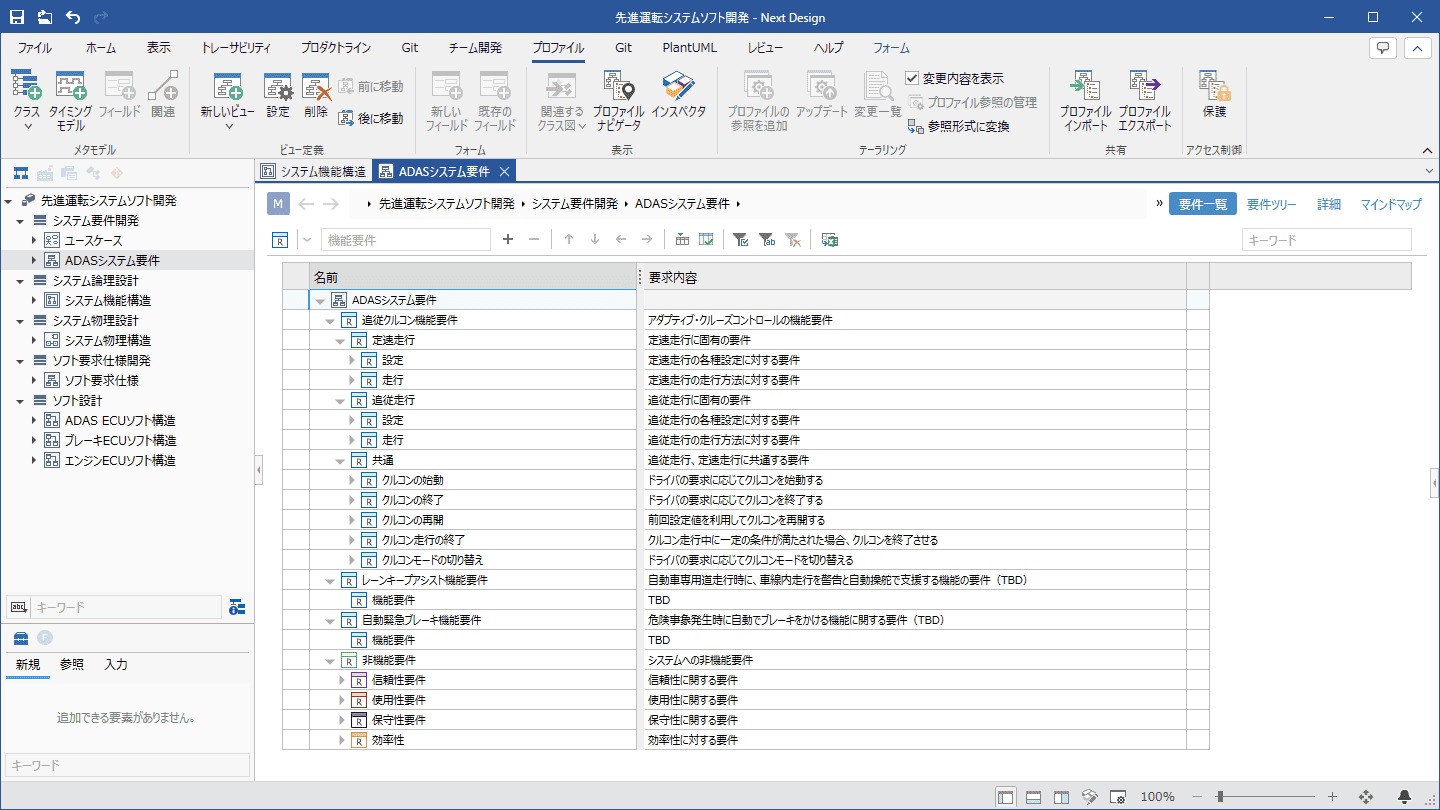
Profiles are process assets built on frontline expertise. By modularizing and combining profiles defined for each process or product line—such as requirements definition, design, and testing—you can quickly and easily define the profiles required at the start of a project. It also supports customization like project-specific design item names and tracking profile revisions across organizations, accelerating the organizational profile management cycle.
-

Combining modules to define profiles
- By modularizing and combining profiles for each workflow or product line, you can quickly and easily define the profiles required for your project.
- Manage multiple versions of profiles and specify which profile version to use for each project.
- Profiles can also be published in shared folders, making profile distribution across the organization effortless.
-
Customizing profiles to suit your operations
- By reusing modularized profiles across multiple projects and customizing them to fit your specific operations, you can bridge the differences between projects.
- Profile customization enables you to align design item names and select the precise information that needs to be designed.
- It also supports profile merging, allowing you to update profiles flexibly.
-
Tracking profile revisions while retaining customizations
- Even when the profiles you are using are updated to a new version by your organization, you can easily update your project profiles.
- You can track and incorporate profile revisions from your organization while keeping your operational customizations intact.
- Check profile changes before applying profile revisions to a project to determine the optimal timing for the update.
Enhanced Support for Large-Scale and Concurrent Development
System and software development is becoming increasingly large-scale day by day. Incorporating the needs of large-scale and parallel development sites using Next Design, we have significantly improved not only functionality but also performance, delivering a stress-free user experience.
-

Leveraging CI/CD with the new CLI version
- Accelerate process automation through CI/CD with the command-line version of Next Design, which also runs on Linux.
- Extensions are also available to automate user-defined consistency checks, automatic conversions, and exports.
-
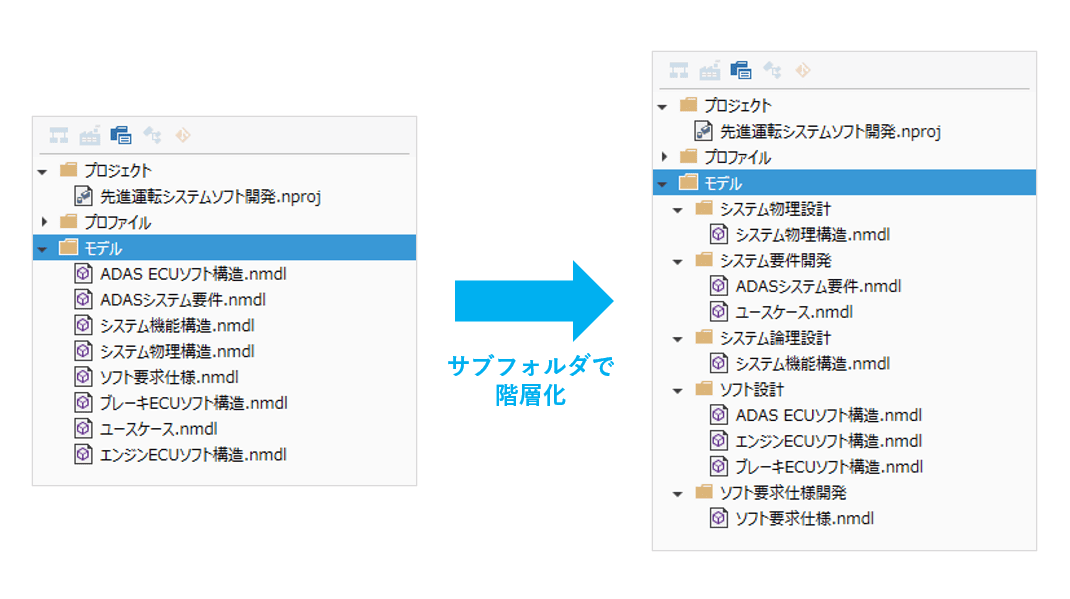
Hierarchical structuring of model files
- By structuring numerous model files into subfolders hierarchically, you can organize them by units such as processes or functions.
-
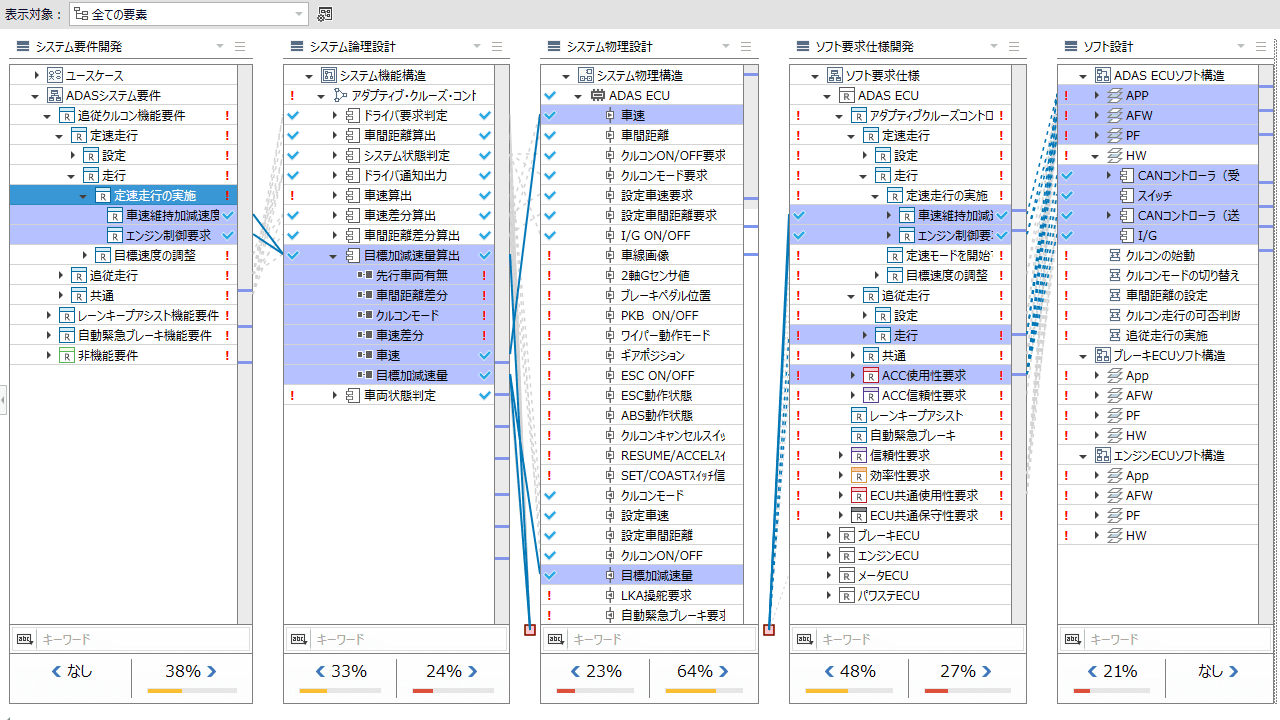
Trace Page Performance Improvements
- Significantly improved trace page performance to ensure smooth, stress-free operation even in large-scale projects.
-
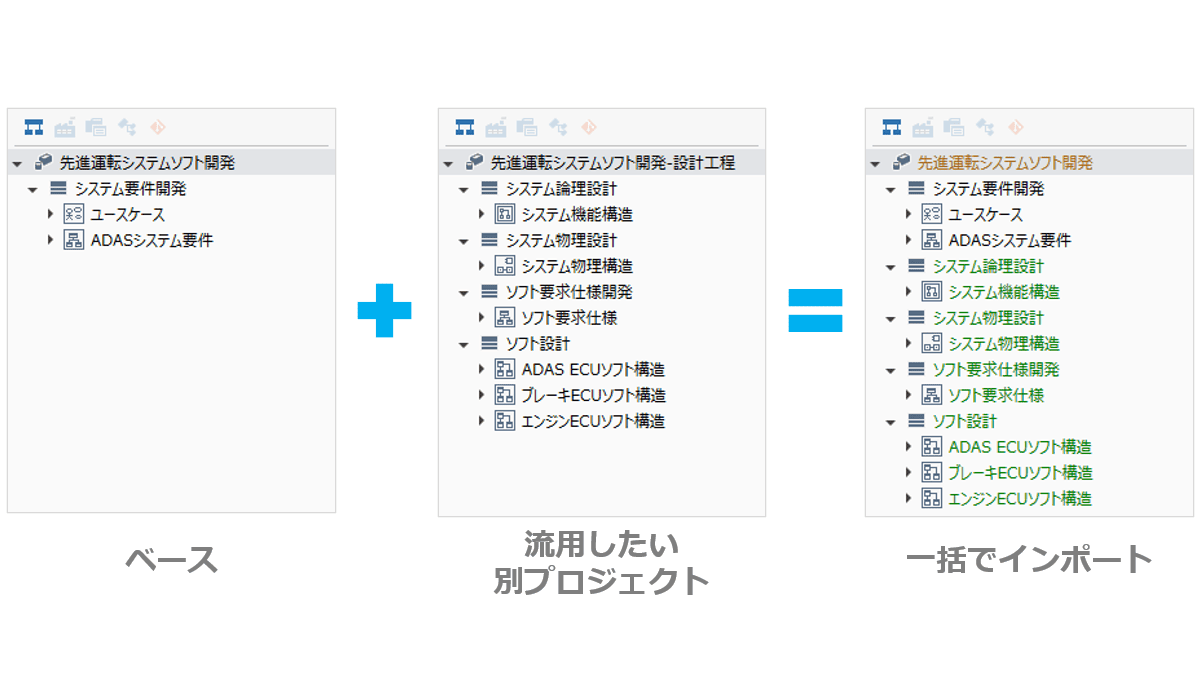
Import from Other Projects
- All models can now be batch-imported from another project, simplifying model migration during derivative development.
-

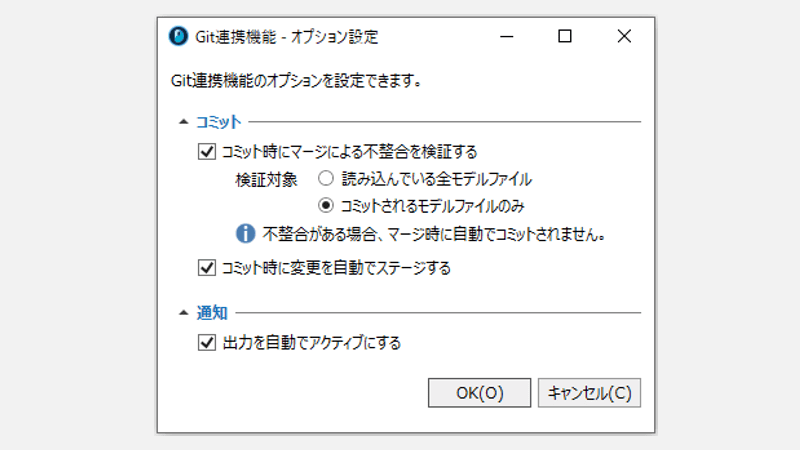
Enhanced Git Integration Features
- Improved the merge processing logic for collection order, enabling merges in a more natural sequence.
- Added support for cherry-pick operations, allowing you to apply specific commits from commit history to the current project.
- Convenient new option settings have been added to streamline frequently performed operations.
-
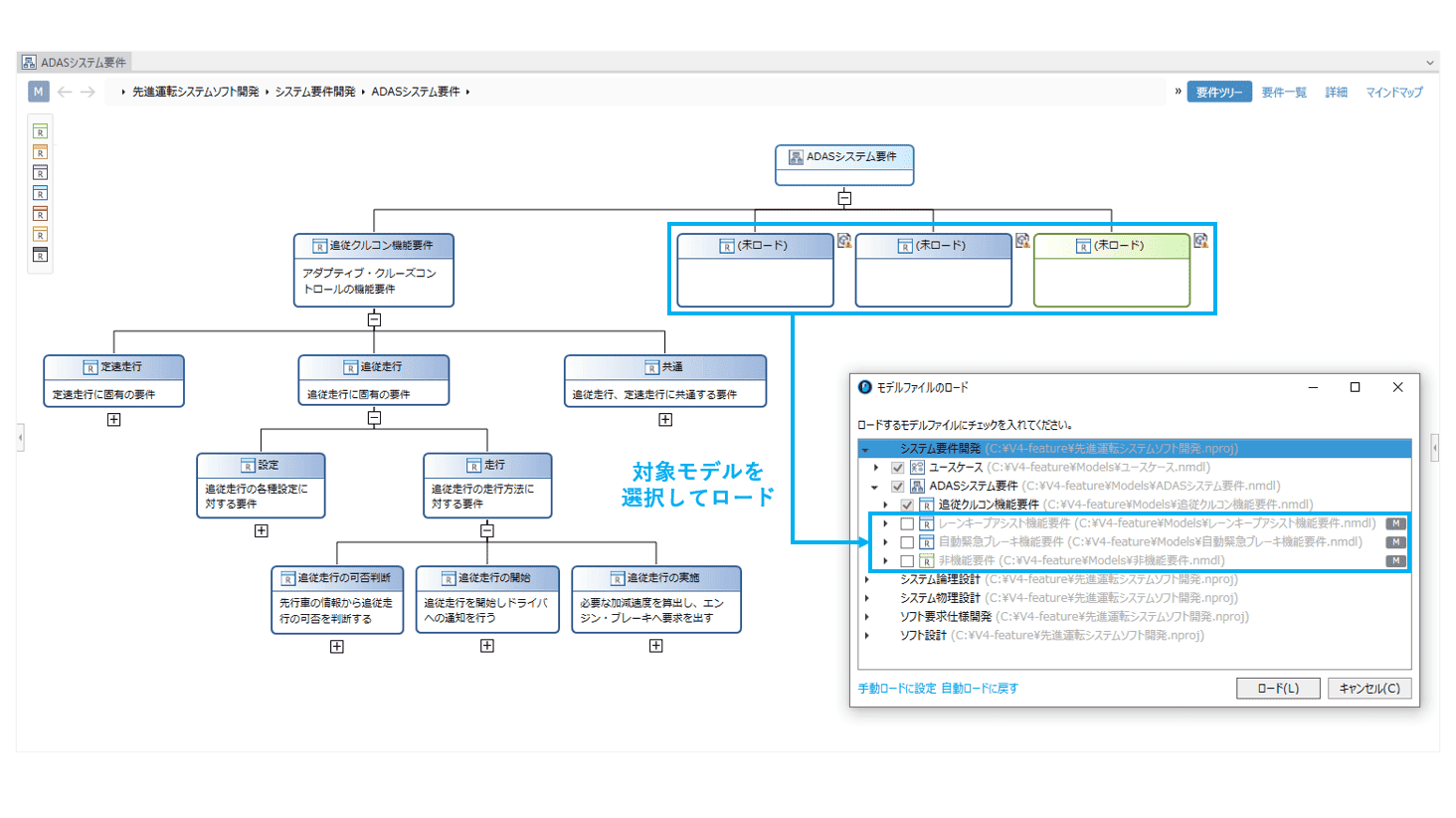
Usability Improvements for Partial Load Functions
- In addition to manual loading per model file, you can now load unloaded models within the editor in bulk, or select and load specific models from a list.
Various Other Feature Updates
-
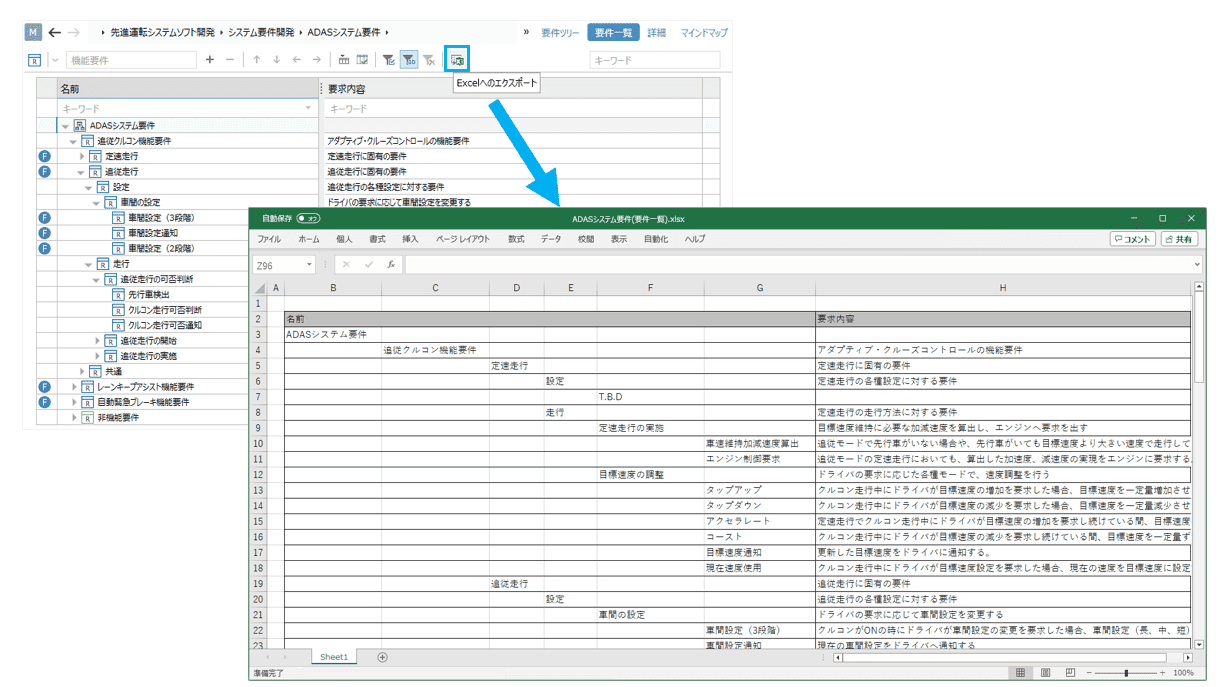
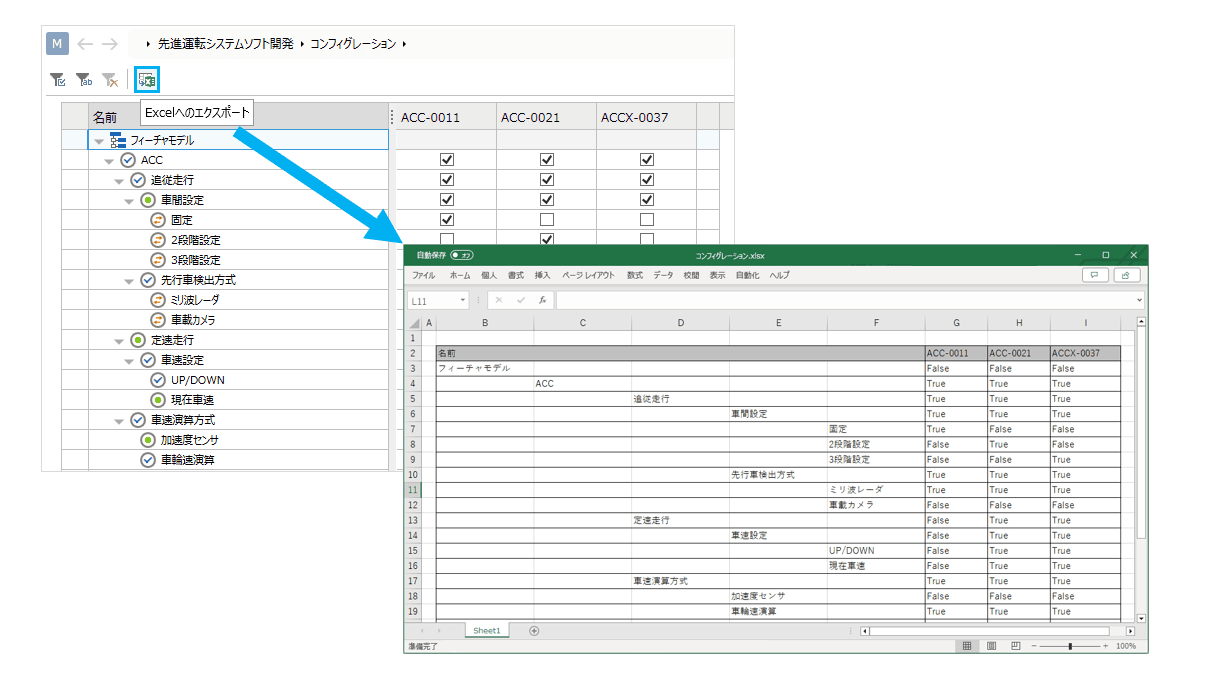
Export to Excel Files
- Tree-grid views and product line configurations can now be exported to Excel files for better data utilization.
-
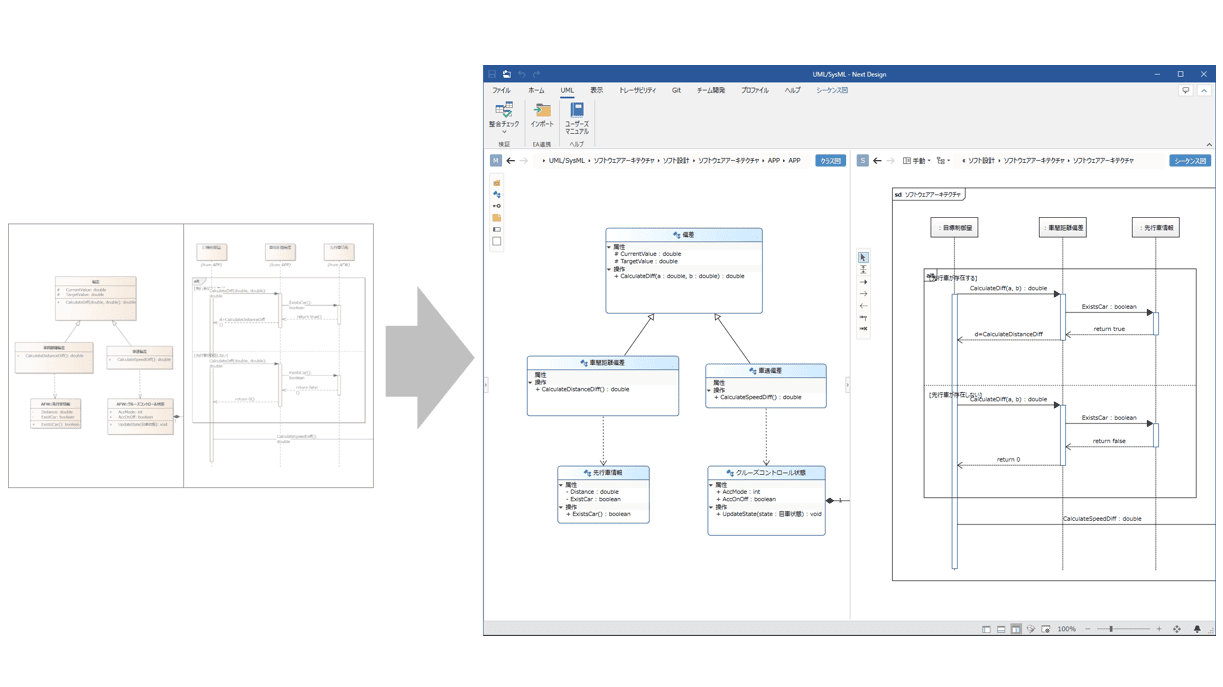
Model Updates During EA Import
- Re-importing updated EA files allows you to reflect updates in already imported models.
-
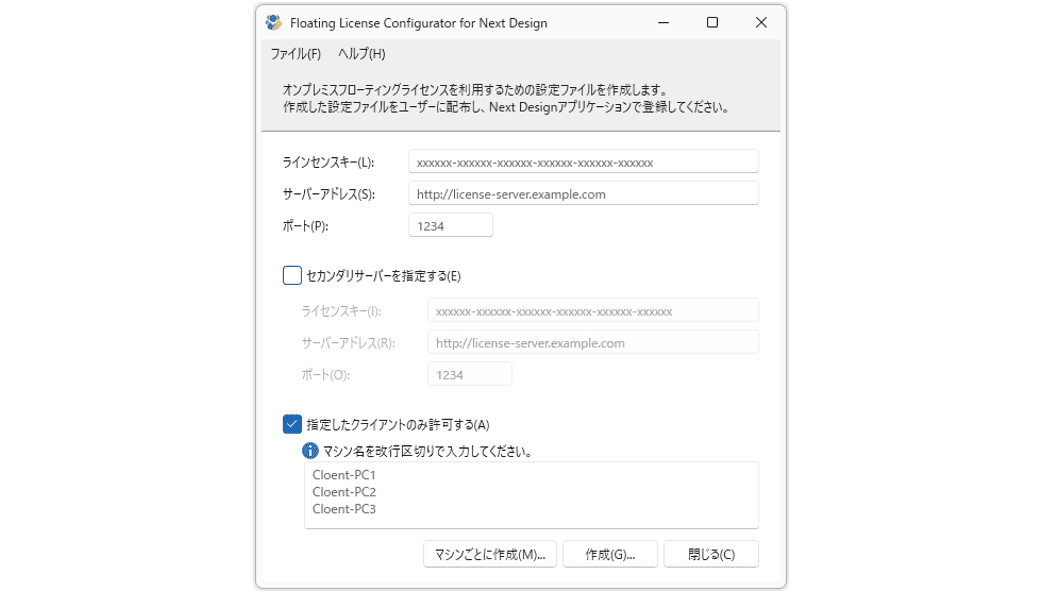
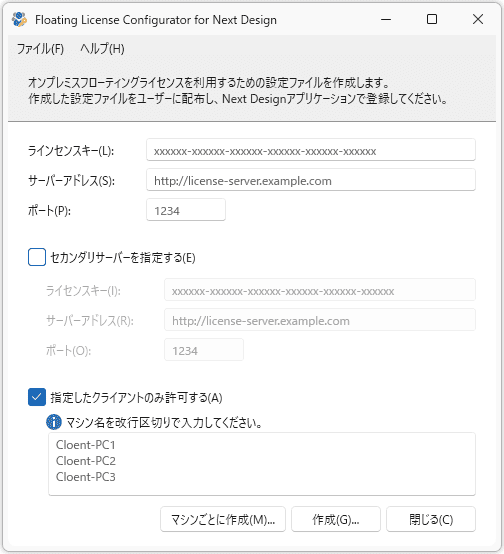
Enhanced Security for On-Premises Floating Licenses
- Server connection details can now be hidden by distributing files with embedded server connection info to users for license registration.
- Usage can be restricted to specific PCs, limiting license utilization on unauthorized devices.
-

Support for the Latest .NET 8
- The application framework has been updated to .NET 8, ensuring compatibility with the latest runtime environment.
-
API Feature Additions and Improvements
- The behavior for setting values in rich text fields has been changed for simpler and more concise operation.
- Added an option setting for document generation to suppress the automatic opening of documents after generation.
- Metamodel class inheritance relationships can now be deleted via the API.