


NEW FEATURESWhat's new in Next Design V5.1 and
features of the Next Design AI Tool Kit
AI agents can now
directly utilize design information
Building a development foundation where humans and AI design together
We have released "Next Design V5.1", the latest version of our system and software design tool, along with the "Next Design AI Tool Kit", designed to leverage Next Design's design information through AI agents.
In Next Design V5.1, we have improved loading performance for large-scale projects to support increasingly massive software development. Even with an increased volume of design information, you can now start your design work even more smoothly.
The simultaneously released Next Design AI Tool Kit provides "Next Design MCP", which allows AI agents to access Next Design's design information, as well as dedicated Skills that supply AI agents with the knowledge and procedures needed for tasks performed using Next Design.
This enables users to leverage structured design information accumulated in Next Design directly from the AI agents they use daily. It delivers a development foundation that drives the design process using the exact same design information for both humans and AI.
Features of V5.1
Smooth design initiation, even with large-scale design data
in Next Design V5.1, loading performance for large-scale projects has been improved.
-
Faster project opening
- Even in large-scale developments involving many developers and an increased volume of design information and models, we have reduced the waiting time from opening a file to starting your design. As your project scales, you can keep your design information centralized in Next Design while smoothly beginning your daily design tasks.
-
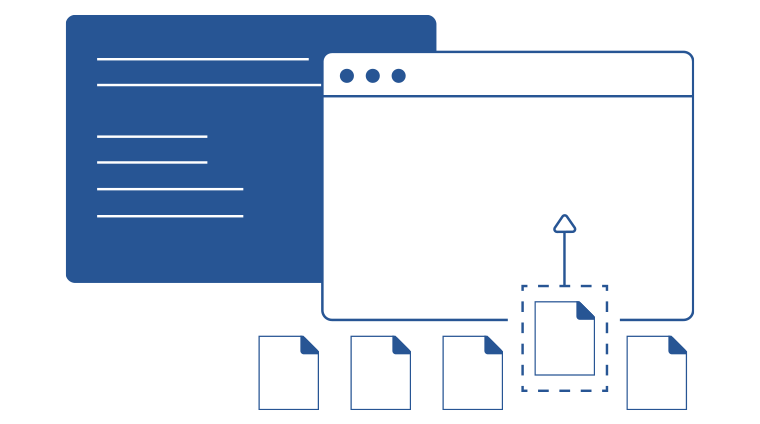
Enhanced comfort with partial loading and on-demand loading
- We have also improved the partial loading feature, which allows you to configure settings to load only the files required for each developer. Additionally, we have introduced an on-demand loading feature that automatically loads unloaded models precisely when they are needed. By configuring settings to load only the minimum required files on a daily basis, you can enjoy responsive performance while designing comfortably without having to manually load additional files.
Features of Next Design AI Tool Kit
Design information accumulated in Next Design serves as the foundation for AI utilization
Design models and relationships between models accumulated in Next Design can be utilized not only by designers but also by AI agents. AI agents support tasks such as model creation, editing, review, and verification while referencing design information within Next Design. Designers can review the results created and proposed by AI on Next Design and proceed with their work while making adjustments to match their design intent.
-
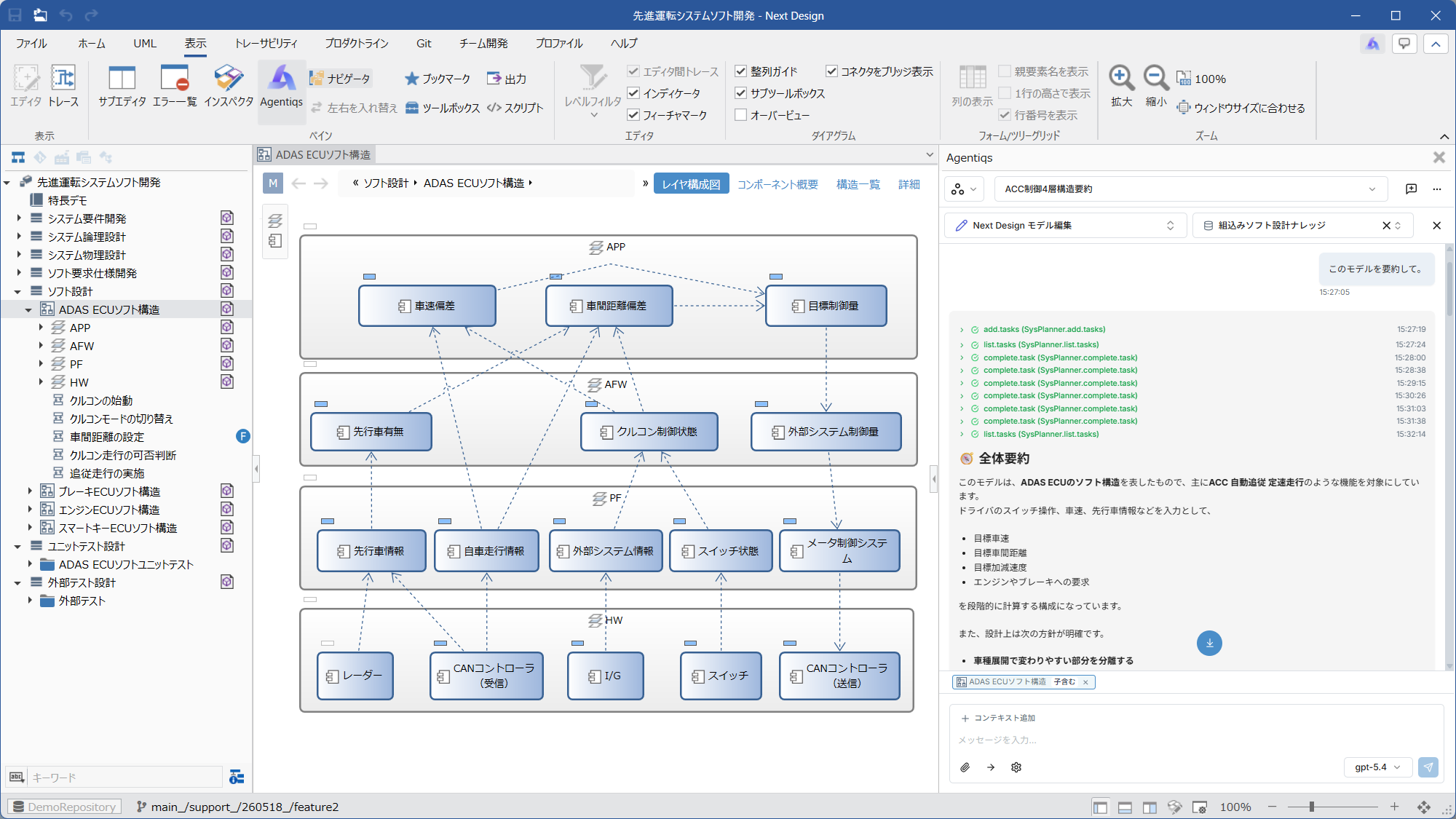
Directly reflect AI output data into Next Design's design information
- There is no need to manually import AI-generated text or files as design information into Next Design. Because AI can directly input and output Next Design's design information, conversation content can be reflected directly into design deliverables.
-
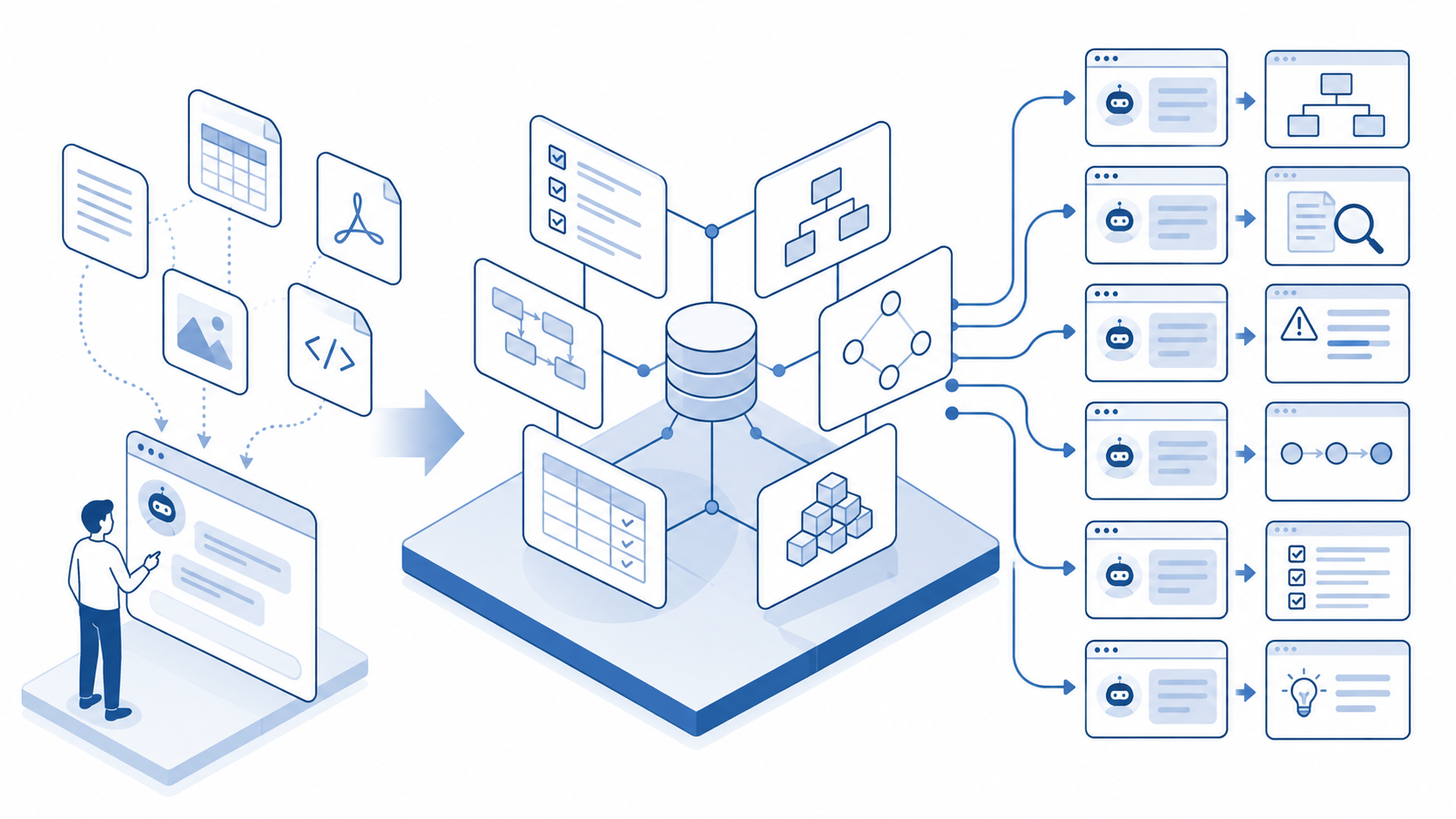
Structured design information serves as the foundation for AI utilization
- The design information managed by Next Design includes information structured based on metamodels for requirements, designs, tests, etc., along with model relationships and traceability information. By referencing this design information, AI can efficiently perform tasks such as impact range analysis during design changes.
- By allowing AI to utilize Next Design's actual design information, Next Design serves as a shared development foundation for both humans and AI.
Leveraging Next Design's design information from AI agents
With Next Design MCP, compatible AI agents can reference and edit Next Design's design information. Through your conversation with the AI, you can utilize Next Design models, metamodels, traceability, diagrams, and more to create and edit models, as well as check and verify design information. For example, based on requirements and design information registered in Next Design, you can create initial model drafts, investigate relationships between models, and check for missing design information or inconsistencies. By combining Next Design with the AI environments you use daily, such as Claude or GitHub Copilot, you can leverage AI in your daily design work.
-
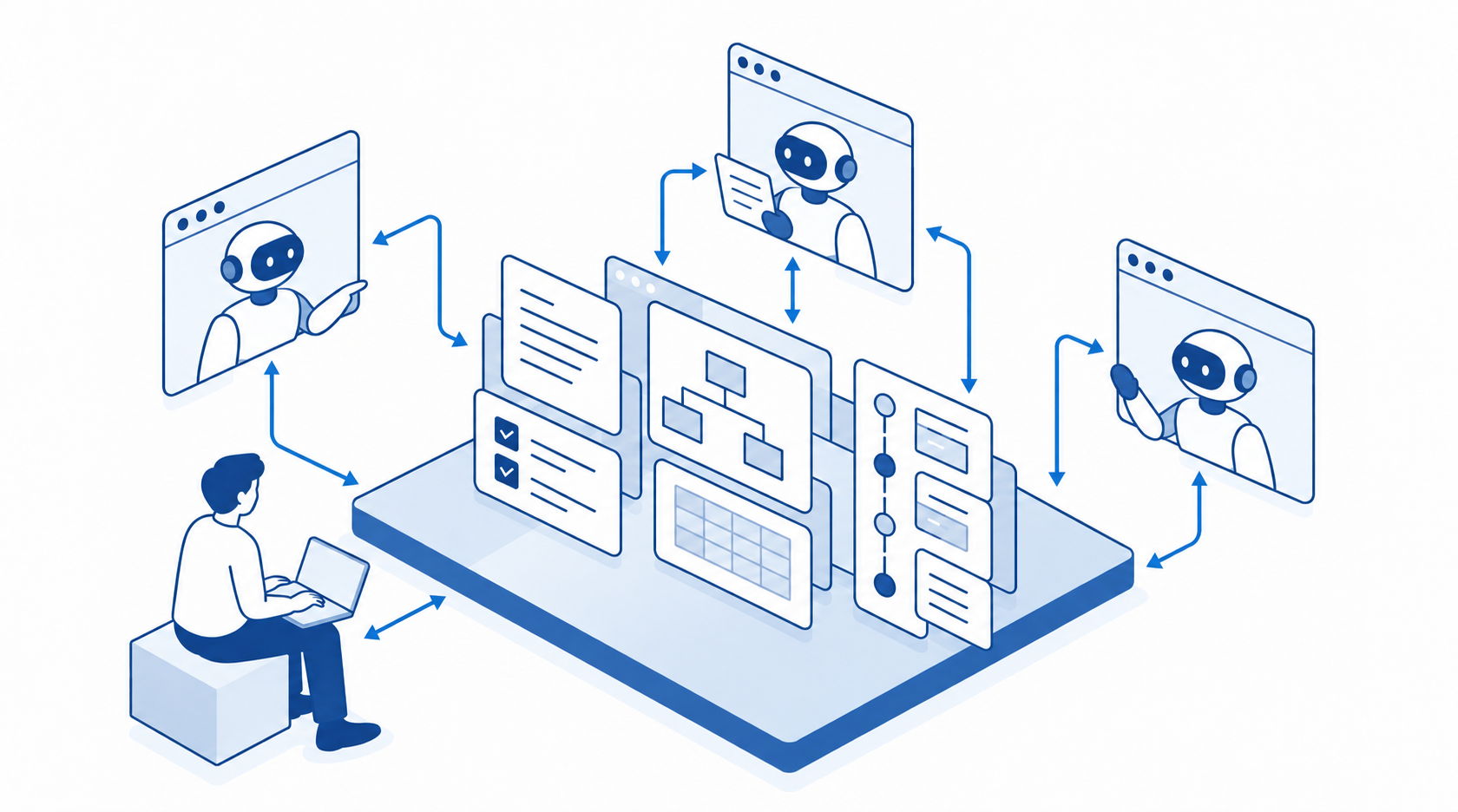
Directly utilize Next Design's design information from your everyday AI
- Simply configure Next Design MCP with AI agents you use every day, such as Claude or GitHub Copilot, to incorporate AI support directly into your design workflows.
- You can also review and verify design information by leveraging Next Design models, metamodels, traceability, and diagrams.
-
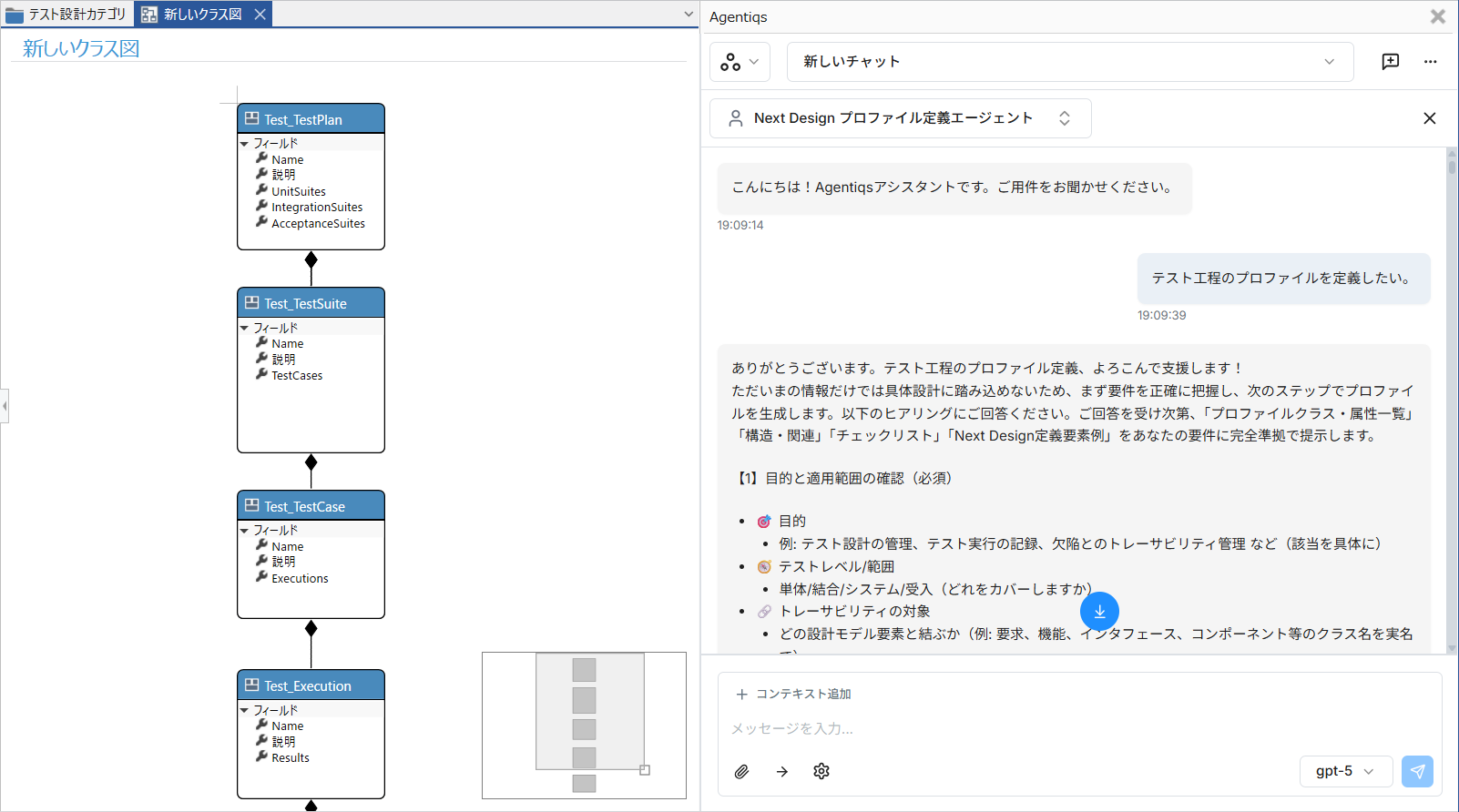
Directly utilize Next Design's design information from DC Agentiqs
- DENSO CREATE's AI agent platform, "DC Agentiqs," allows you to use Next Design with Next Design MCP and dedicated Skills pre-configured.
- Engage in a conversation from the integrated AI chat within the Next Design interface while utilizing the design information currently being edited.
- Individual configuration of MCP and Skills is unnecessary, making updates much easier to manage.
MCP (Model Context Protocol) is a mechanism for connecting AI agents with external tools and data. By using Next Design MCP, you can reference and edit Next Design information from compatible AI agents.
Supporting specialized tasks with Next Design dedicated Skills
In addition to enabling AI agents to handle Next Design information via Next Design MCP, Next Design dedicated Skills allow AI agents to understand "how to proceed with design work in Next Design." By leveraging Next Design's expertise and methodologies, they support more specific tasks. Not only can you have the AI operate Next Design, but you can also use AI for tasks requiring specialized knowledge, such as building profiles, migrating existing design assets, and developing extensions. By having the AI understand how to carry out work using Next Design, designers can create actual deliverables while conversing with the AI.
-
AI that knows Next Design, supporting specialized work
- From defining metamodels (profiles) to creating and modifying models, the AI provides full support.
- You can also handle relationships and expressions in design information, such as setting up and analyzing traceability or automatically arranging diagrams.
- Based on requirements specifications and existing design information, the AI supports the creation of models such as use cases, scenarios, and test cases.
- Review design information in Next Design against review perspectives and required items, supporting the discovery of omissions and inconsistencies.
-
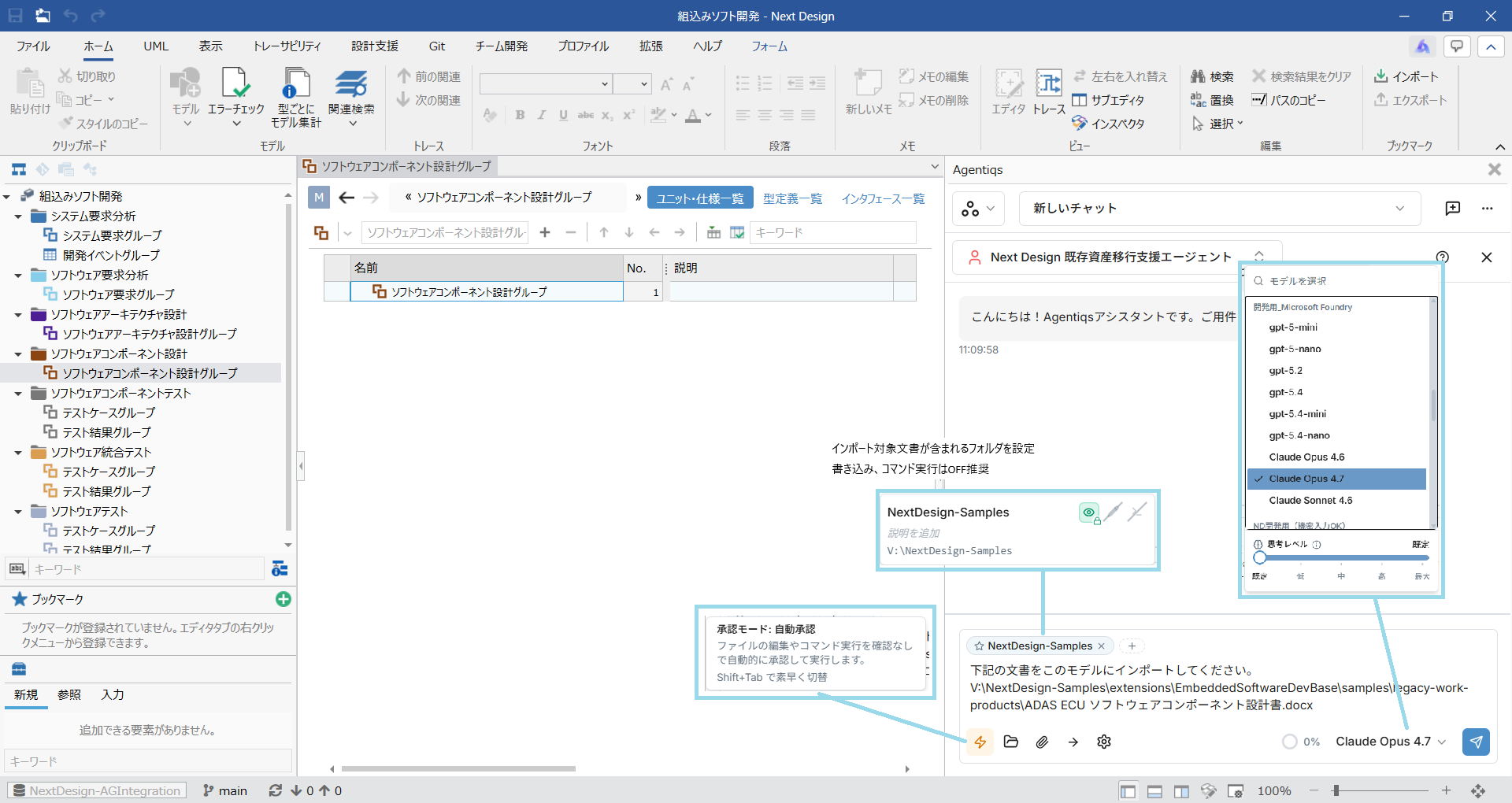
Smoothly migrate existing design assets into Next Design models
- Read existing design assets previously managed in Word, Excel, PDF, or similar formats, and support their migration to Next Design models.
- The AI interprets the content of the documents and organizes and creates them as models aligned with your Next Design profile.
- While checking the original documents against the created models, the AI also supports confirming and correcting omissions and missing information.
-
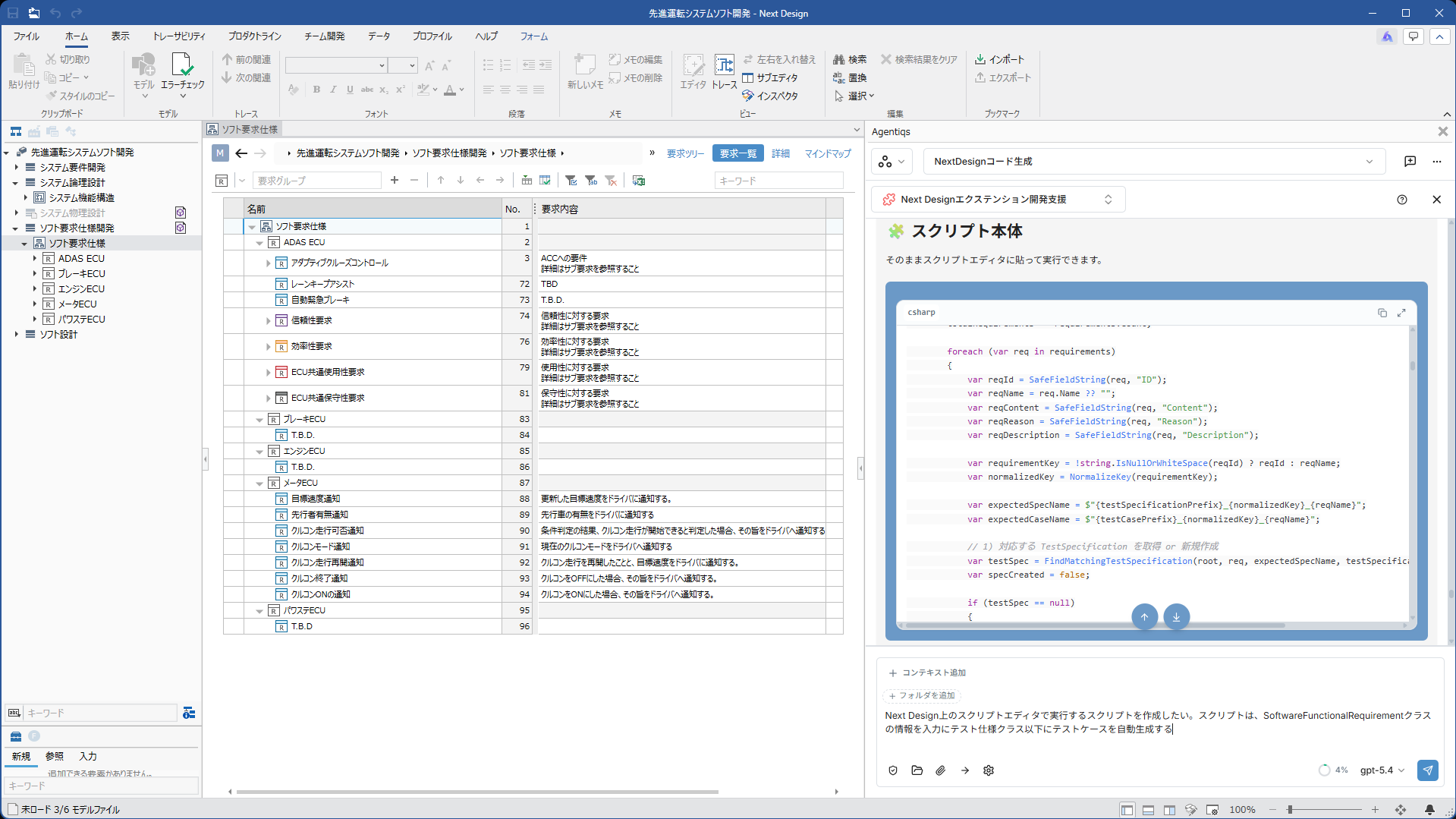
Supporting extension development
- Dedicated Skills allow the AI to understand Next Design's API and development workflows, supporting the creation of extensions.
- Simply by communicating what you want to achieve, the AI creates a foundational framework for the extension according to your requirements. By reviewing the results and instructing modifications as needed, users can develop target extensions without having to write code.
Skills are a mechanism that provides AI agents with the knowledge and procedures required for specific tasks. Next Design-specific Skills provide AI with workflow guidance and expert knowledge for working with Next Design.
Terms of Use and Additional Fees
The Next Design AI Tool Kit and the Next Design features of DC Agentiqs are available at no additional cost to Next Design users. Subscriptions and usage fees for the AI services and LLMs used are required separately. When using LLMs through DC Agentiqs, an API key for the respective LLM is required.