


Announcement: Seminar on Next Design V5.1 × AI Toolkit Features
We are pleased to announce a webinar introducing the new features of the next-generation design tool “Next Design V5.1” and the “Next Design AI Toolkit.”
Next Design has been updated to version 5.1, and the company has also released the “Next Design AI Toolkit,” which enables AI agents to utilize Next Design’s design information. In Next Design V5.1, loading performance for large-scale projects has been improved to accommodate the ever-increasing scale of software development. The Next Design AI Toolkit, released simultaneously, includes “Next Design MCP,” which enables AI agents to utilize Next Design’s design information, as well as dedicated Skills that provide AI agents with the knowledge and procedures necessary for working with Next Design.
In this seminar, we will introduce the new features of V5.1 and the Next Design AI Toolkit through demonstrations.
Please note that this seminar will begin with an introduction to the concepts and features of Next Design so that even those who are not yet familiar with it can participate. If you’re thinking, “I just want to learn about the new features in V5.1 and the Next Design AI Toolkit!”, you’re welcome to join the seminar partway through. Please feel free to join us.

Features of V5.1
Smooth design initiation, even with large-scale design data
Even in large-scale development projects with an increasing number of design data and models, it minimizes the wait time between opening a file and starting the design process. As your project grows, you can consolidate your design data in Next Design and start your daily design work smoothly.
Features of the Next Design AI Toolkit
1. The design information accumulated in Next Design serves as the foundation for AI utilization
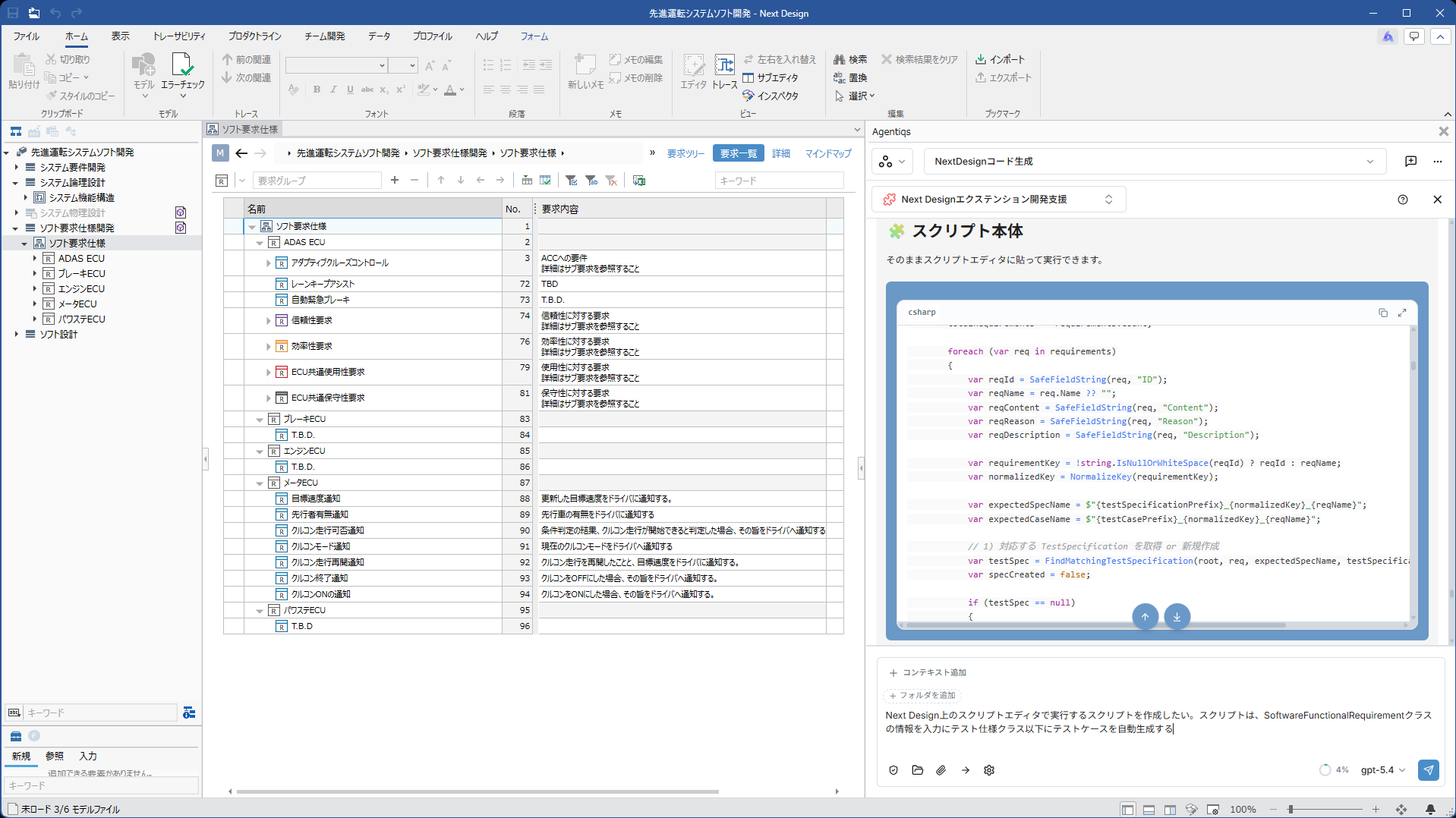
With Next Design MCP, you can view and edit Next Design design information and relationships between models from compatible AI agents. Designers can review the results generated and proposed by the AI in Next Design and proceed with their work while making adjustments to align with their design intent.
2. AI that understands Next Design supports users even with specialized tasks
Thanks to skills designed specifically for Next Design, the AI agent understands “how to proceed with design work within Next Design” and uses its knowledge of Next Design and its workflows to assist with more specific tasks.
- From defining metamodels (profiles) to creating and modifying models, the AI provides full support.
- Read existing design assets previously managed in Word, Excel, PDF, or similar formats, and support their migration to Next Design models.
3. Supporting Extension Development
Using specialized skills, the AI understands Next Design's API and development process to assist you in creating extensions. Simply describe what you want to achieve, and the AI will create a draft extension based on your requirements.
Seminar Overview
| Date & Time | |
|---|---|
| Format | Online |
| Recommended Attendees |
|
| Fee | Free |
| Contents |
(The first half of the seminar covers the same content as our previously held product introduction web seminars.) |
Notes
- This seminar uses the webinar feature of the web conferencing tool Zoom. No account creation is required.
- You can participate by clicking the viewing URL provided in the email sent by the day before the event.
- You can join from a PC or smartphone.
- If you have any questions during the webinar, please submit them via the “Q&A” menu on the webinar screen, and we will answer them during the webinar.
- We will distribute a list of all questions received—including those we were unable to answer during the webinar—at a later date.
- Connection start times may be delayed due to preparation circumstances.
- Participation by competitors and individuals may be declined.
Handling of Personal Information
Please see here for our privacy policy.